6) Then you can log in to the android OS through adb shell on Ubuntu PC
test@test:~$ adb shell
cupid-p2:/ #
5.5. How to use a USB camera
1) First insert the USB camera into the USB interface of the development board, and
then confirm that the kernel module related to the USB camera has been loaded
normally
console:/ # lsmod
Module Size Used by
sprdwl_ng 405504 0
sprdbt_tty 36864 2
uwe5622_bsp_sdio 274432 2 sprdwl_ng,sprdbt_tty
uvcvideo 102400 0
videobuf2_v4l2 28672 1 uvcvideo
videobuf2_vmalloc 16384 1 uvcvideo
videobuf2_memops 16384 1 videobuf2_vmalloc
videobuf2_core 49152 2 uvcvideo,videobuf2_v4l2
mali_kbase 532480 7
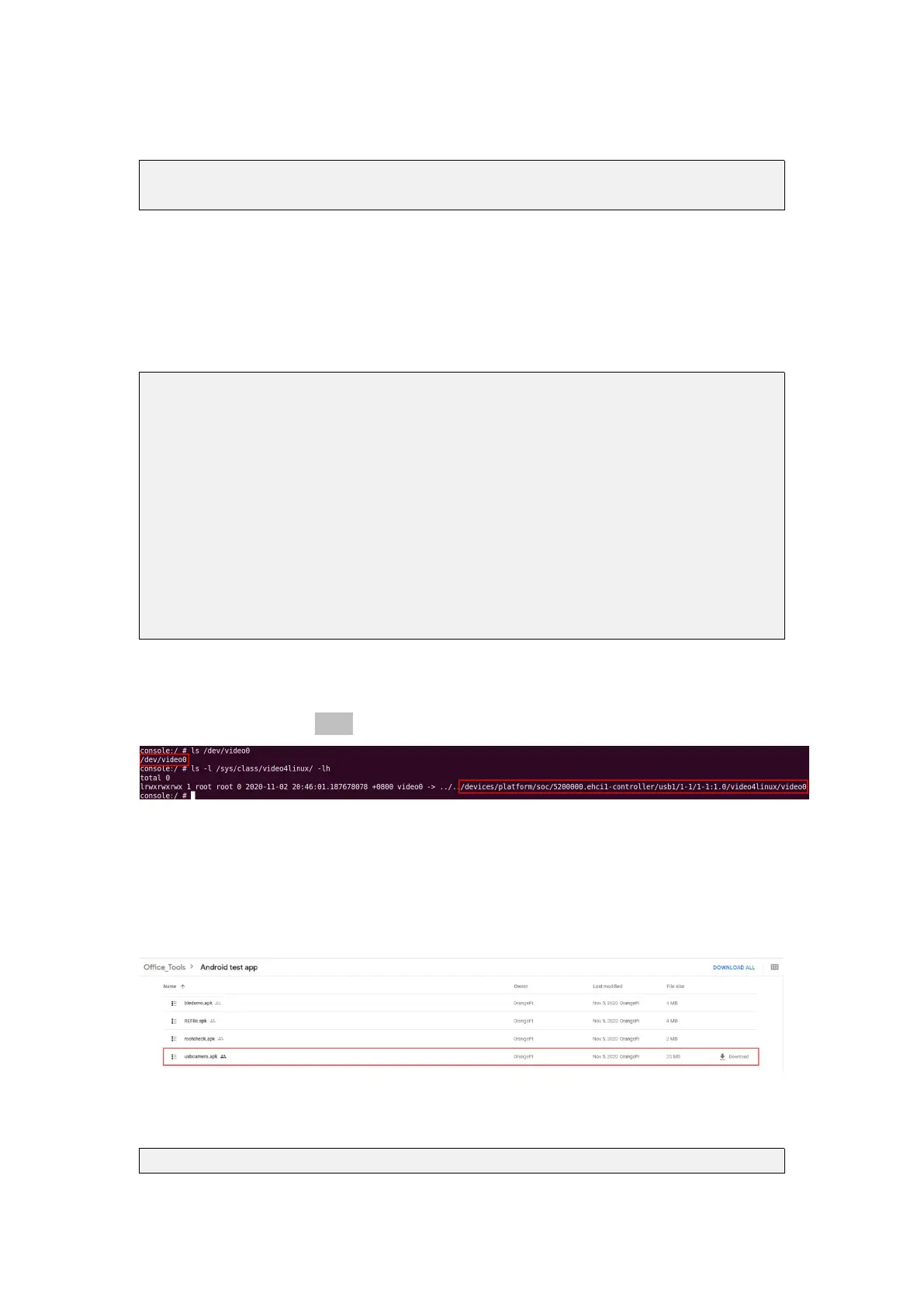
2) If the USB camera is recognized normally, the corresponding video device node
will be generated under /dev
3) Then make sure that the adb connection between the Ubuntu PC and the
development board is normal
4) Download the USB camera test APP from the official tool on the page below the
Orange Pi Zero 2 information
5) Then use the adb command to install the USB camera test APP to the Android OS,
of course, you can also use the U disk copy method to install
test@test:~$ adb install usbcamera.apk



 To Next Page