root@orangepi:~# dpkg -i linux-image-legacy-sun50iw9_2.0.8_arm64.deb
d. Then restart the development board, and then check whether the kernel-related
changes have taken effect
4.5. Compile rootfs
1) Run the build.sh script, remember to add sudo permissions
test@test:~/orangepi-build$ sudo ./build.sh
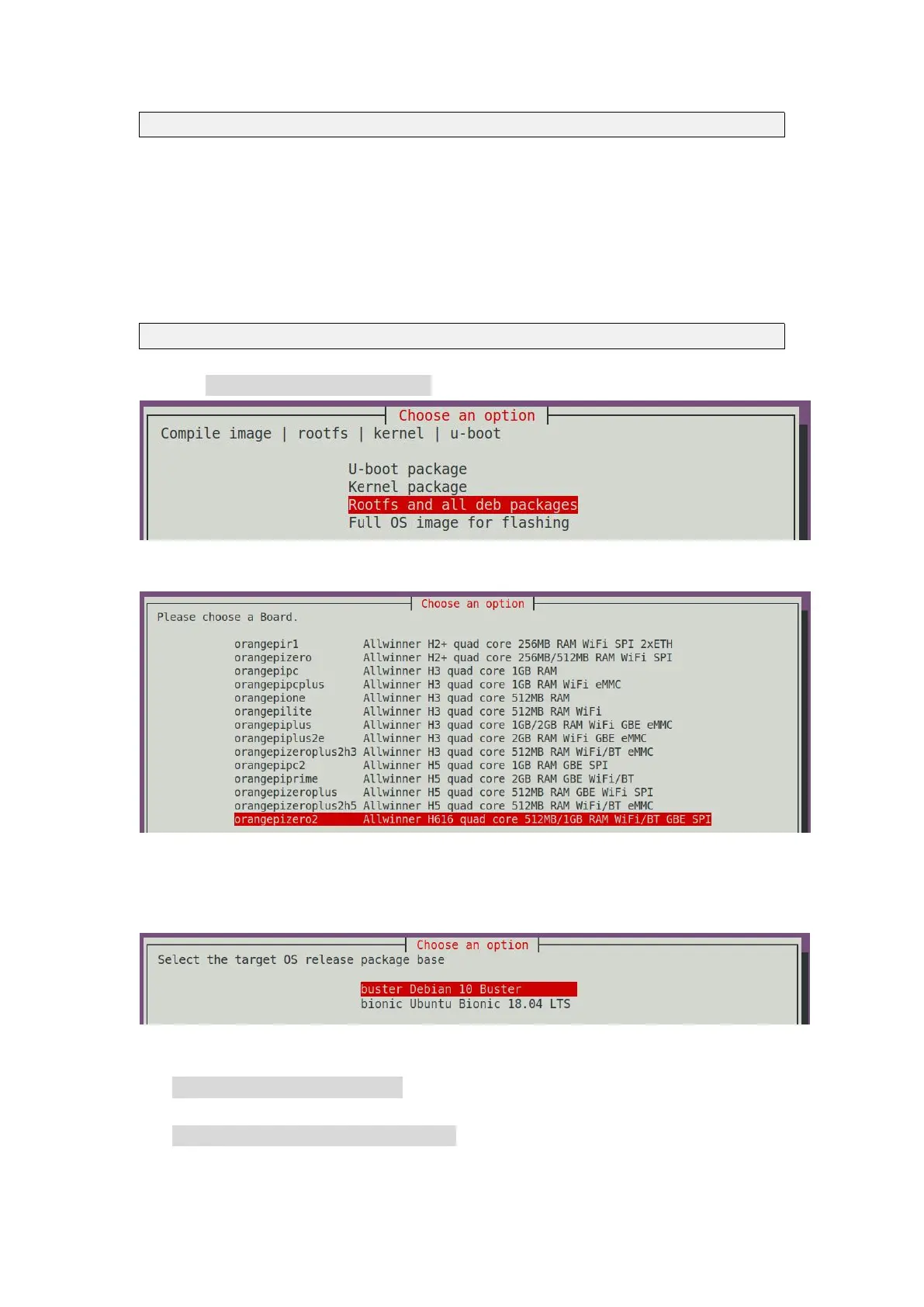
2) Select Rootfs and all deb packages, then press Enter
3) Then select the model of the development board
4) Then select the type of rootfs
a. buster means Debian 10
b. bionic means Ubuntu 18.04
5) Then select the type of image
a. Image with console interface represents the image of the server version, which
is relatively small
b. Image with the desktop environment means that the image with a desktop
version is relatively large



 To Next Page