d. Official tools: mainly include the software needed during the use of the
development board
e. Android image: saved on Baidu Cloud Disk and Google Cloud Disk
f. Ubuntu image: saved on Baidu Cloud Disk and Google Cloud Disk
g. Debian image: saved on Baidu Cloud Disk and Google Cloud Disk
2.3. Method to flash Linux image to MicroSD card based on
Windows PC
1) First, prepare a MicroSD card with 8GB or larger capacity. The transmission speed
of the MicroSD card must be above class10. It is recommended to use a brand
MicroSD card such as SanDisk.
2) Then use a card reader to insert the MicroSD card into the computer
3) Then format the MicroSD card
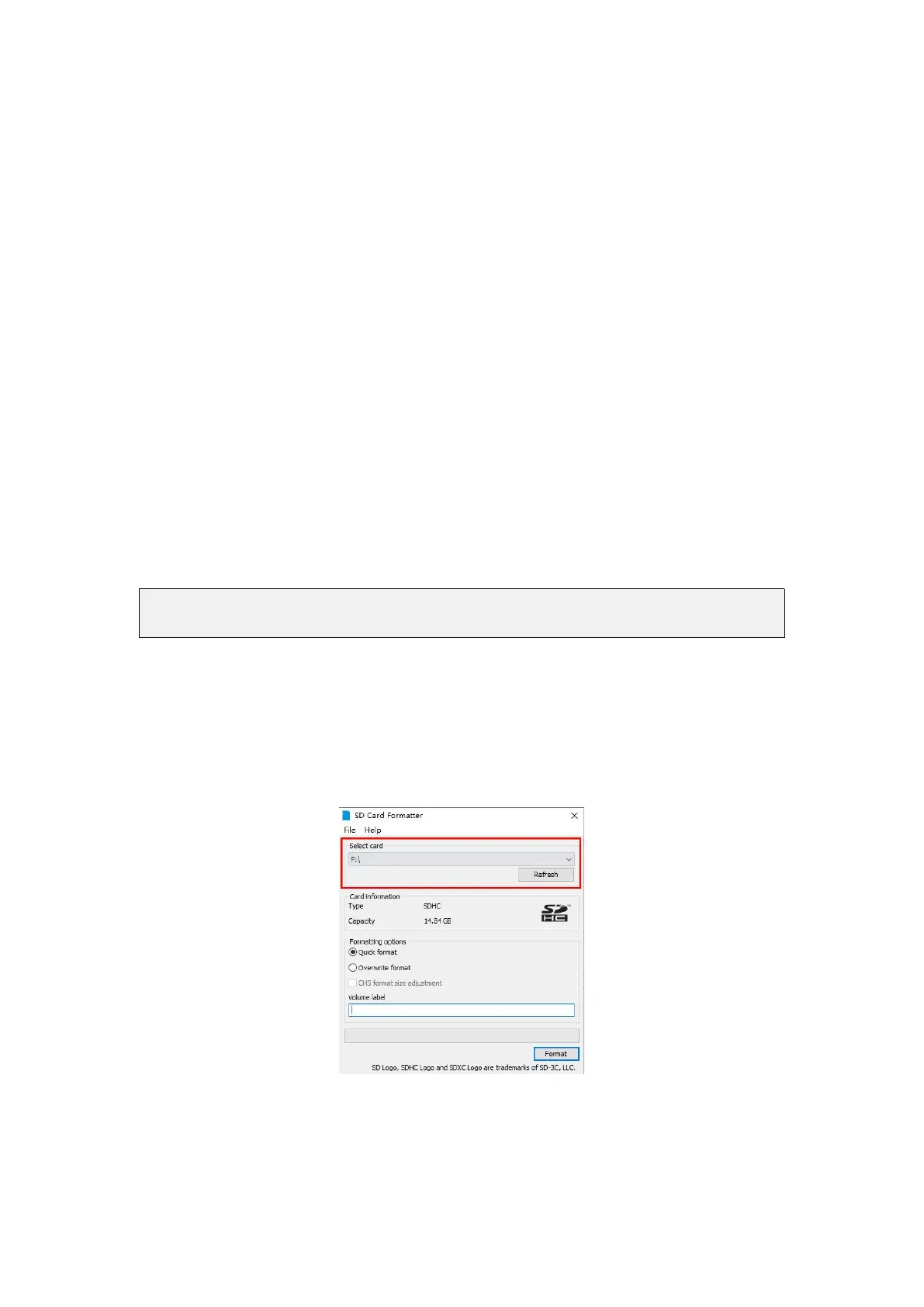
a. You can use the SD Card Formatter software to format the MicroSD card, the
download URL is
https://www.sdcard.org/downloads/formatter/eula_windows/SDCardFormatterv5_Win
EN.zip
b. After downloading, just unzip and install, then open the software
c. If the computer has only inserted a MicroSD card, the “Select card” column
will display the drive letter of the MicroSD card. If the computer has multiple
USB storage devices inserted, you can select the drive letter corresponding to
the MicroSD card through the drop-down box
d. Then click "Format", a warning box will pop up before formatting, and
formatting will start after selecting "Yes (Y)"



 To Next Page