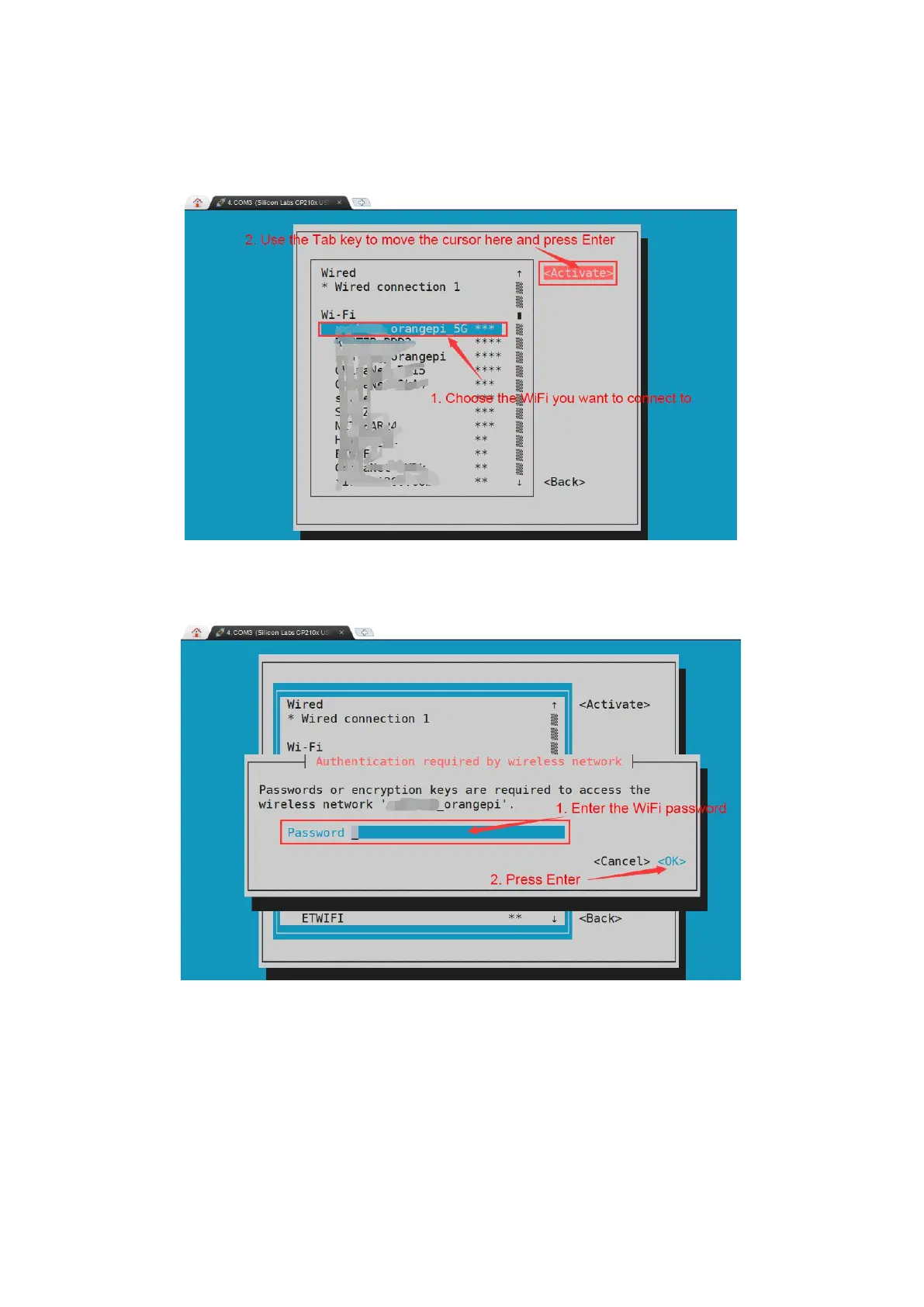
6)Select the WIFI hotspot you want to connect to, then use the Tab key to position the
cursor on Activate and press Enter
7)Then a dialog box for entering the password will pop up, enter the corresponding
password in Password and press Enter to start connecting to WIFI
8)After the WIFI connection is successful, a "*" will be displayed before the
connected WIFI name



 To Next Page