c. If you connect the development board to the HDMI display, you can log in to the
Linux OS through the HDMI display terminal
2)Then enter nmtui in the command line to open the wifi connection interface
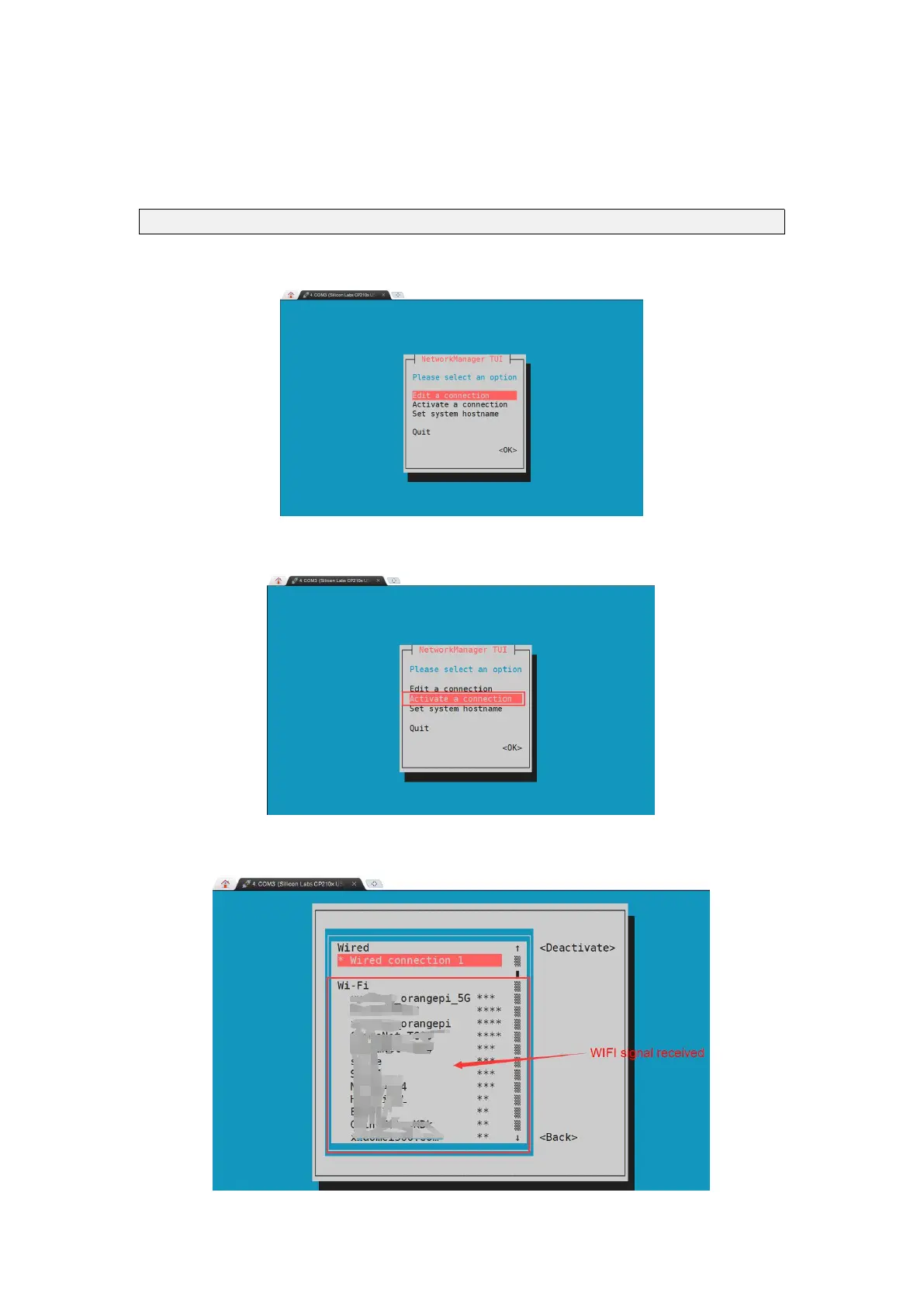
root@orangepi:~# nmtui
3)Enter nmtui to open the interface as shown below
4)Select Activate a connect and press Enter
5)Then you can see all the searched WIFI hotspots



 To Next Page