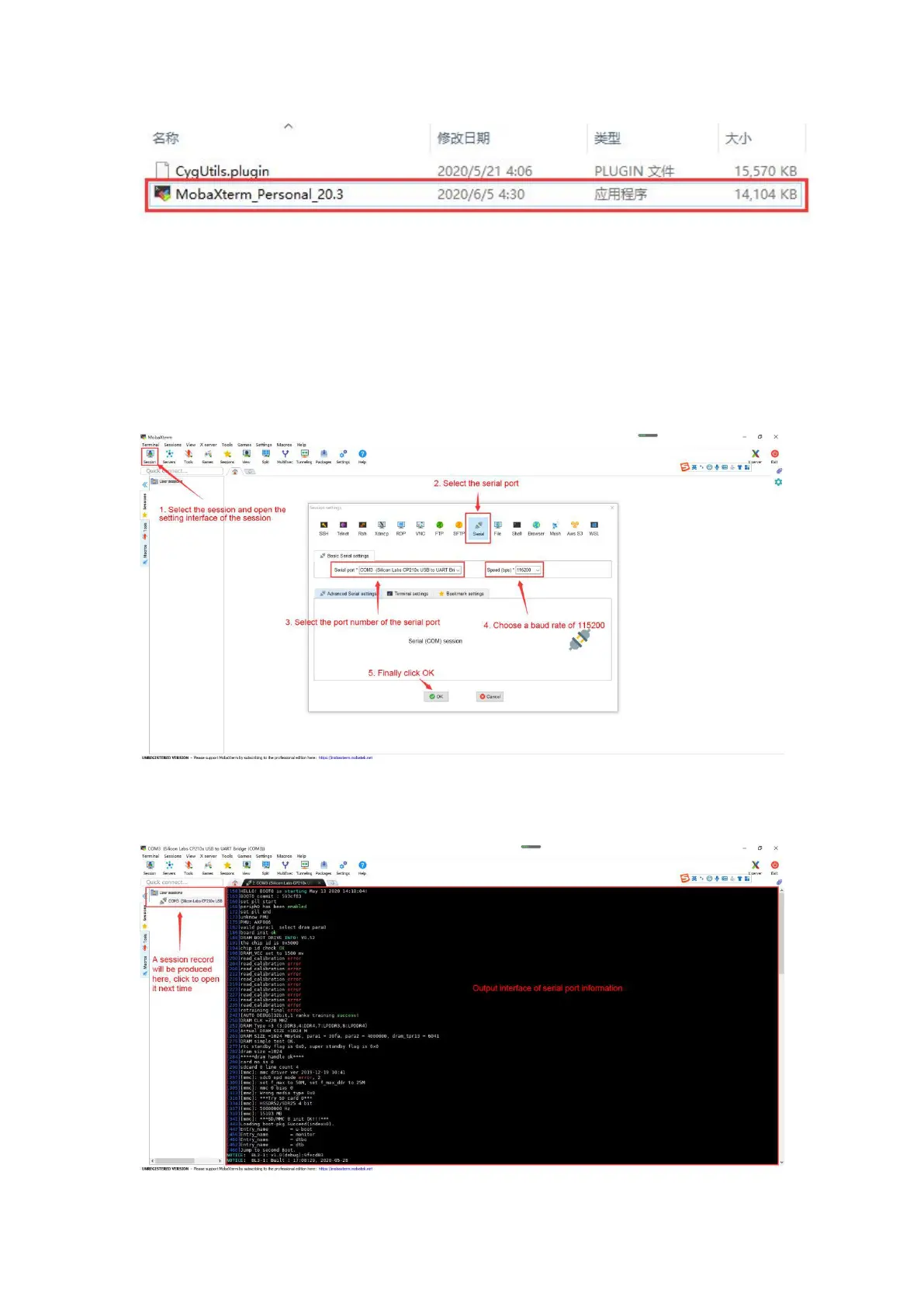
4) After opening the software, the steps to set the serial connection are as follows
a. Open the session setting interface
b. Select the serial port type
c. Select the port number of the serial port (choose the corresponding port number
according to the actual situation), if you cannot see the port number, please use the
360 driver master to scan and install the driver for the USB to TTL serial chip
d. Select the baud rate of the serial port to be 115200
e. Finally click the "OK" button to complete the setting
5)After clicking the "OK" button, you will enter the following interface, and you can
see the output information of the serial port after starting the development board



 To Next Page