test@test:~/orangepi-build$ cd output/debs/u-boot
test@test:~/orangepi_build/output/debs/u-boot$ scp \
linux-u-boot-legacy-orangepizero2_2.0.8_arm64.deb root@192.168.1.xxx:/root
b. Then log in to the development board, uninstall the installed deb package of u-boot
root@orangepi:~# apt purge -y linux-u-boot-orangepizero2-legacy
c. Install the new u-boot deb package just uploaded
root@orangepi:~# dpkg -i linux-u-boot-legacy-orangepizero2_2.0.8_arm64.deb
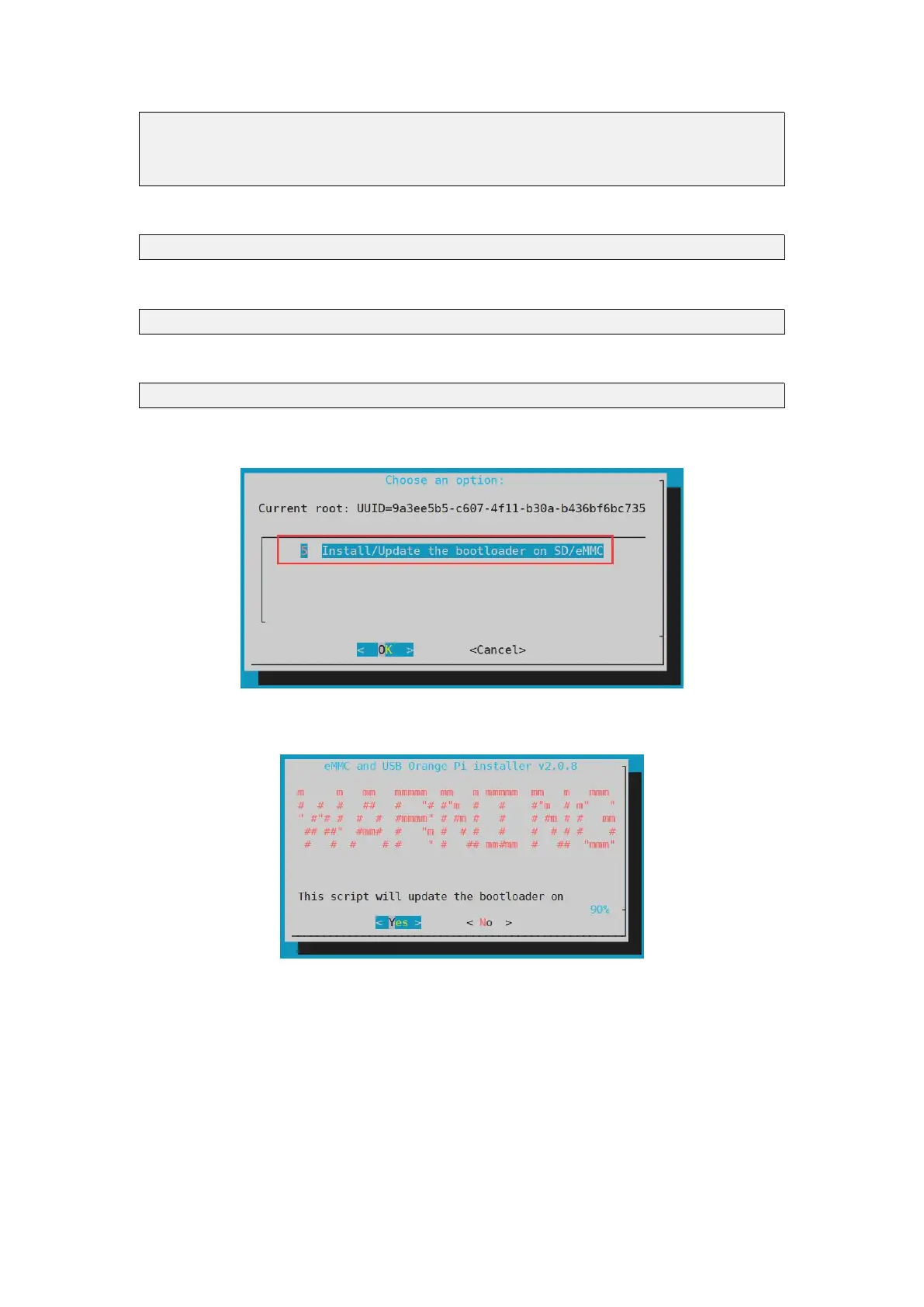
d. Then run the nand-sata-install script
root@orangepi:~# nand-sata-install
e. Then select 5 Install/Update the bootloader on SD/eMMC
f. After pressing the Enter key, a Warring will pop up first
g. Press Enter again to start updating u-boot, and the following information will be
displayed after the update



 To Next Page