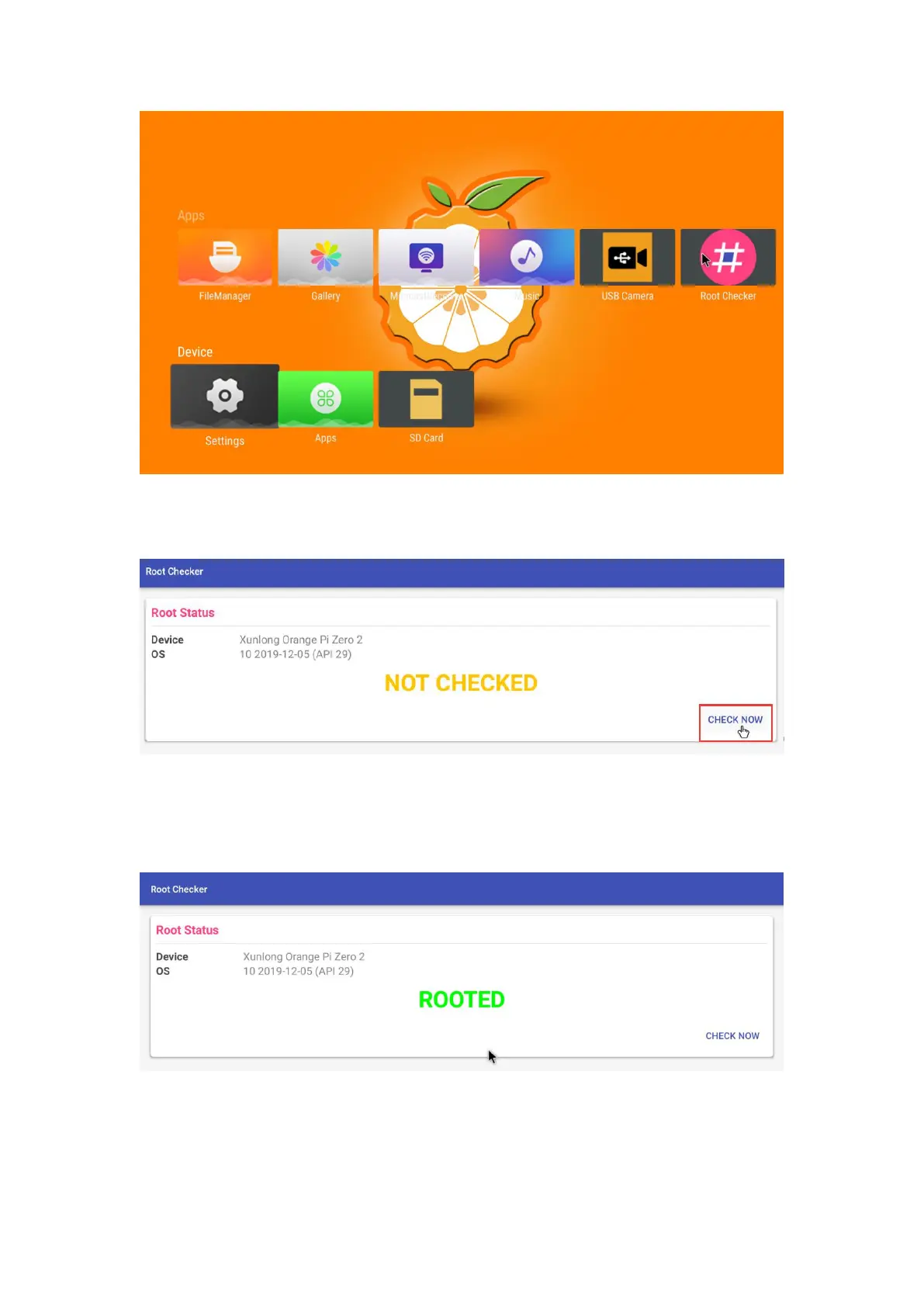
5) The display interface after opening the ROOT test tool for the first time is as
shown in the figure below
6) Then you can click "Check now" to start the inspection of the ROOT status of the
Android OS. The display after the inspection is as follows, you can see that the
Android OS has obtained ROOT permission



 To Next Page