Operation
39
DTX-2200-3000 AC/DC
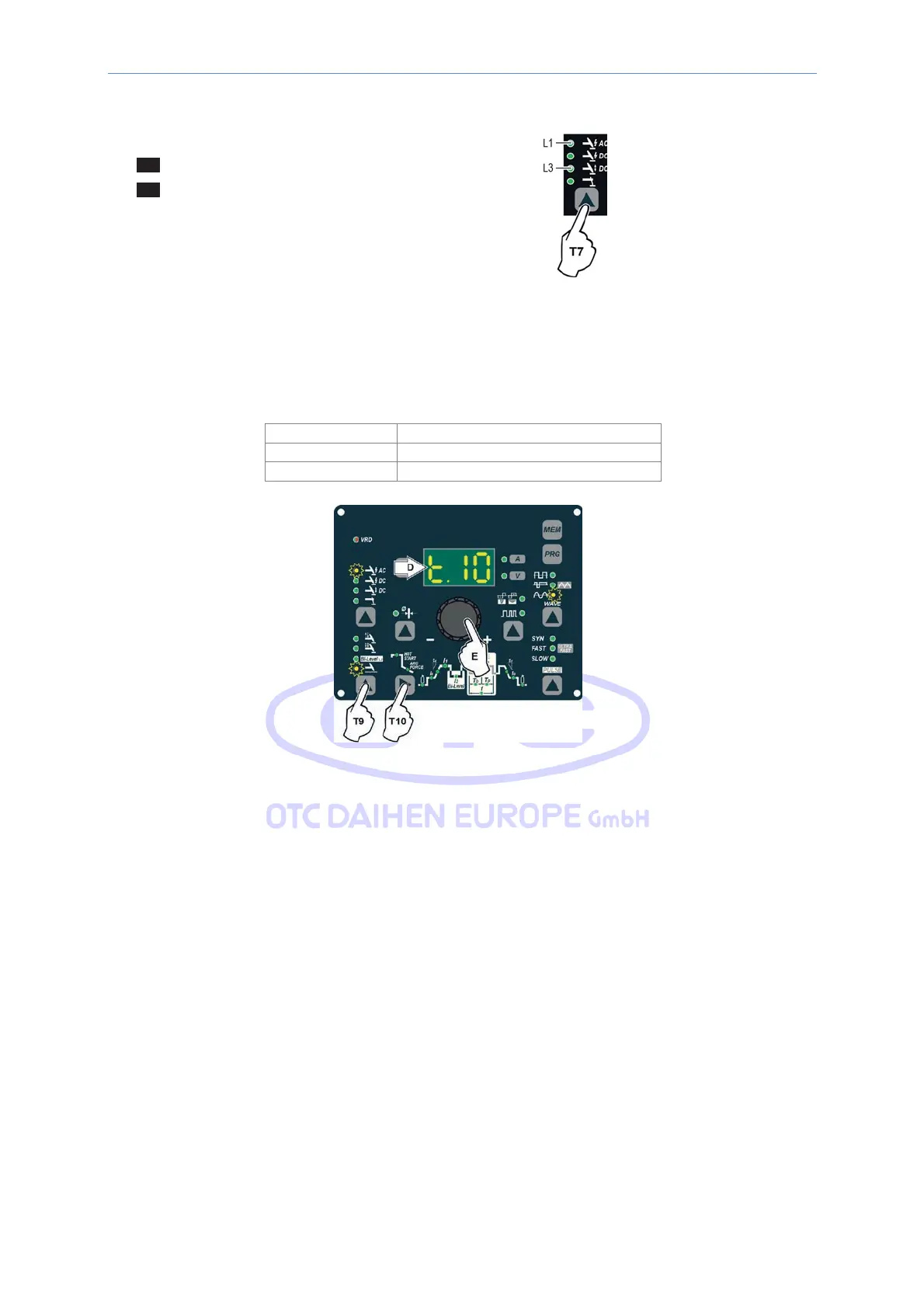
2) Press the WELDING PROCESS SELECTION Key (T7) and select one of the welding machine’s 2 TIG
processes:
L1 TIG “HF AC”
L3 TIG “Lift DC”
3) Press the WELDING MODE SELECTION Key (T9) and go to one of the SPOT WELDING function.
4) Press and release the WELDING PARAMETERS SELECTION Key (T10) until the SPOT WELD LED starts
flashing.
5) Rotate the ENCODER knob (E) to set the SPOT WELDING time required.
2200 AC/DC - 3000 AC/DC
TIG
AC
0,1 - 10,0 sec
TIG LIFT DC 0,01 - 10,0 sec
6) By pushing the WELDING PARAMETERS SELECTION (T10) key a number of times it is possible to set the
various TIG WELDING PARAMETERS (see the “TIG AC and DC Welding” paragraph - WELDING
PARAMETERS).
7) Hold the SELECT WELDING PARAMETERS (T10) key down to save the parameters chosen.
8) Once the all the selections/regulations indicated above have been made, welding can begin.
9) During the welding process the DISPLAY shows the real Amps (A) at which the operator is actually welding.
14.3.7
TIG HF DC welding with TACK function active and single
ColdTack point
Innovative TIG HF DC tack weld device that makes it possible to do precise, safe tack welding with very little heat
applied. Thanks to the “Perfect-Point” mode, ColdTack guarantees perfect centering of the welding point. The
“Perfect-Point” mode is activated by touching the work piece to be welded with the tungsten tip, at the exact point
at which you wish to do the tack weld. Proceed as follows:



 To Next Page