Operation
54
DTX-2200-3000 AC/DC
L22 FINAL welding CURRENT
2200 AC/DC 3000 AC/DC
TIG DC 5 - 220 A 5 - 300 A
TIG
AC
DYNAMIC TIG
SPEED TIG
COLD TIG
SOFT TIG
5 - 220 A
5 - 220 A
16 - 127 A
16 - 156 A
5 - 300 A
5 - 300 A
5 - 173 A
5 - 212 A
WARNING: This can only be programmed when the TIG AC
with
HF
ignition
or TIG DC with HF
ignition
welding
processes and the 2 STROKES welding mode are used.
To exit the setting phase, hold the WELDING PARAMETERS SELECTION key (T10) down for about 1
second
.
WARNING: These WELDING
PARAMETERS
are only to be
acti
vated by
qualified
personnel, or those trained by
techn
i
ci
an
s.
14.3.10
Editing the maximum and
minimum
limits for welding
parameters
Welding machine in STANDARD (Std) configuration:
In welding processes:
• TIG AC with HF ignition
• TIG DC with HF ignition
The DTX AC/DC makes it possible to activate modification of the MAXIMUM AND MINIMUM LIMITS for some
WELDING PARAM- ETERS thereby providing a more expert welder with a more versatile welding machine.
Proceed as follows:
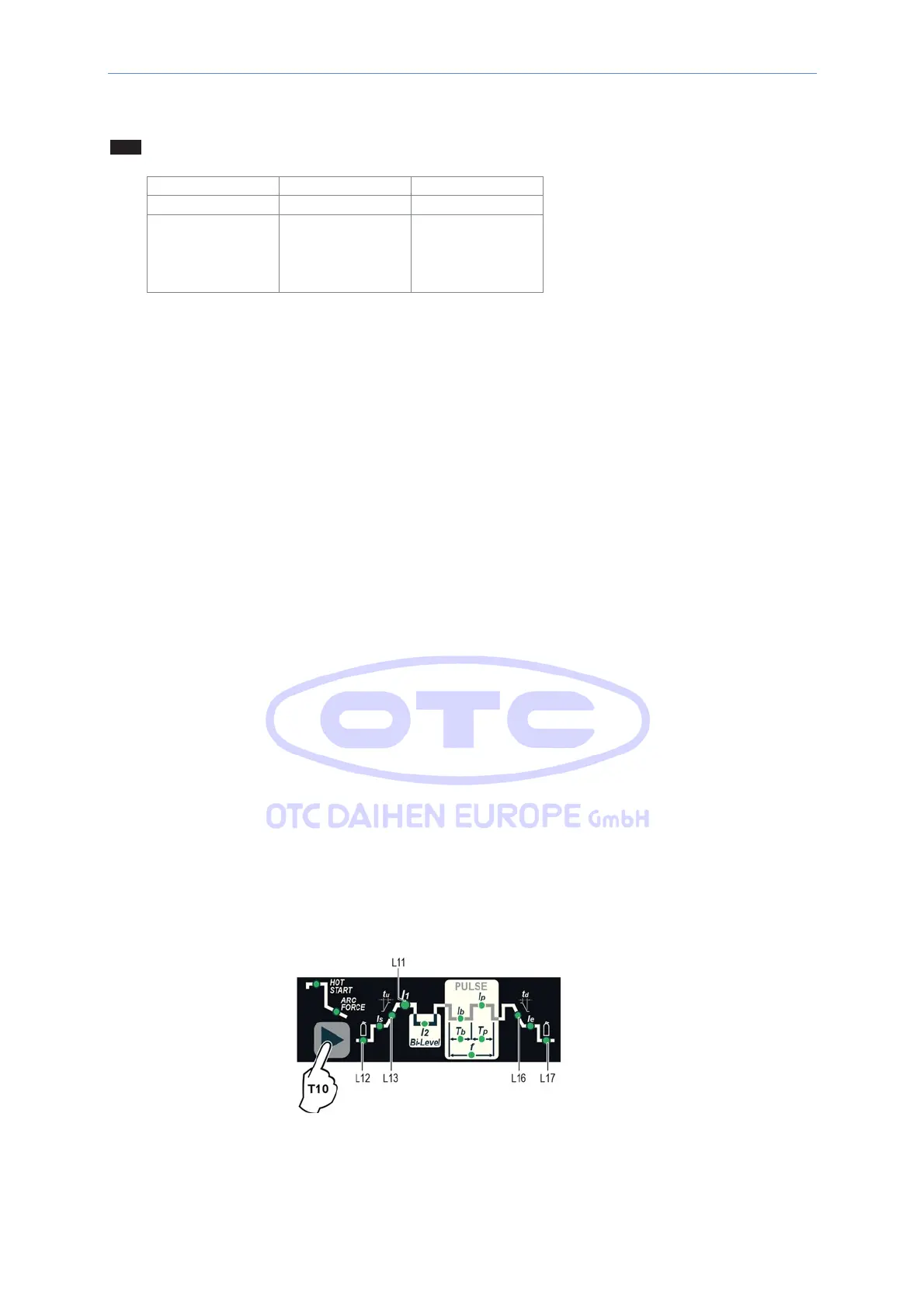
1) Switch on the welding machine holding down the WELDING PARAMETERS SELECTION key (T10).
2) Press the WELDING
PARAMETERS
SELECTION Key (T10) a number of times to set the limits for the following
welding parameters:



 To Next Page