Operation
56
DTX-2200-3000 AC/DC
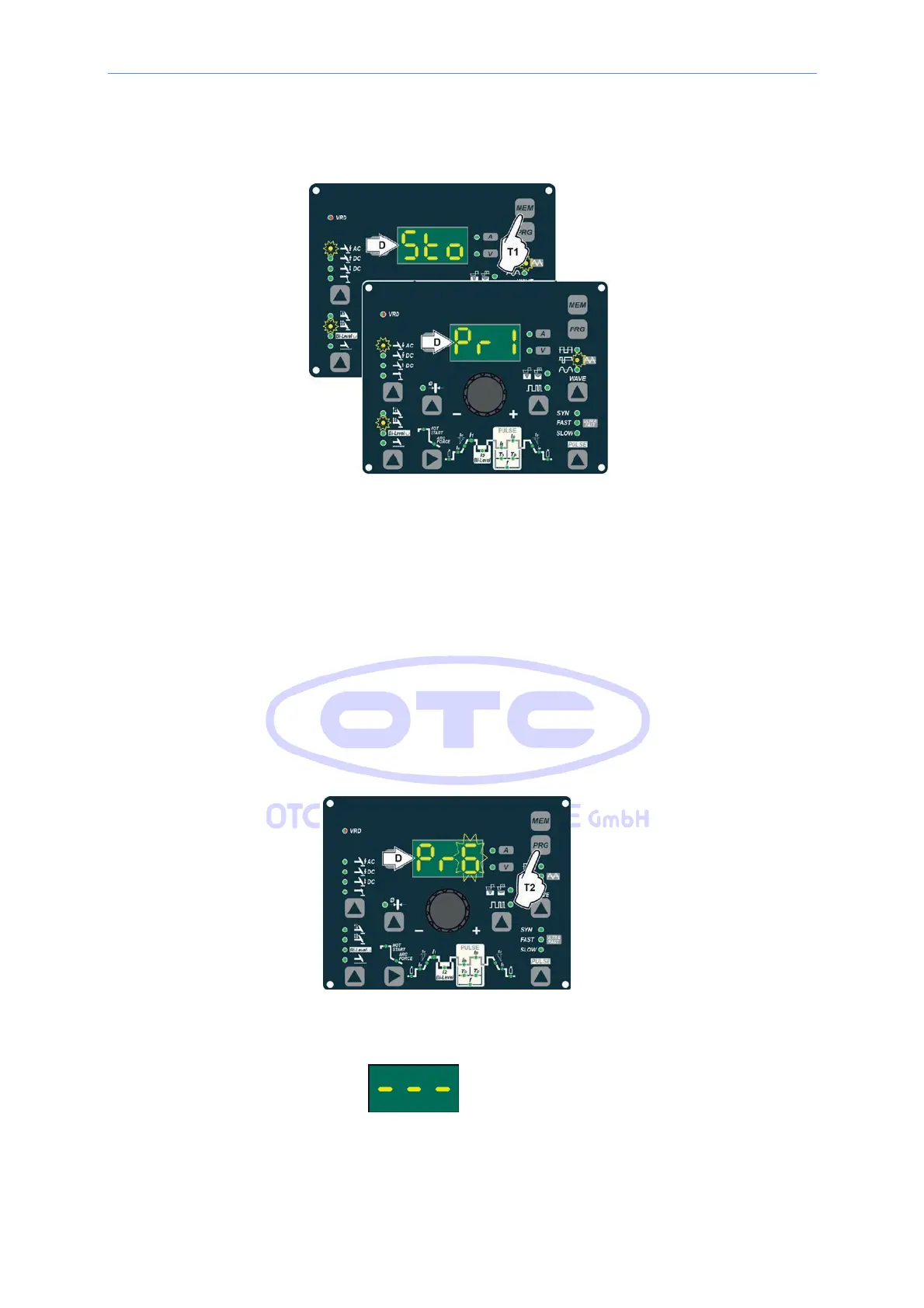
2) To SAVE the PROGRAM hold the “MEM” SAVE Key (T1) down until the DISPLAY reads “Sto”.
3) The WELDING PROGRAM has now been saved and its number appears in the DISPLAY (D) along with
the other settings saved (corresponding LEDs on without flashing).
14.3.12 PROGRAMMED and/or MANUAL welding
PROGRAMMED WELDING
When the WELDING PROGRAM has been saved, the operator can weld using only pre-set values as they cannot
edit any type of parameter / function. To edit, switch to MANUAL welding mode.
MANUAL WELDING
To go back to set / edit the parameters selected or to create a new program, proceed as follows:
1) Hold the SET/PRG key (T2) down (about 3 seconds) until the DISPLAY (D) shows the number of the program
selected flashing (e.g. Pr6).
2) Turn the ENCODER Key (E) anticlockwise until the DISPLAY (D) shows 3 dashes.
3) Press and release the “PRG” PROGRAM key (T2) and the machine goes back to the initial operation
condition.
4) You can now set or edit the individual parameters or create new programs.



 To Next Page