Operation
29
DTX-2200-3000 AC/DC
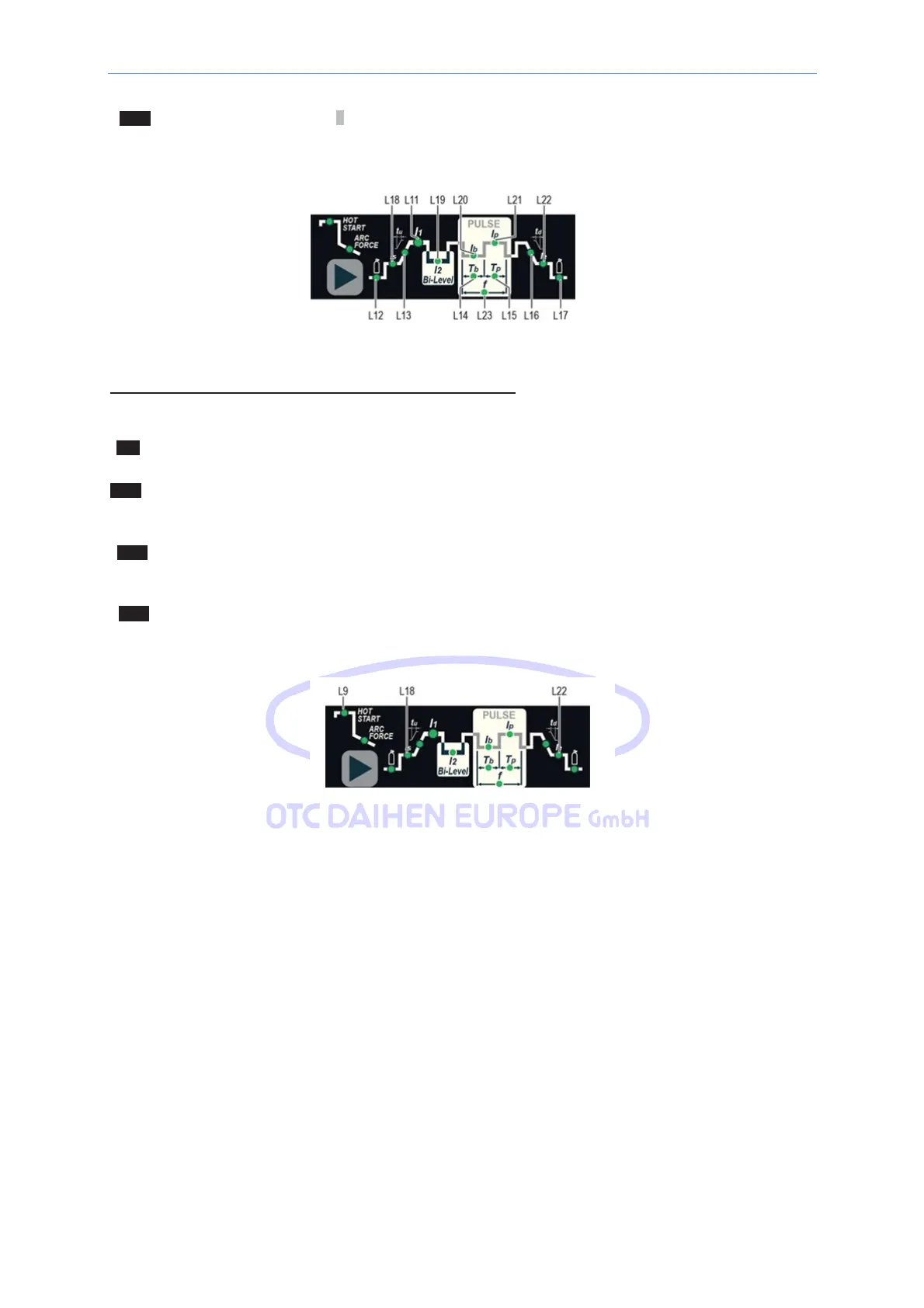
L23 PULSATION FREQUENCY
f
WARNING: NOT programmable when SLOW pulsation mode is active.
SPECIAL CONFIGURATION (only for expert welders) TIG welding
For this configuration, in addition to the parameters already defined for the STANDARD configuration, you can
also set the following parameters:
L9 IGNITION CURRENT
WARNING: This can only be programmed when the TIG with HF
ignition
welding process is used.
L9 IGNITION TIME
duration
WARNING: Only programmable when the TIG AC with HF
igni
tion welding process is activated.
L18 INITIAL welding CURRENT
WARNING: Only
programmable
for the
welding
process: TIG AC
with
HF
ignition
and 2 TIME welding mode
active.
L22 FINAL welding CURRENT
WARNING: Only
programmable
for the
welding
process: TIG DC
with
HF
ignition
and 2 TIME welding mode
active.
WARNING: This special parameter is only to be activated
by
qualified personnel,
or those trained by
technicians.
14.3.2 Displaying the Software version installed
The DTX AC/DC are fitted with a digital control with software on board defined in the factory. This software is
subject to continuous evolution and improvement. The software is identified by a specific number that can be
viewed on the DISPLAY (D) as follows:
1) When the welding machine is off, push and hold the “MEM” SAVE key down (T1).
2) Start the welding machine by turning the power supply switch to position I.
3) For a few seconds the DISPLAY (D) shows the type of soft- ware on board (e.g. d01) where:
• b indicates the welding machine model.
• 01 indicates the VERSION of the software installed



 To Next Page