Operation
55
DTX-2200-3000 AC/DC
L12 P RE -GAS
duration
(maximum limit settable from 1, 00 to 2, 50
sec)
L13 SLOPE UP
duration
(maximum limit settable from 5,00 to 10,0
sec)
L11 MINIMUM CURRENT for remote
controls
-
minimum
limit
settable:
2200 AC/DC 3000 AC/DC
5 - 220 A 5 - 300 A
WARNING: If the minimum limit setting (for the remote
control
MINIMUM CURRENT) is greater than or equal to
the value for the PRINCIPAL welding CURRENT I
1
, you will weld at the PRINCIPAL welding CURRENT I
1
,
irrespective of the setting you have chosen for the remote control.
L16 SLOPE DOWN
duration
(maximum limit settable
from
8,00 to 15,0
sec)
L17 POST-GAS
duration
(maximum limit settable from 10,0 to 25,0
sec)
To exit the setting phase, hold the WELDING PARAMETERS SE- LECTION key (T10) down for about 1 second.
The values set are now active and welding can begin.
14.3.11 Creating and memorising automatic welding points
Once you have defined the parameters the operator requires to do their work properly, you can save them in the
memory and create a WELDING PROGRAM by proceeding as follows.
WARNING: To access the setting saving phase, the PRINCIPAL CURRENT LED I
1
must be switched on without
flashing.
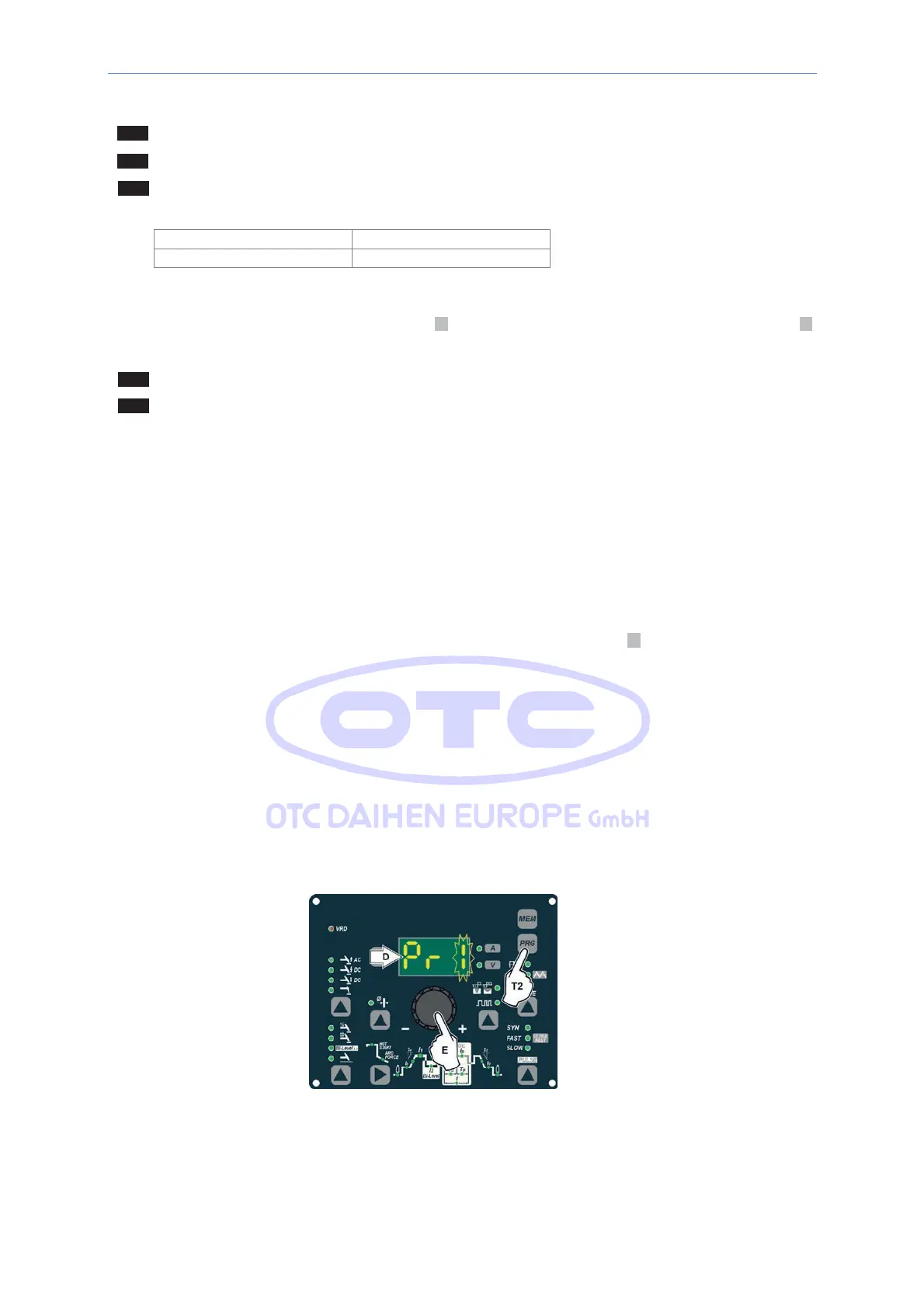
1) Hold the SET/PRG key (T2) down for at least 5 consecutive seconds until the DISPLAY (D) reads F,
accompanied by a flashing number (e.g. Pr1).
In order to be able to choose WELDING PROGRAM that is free, simply rotate the ENCODER knob (E) and
look for a program for which the control panel has all the LEDs for the various settings switched off.
WARNING: The MTH control panel allows you to save a maximum of 6 WELDING PROGRAMS.
It is also possible to overwrite a program already saved.



 To Next Page