Ottobock | 57B600
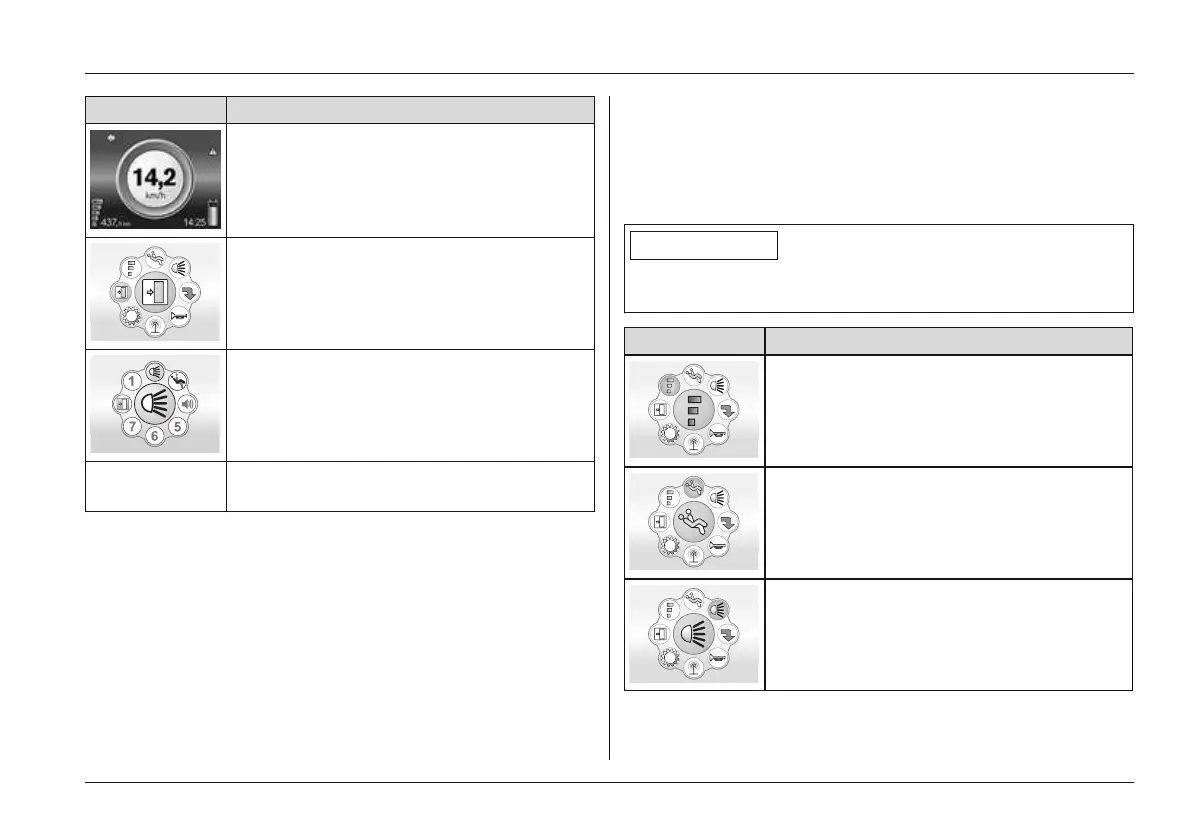
Menu Joystick function
Move forward: Opens the Driving menu
Move right: Opens the Options menu
Move back: Opens the Favourites menu
(Monitor is
blank)
Move left: Stop function (monitor turns off)
Options menu (menu colour = green)
• The Options menu can be used to control up to 52 elec
trical functions (e.g. power seat functions, household
devices through environment control functions).
• The joystick is used to navigate within all menus and
submenus:
1) First movement to the right: Pick option
2) First movement to the front: Select option
3) Second movement to the right: Activate/deactivate
option; adjust option
4) Further deflection movements to the right/front:
Select/adjust further sub-functions (specific to each
LCD screen)
INFORMATION
Pressing the [Mode] button on the control panel returns
you step by step to the initial Options menu screen.
Menu Information
Speed level menu selectable: see next
table
Seat function menu selectable: see next
table
Light functions menu selectable: Further
submenus allow light functions to be
turned on/off
Usage















 To Next Page