Operator's Manual
Issue 14 / Mar 2016
MercuryiPS
©2016 Oxford Instruments NanoScience. All rights reserved.
Page 92
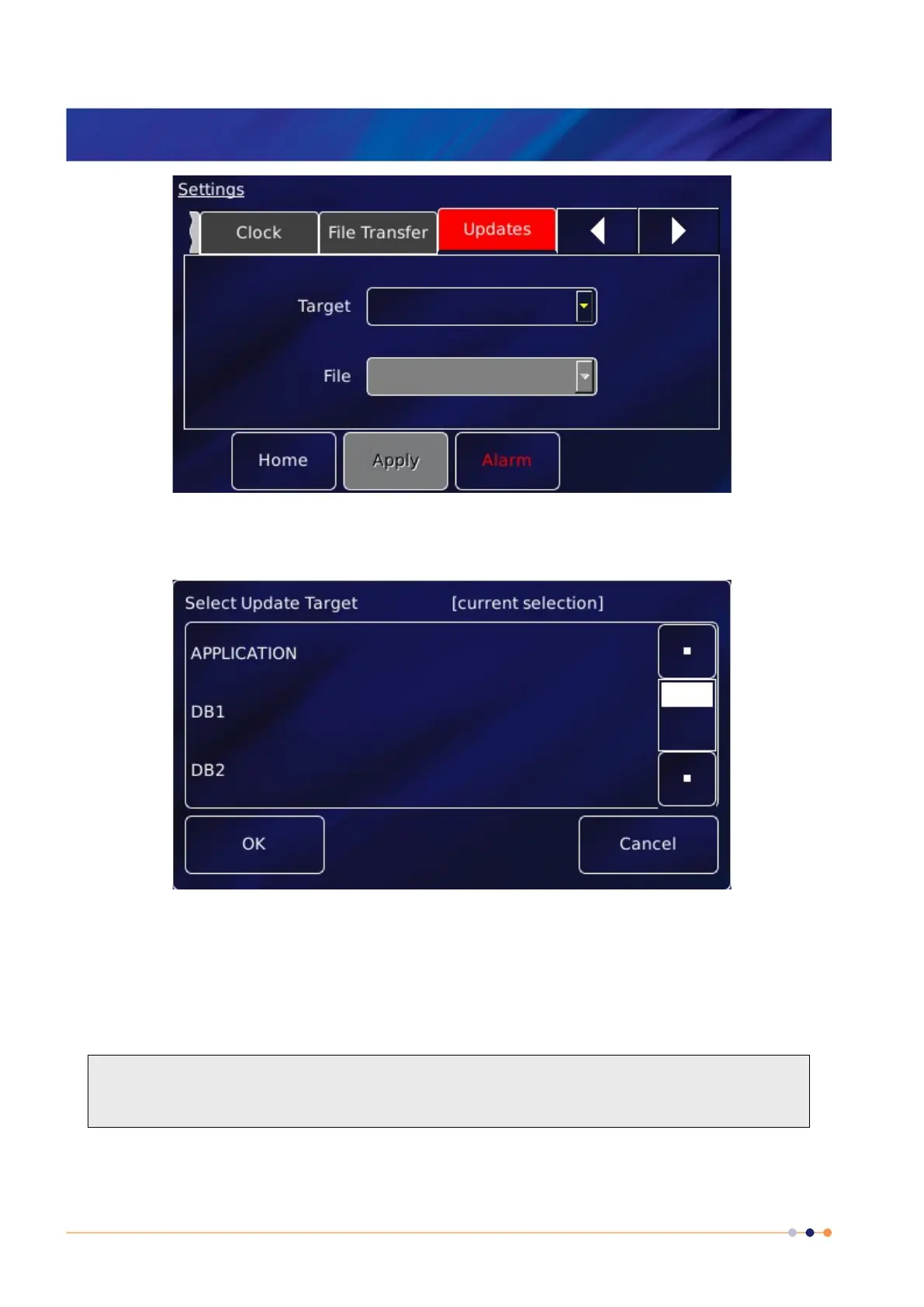
6 With the iPS in Local mode, tap Target to open the Select Update Target page, a list of
available update files. Select APPLICATION from the list.
7 Tap File and select the firmware file, which is cryosys_update.tar
8 Tap Apply. Confirm that you wish to update by tapping the OK button on the pop-up
window.
The iTC installs the new firmware and calibrates the heater board(s) and pressure board (if
fitted). It then re-boots and starts up in TRIAL mode. Do not power-off the iTC in TRIAL
mode!


 To Next Page