Operator's Manual
Issue 14 / Mar 2016
MercuryiPS
©2016 Oxford Instruments NanoScience. All rights reserved.
Page 84
8 MANAGING YOUR MERCURY
This chapter describes
general operation of the MercuryiPS, and how this can be configured to suit the user.
how to manage software updates
how to Save and Load files, such as PID and calibration files.
Pages 8.1 to 8.8 are accessed by tapping Settings on the Home page and using the scroll
button. GUI pages for remote operation (RS232, GPIB, Ethernet) are described in chapter 9
below.
8.1 General
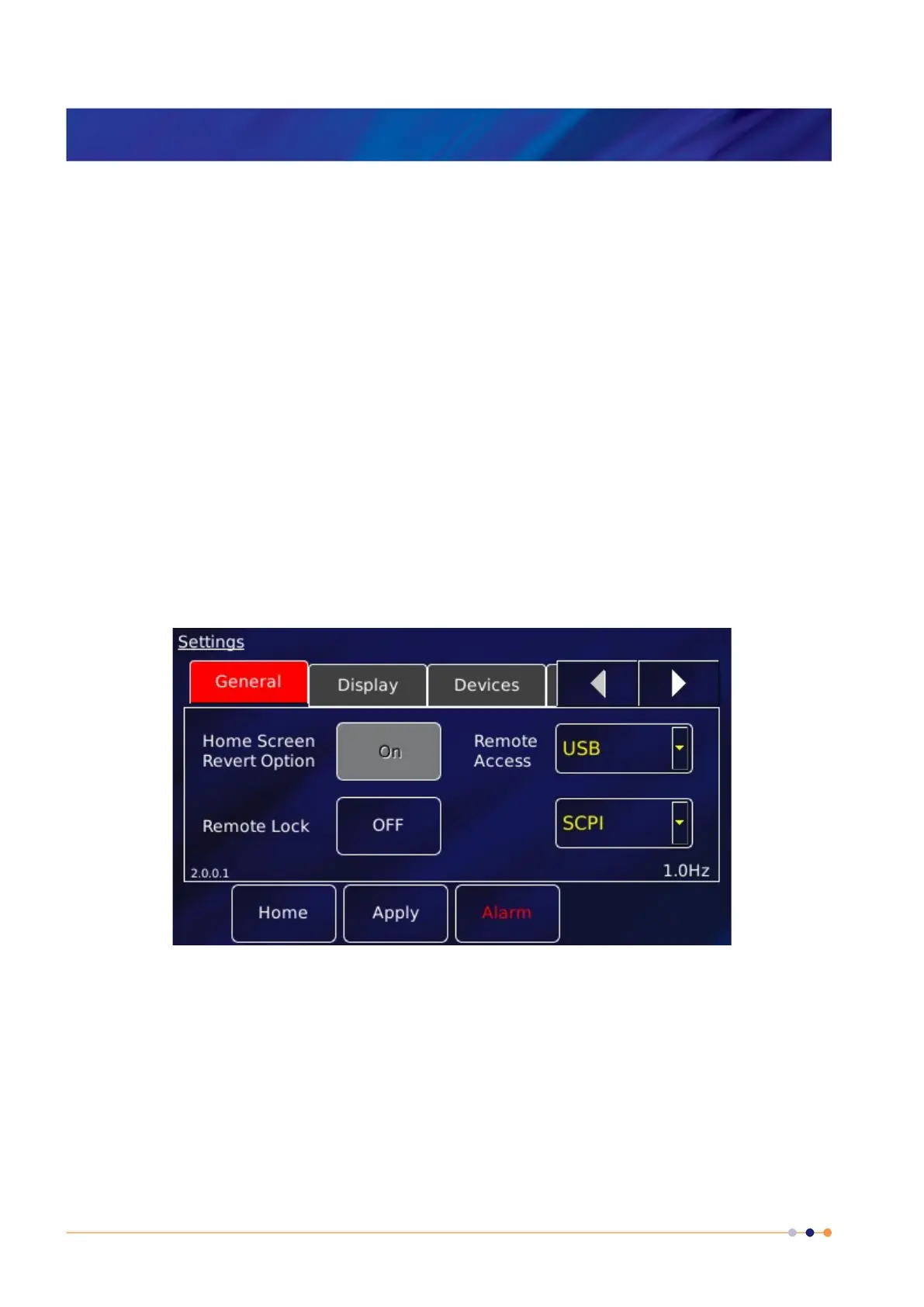
View the General settings page by selecting the General tab.
The page contains the following parameter boxes and controls:
Home Screen Revert Option
If Home Screen Revert mode is set On, the interface reverts to the Home page after a wait
period if no user activity is detected. If this parameter box is set Off, the present page is
displayed until the user navigates to another page.
Remote Lock
If Remote Lock mode is set On, a message “Remote User” appears on the Home page and



 To Next Page