Operator's Manual
Issue 14 / Mar 2016
MercuryiPS
©2016 Oxford Instruments NanoScience. All rights reserved.
Page 30
3.5.2 Custom home pages
For certain products, such as Heliox and Cryojet, one of the three home pages has been
extensively re-configured in the factory to suit the special features of the product. A full
description of these “Custom home pages” is provided with the appropriate product manual.
Custom home pages cannot be re-configured by the user.
3.5.3 Channel summary widget
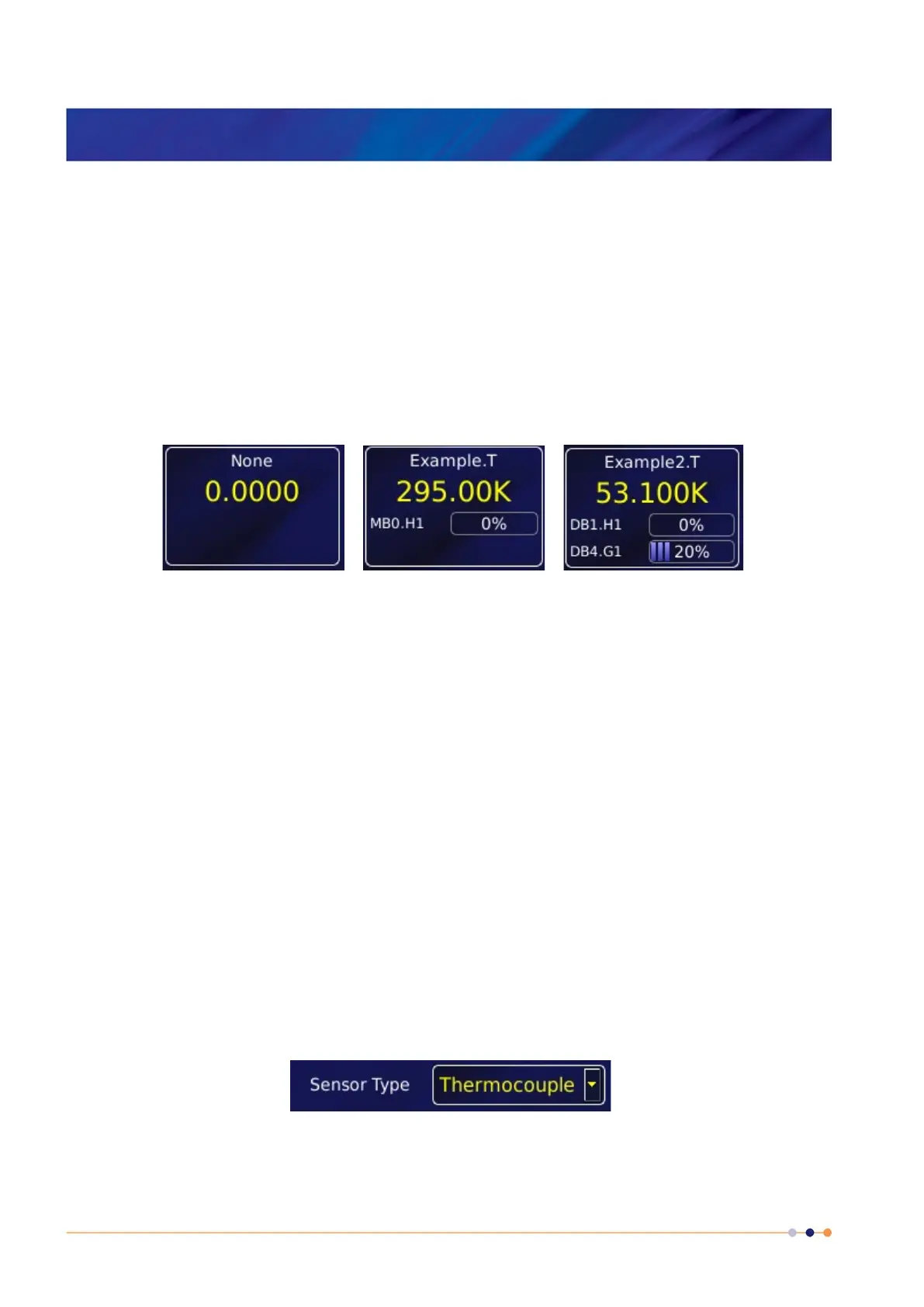
Typical channel-summary widgets on the default Home page are shown below.
If the widget has not been configured it displays the name None and the value 0.0000.
If the widget has been configured, it displays the following information:
Channel identifier or nickname.
The main display value for the channel (e.g. measured temperature).
Identifier of the channel heater (if applicable).
Output power of the channel heater (if applicable).
Identifier of the gas-flow controller (if applicable).
Percentage flow for the gas-flow controller (if applicable).
3.5.4 Drop-down menus
Certain parameter boxes require the user to choose an item from a drop-down menu. These
parameter boxes are indicated by a downwards-pointing arrow to the right of the parameter box.
1 Tap once, anywhere in the parameter box, to display the drop-down menu. It is not
necessary to tap the arrow.


 To Next Page