Operator's Manual
Issue 14 / Mar 2016
MercuryiPS
©2016 Oxford Instruments NanoScience. All rights reserved.
Page 142
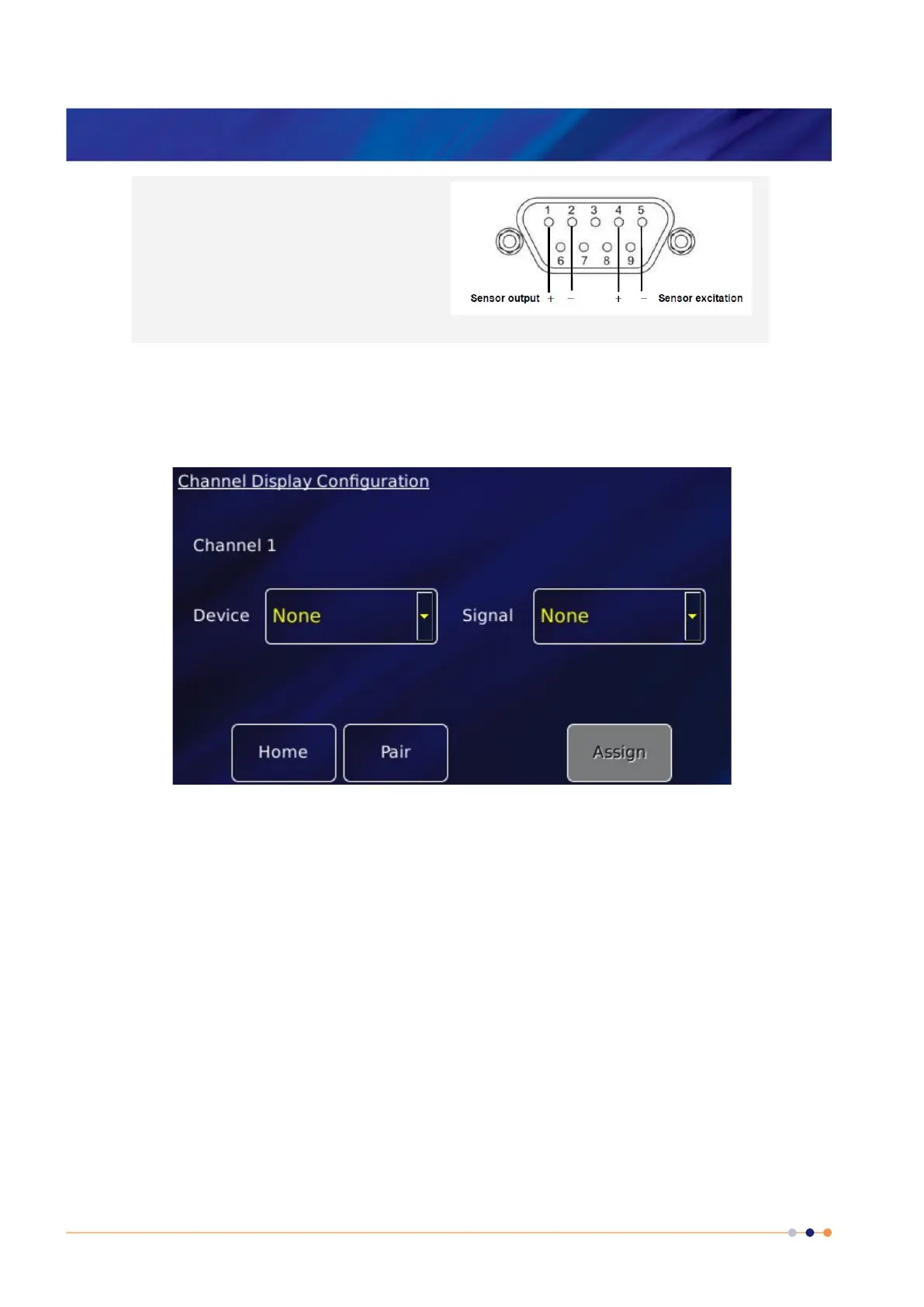
(4 wire) sensors require
10V or 15V excitation from the pressure board
to energise the sensor.
Pins (2,3) are interchangeable, but the wiring
shown is recommended.
Use of an external supply to energise
ratiometric sensors is not supported.
13.2.4 Configuring the pressure board
1 Tap once on an unconfigured widget. The Channel Display Configuration page is displayed.
2 Tap the Device parameter box and choose a pressure sensor input from the drop-down list.
This will be labelled ***.P1 (DB8.P1 in the example below). Then tap Assign.
3 Tap Signal and select Pressure.
4 Tap OK to save the changes and to return to the Home page.
13.2.5 Configuring the pressure sensor details
1 Tap a configured widget on the Home page. The Sensor Details page is displayed.



 To Next Page