Operator's Manual
Issue 14 / Mar 2016
MercuryiPS
©2016 Oxford Instruments NanoScience. All rights reserved.
Page 89
Firm. Ver
The firmware version loaded on to the board.
The page contains the following buttons:
Alarm
Tap once to access the Alarm Logs page (see section 16.1.1). If the text is RED an alarm
condition exists.
Home
Tap once to return to the Home page.
Tap once in any row to switch to the appropriate configuration page for the device.
8.4 Clock
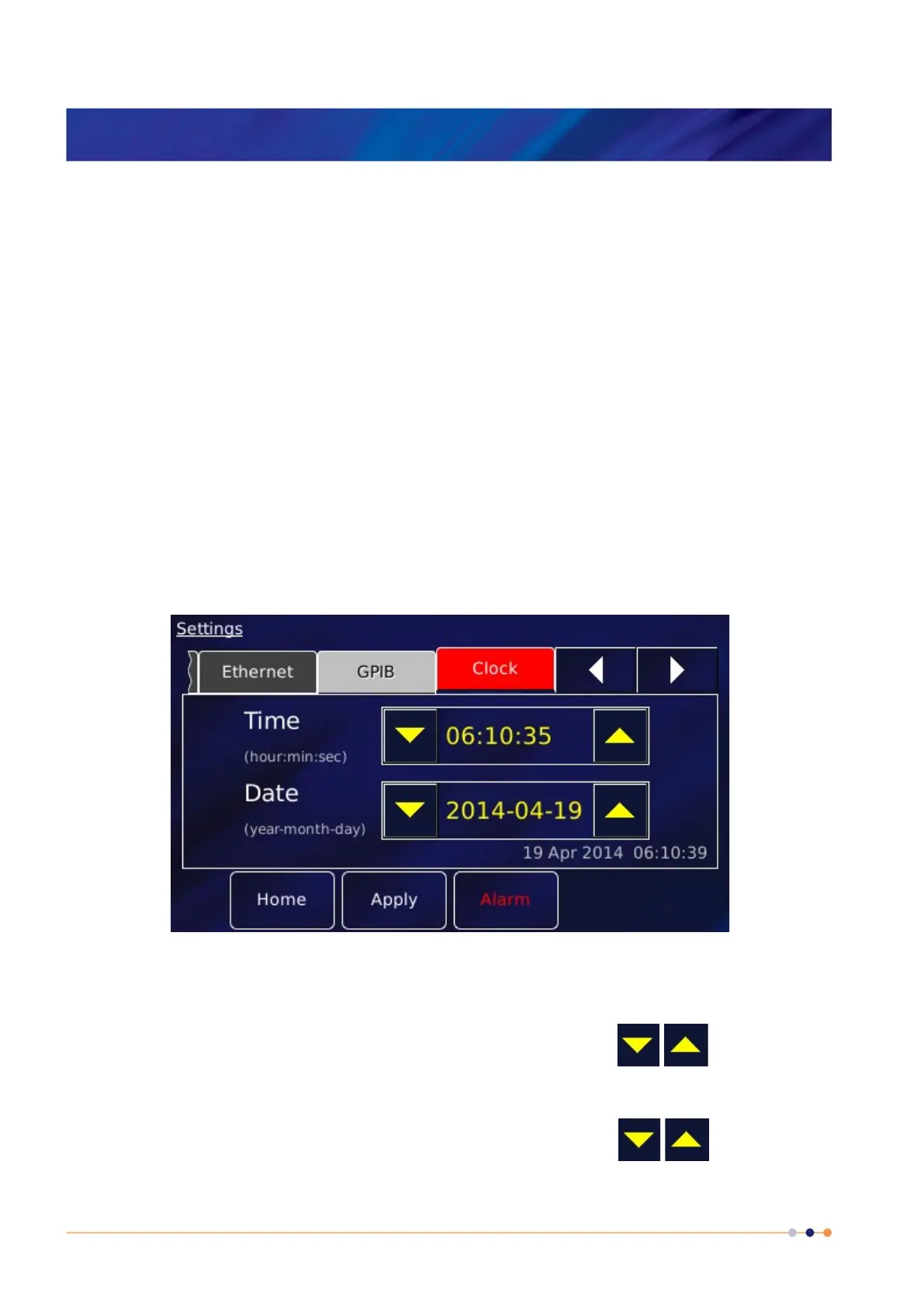
Select the Clock tab to reset the MercuryiPS internal clock.
l
The page contains the following parameter boxes and controls:
Time
Tap the part of the displayed time that you wish to edit and use the buttons.
Date
Tap the part of the displayed date that you wish to edit and use the buttons.



 To Next Page