Operator's Manual
Issue 14 / Mar 2016
MercuryiPS
©2016 Oxford Instruments NanoScience. All rights reserved.
Page 27
Green/yellow covered conductors must only be used for connection to protective ground
terminals.
The back panel contains an IEC C14 connector for the main electrical supply to the
MercuryiPS. Section 17.2 gives mains electrical requirements.
3.4 Powering up the MercuryiPS for the first time
1 Operate the switch on the rear panel of the Mercury so that the 1 is depressed.
2 Press the Power button on the left of the front panel. The button illuminates blue.
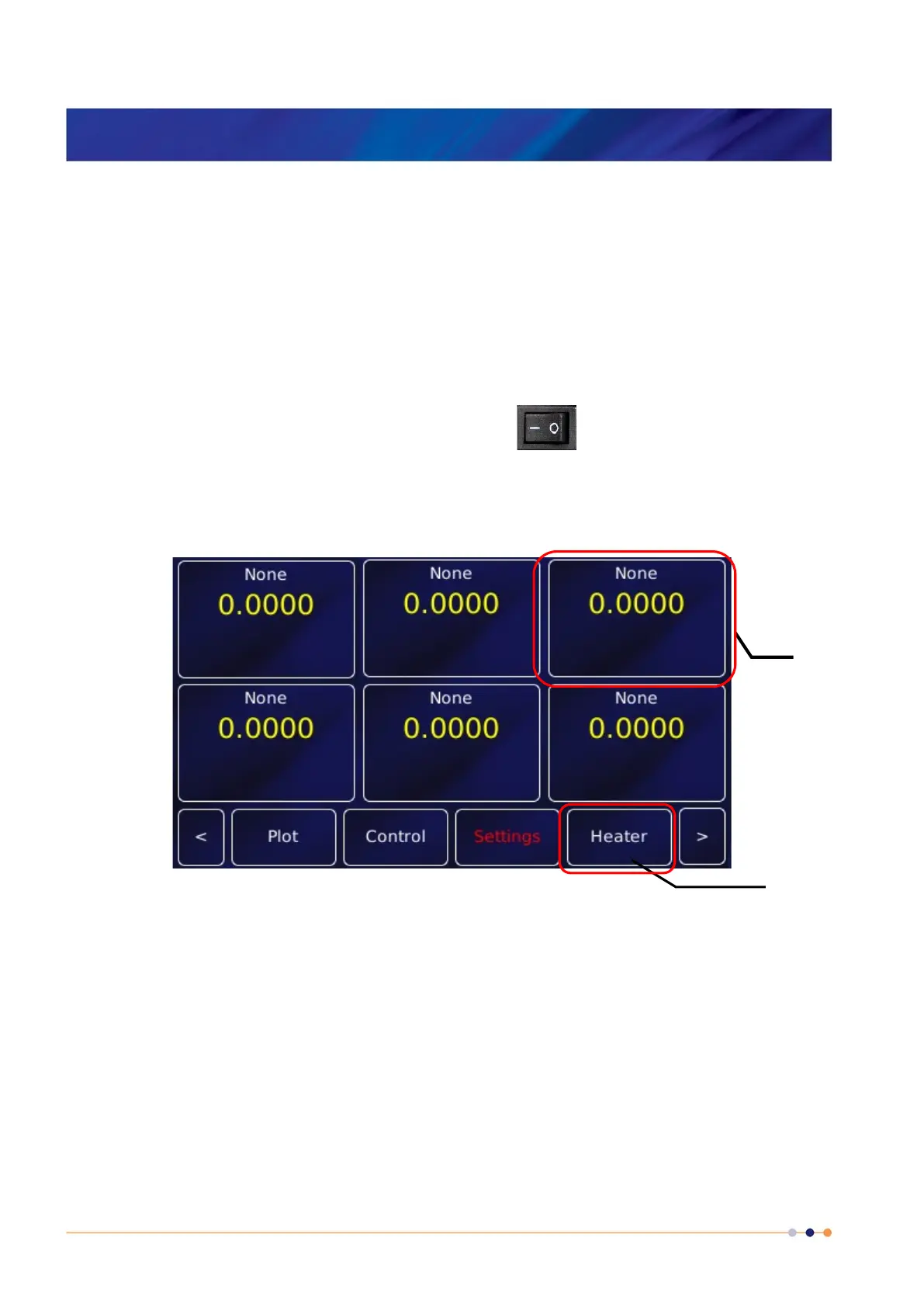
3 The MercuryiPS initialises, then the Home page appears on the touch screen (Figure 6).
Figure 5. Default Mercury screen showing the standard 6 configurable widgets and standard buttons.
This screenshot shows the default home page. A different home page will appear if Oxford
Instruments has pre-configured the iPS for your system.
3.5 The MercuryiPS touch screen
The touch screen is the graphical user interface (GUI) for the MercuryiPS.
button



 To Next Page