Operator's Manual
Issue 14 / Mar 2016
MercuryiPS
©2016 Oxford Instruments NanoScience. All rights reserved.
Page 86
The General page also displays the firmware version in use.
8.2 Display
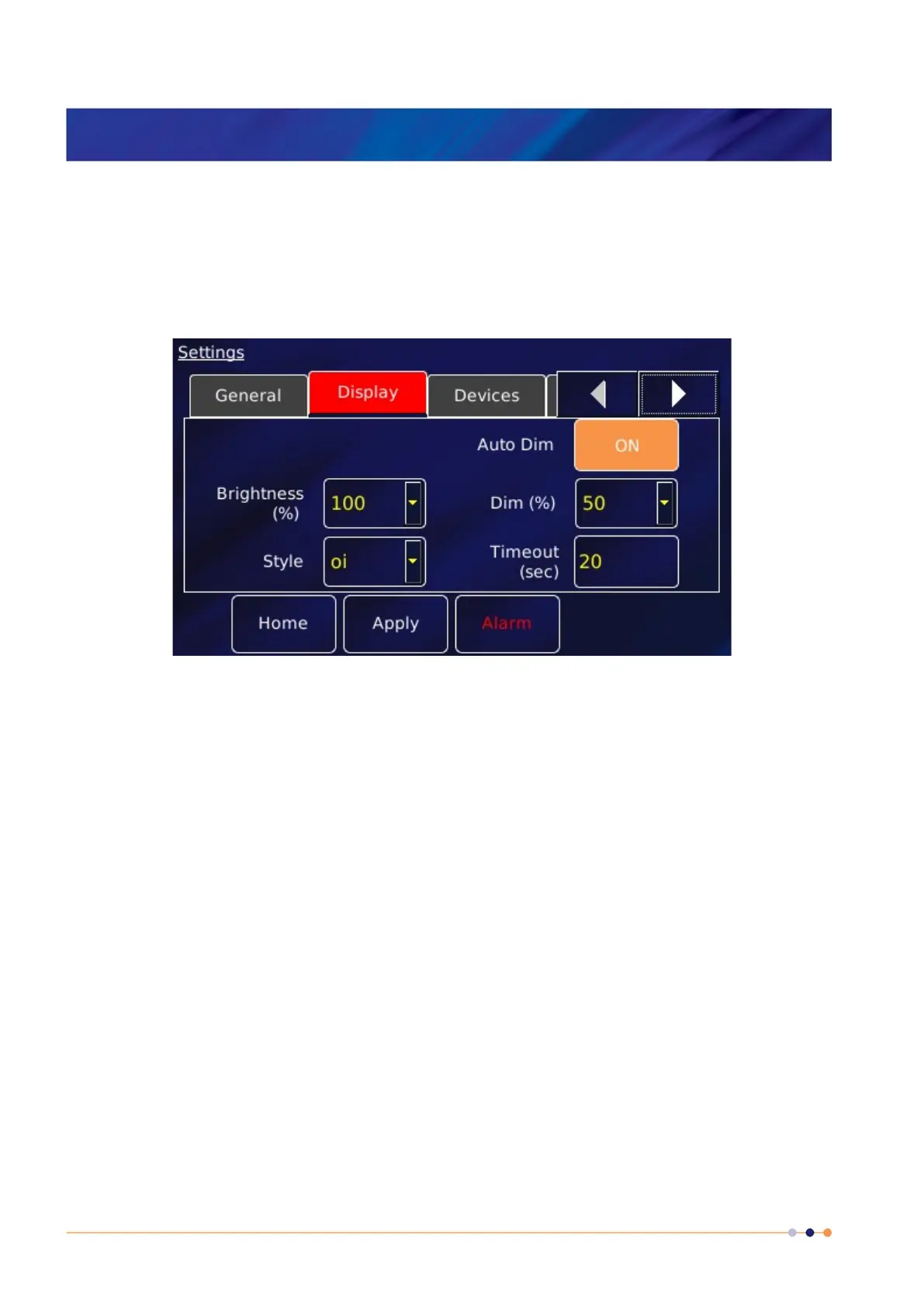
Tap Settings on the Home page, then tap the Display tab. Use this to configure the display.
The page contains the following parameter boxes and controls:
Auto Dim
An opto-sensor is fitted above the display to detect ambient light levels. The temperature
controller can be configured to vary the display brightness to match the ambient light level
(auto-dim) feature. Toggle On/Off to turn on/off the auto-dim feature.
Timeout (sec)
Set the time that must elapse (in seconds) before the display brightness changes. This
parameter box is only displayed if Auto Dim is set to On.
Brightness (%)
Select a percentage value from the drop-down menu to alter the brightness of the display.
Dim (%)
Enter a percentage brightness value for the display when it is automatically dimmed. Dim
(%) must be less than, or equal to, Brightness (%).
Style
There are two choices for the display colours.



 To Next Page