Operator's Manual
Issue 14 / Mar 2016
MercuryiPS
©2016 Oxford Instruments NanoScience. All rights reserved.
Page 62
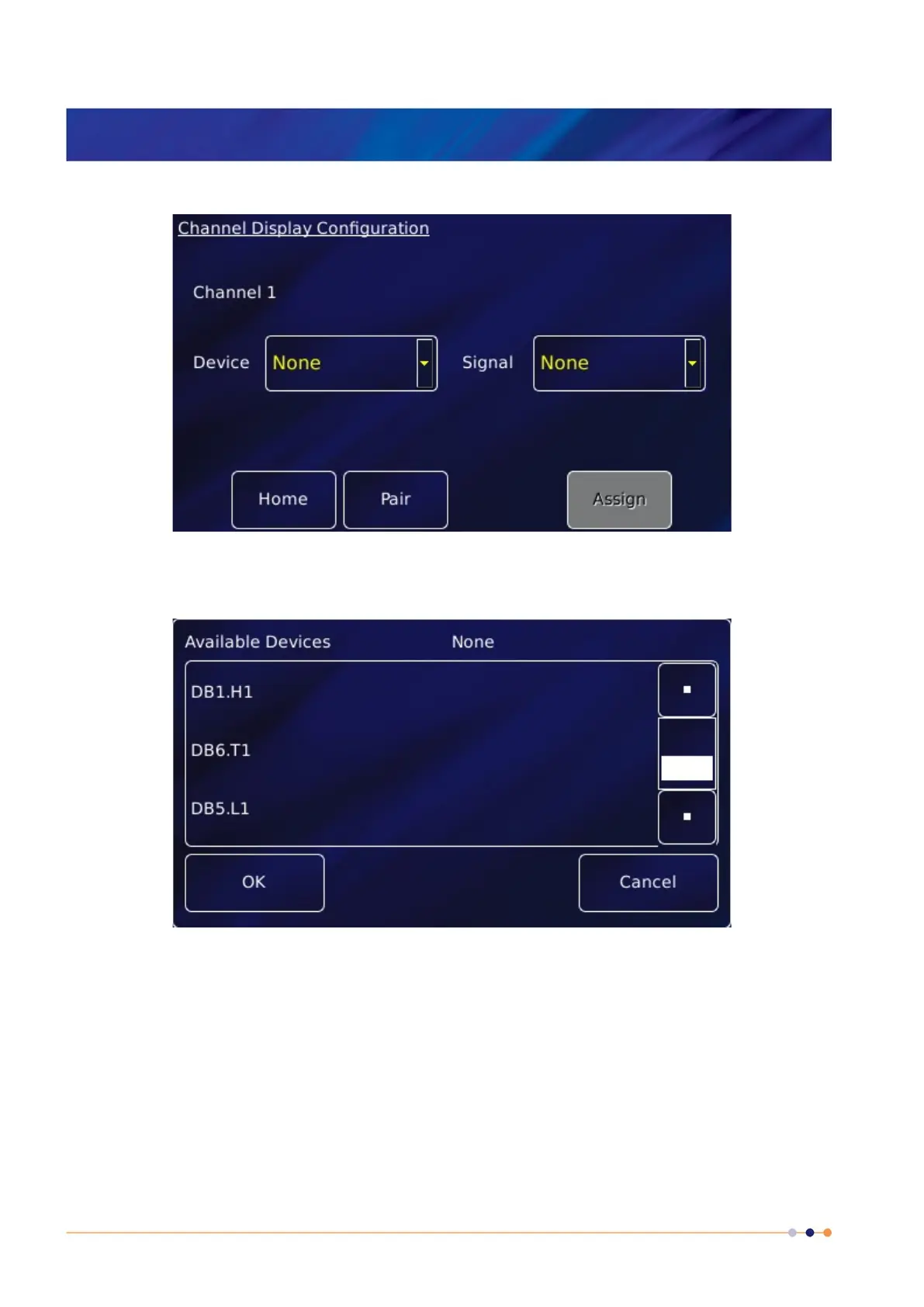
1 Tap once on an unconfigured widget. The Channel Display Configuration page is displayed.
2 Tap the Device parameter box and choose a temperature sensor input from the drop-down
list. This will be labelled ***.T1 (DB6.T1 in the example below). Then tap OK.
3 Tap Signal and select Temperature. Then tap OK.
4 Finally, tap Assign to save the changes and to return to the Home page.
5 If required, configure other widgets on the Home page in a similar fashion.
6.2.1 Configuring the sensor details
1 Tap a configured widget on the Home page. The Sensor Details page is displayed.



 To Next Page