Operator's Manual
Issue 14 / Mar 2016
MercuryiPS
©2016 Oxford Instruments NanoScience. All rights reserved.
Page 63
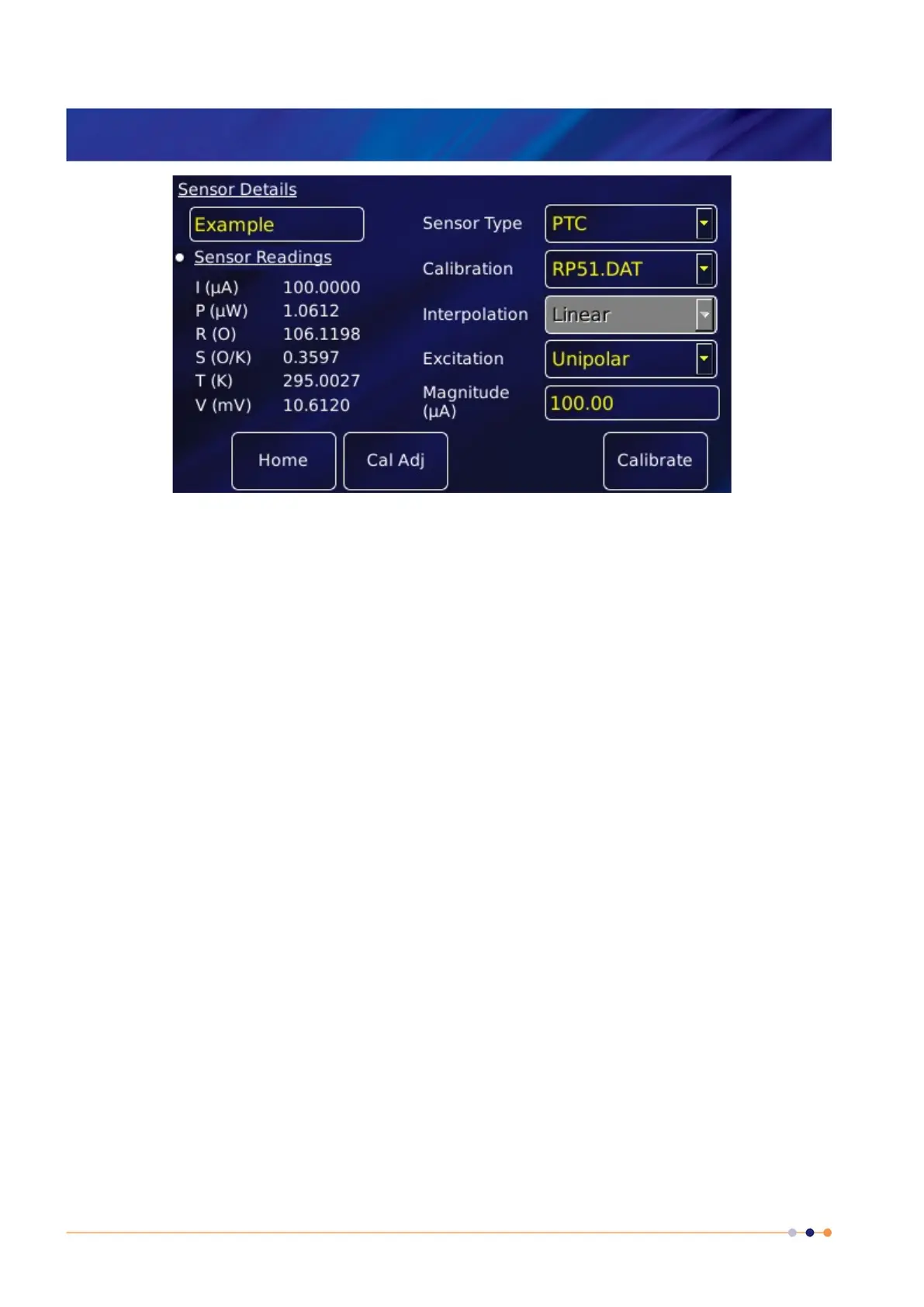
The list of Sensor Readings depends on the type of sensor but will generally include
I (A) - the sensor excitation current in A.
P (W) - the power dissipated in the sensor in W.
R (O) - the resistance of the sensor in ohms.
S (O/K) - the sensitivity of the sensor in ohms per Kelvin.
T (K) - the temperature measured by the sensor in Kelvin.
V (mV) - the sensor excitation voltage in mV.
2 Tap the Sensor Type parameter box and select a sensor type from the drop-down menu.
Sensor types include
(a) thermocouple
(b) PTC - positive temperature coefficient sensor
(c) NTC - negative temperature coefficient sensor
(d) Diode
A detailed description of sensor types in given in section 6.5.
3 Tap the Calibration parameter box and select a calibration file from the drop-down menu.
The list of files available depends on which sensor type is selected. If you select a Generic
calibration file, you can later adjust the calibration to suit a particular sensor (see section
6.4).
4 Interpolation
Linear interpolation is used to calculate the calibration curve from the calibration table.



 To Next Page