Operator's Manual
Issue 14 / Mar 2016
MercuryiPS
©2016 Oxford Instruments NanoScience. All rights reserved.
Page 103
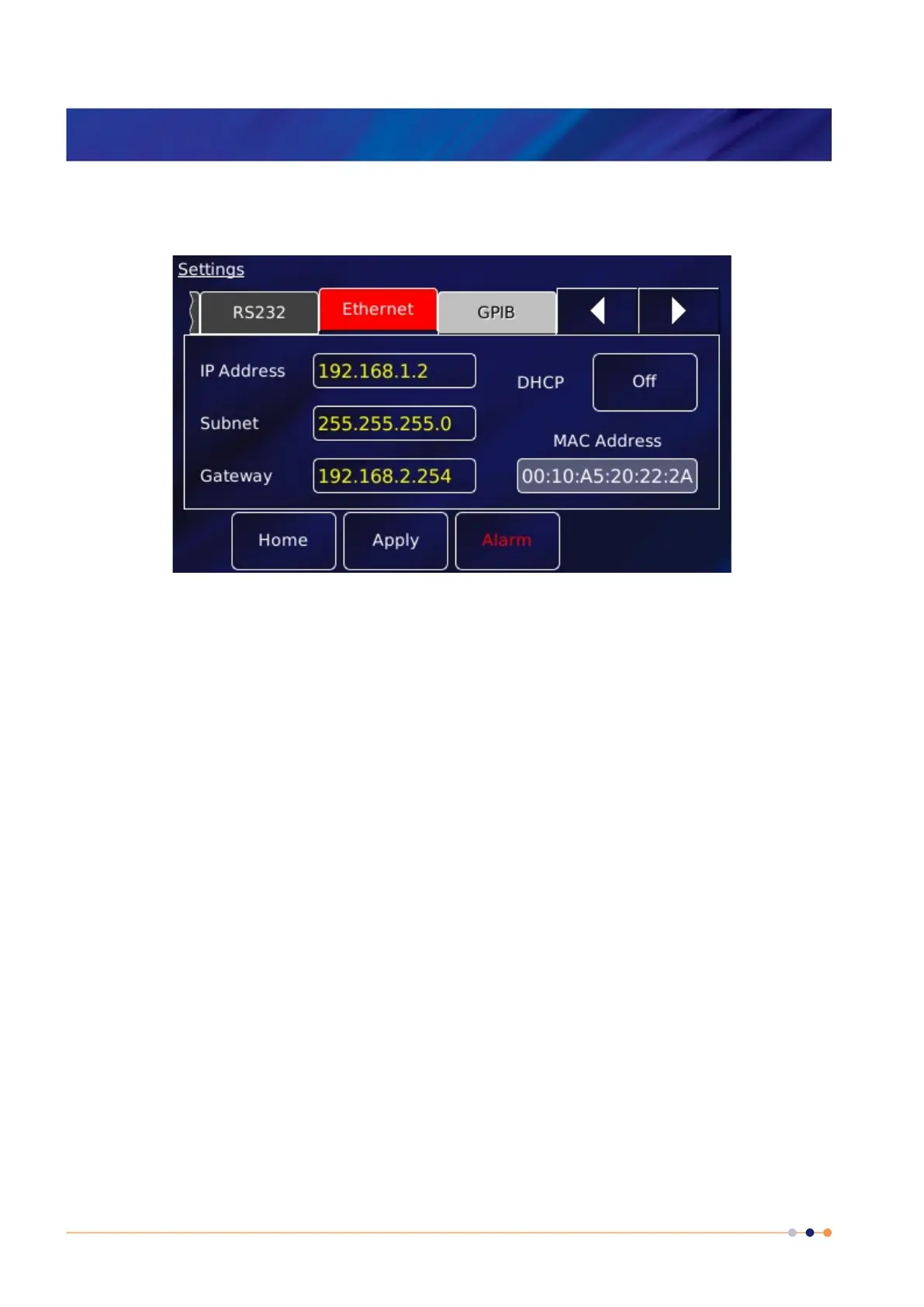
On the Home page, tap Settings.
Scroll to the Ethernet tab and select it.
The page contains the following parameter boxes and controls:
DHCP
Select On/Off as required. If DHCP is set to On, the iPS is automatically assigned an IP
address, subnet mask, and gateway from the network. If DHCP is set to Off, the values
entered in the IP Address, Subnet and Gateway parameter boxes are used.
IP Address
If dynamic host configuration protocol (DCHP) is set to Off, enter the IP address that has
been assigned to the iPS ethernet connection.
Subnet
If DCHP is set to Off, enter the subnet mask that is to be used for the iPS ethernet
connection.
Gateway
If DCHP is set to Off, enter the gateway address that is to be used for the iPS ethernet
connection.
MAC Address
The MAC address of the iPS is displayed. This value is assigned at the factory and cannot
be edited.
Port



 To Next Page