Operator's Manual
Issue 14 / Mar 2016
MercuryiPS
©2016 Oxford Instruments NanoScience. All rights reserved.
Page 37
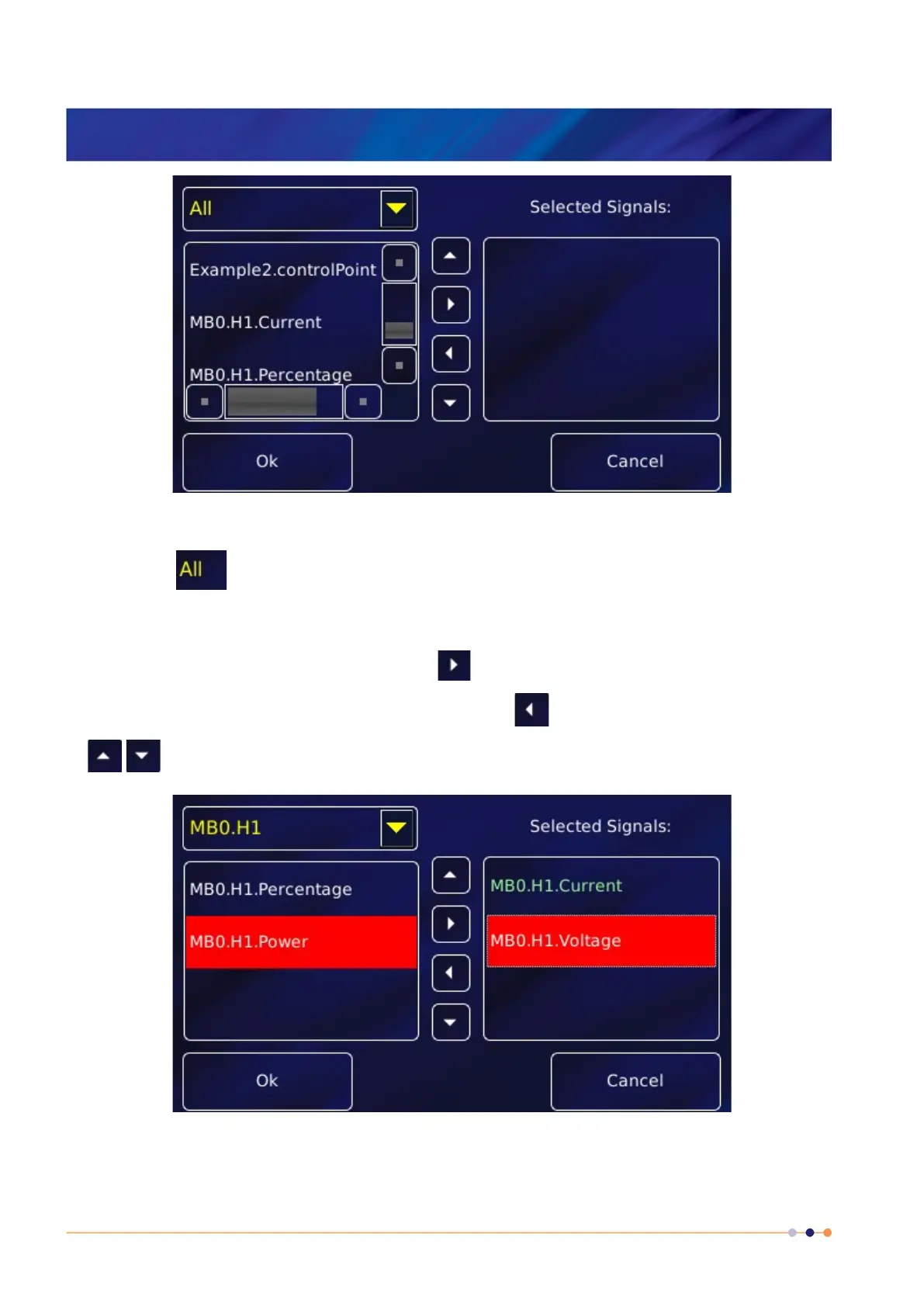
3 A drop down menu of available signals is provided.
Either view signals from all boards fitted, as shown above
or view the signals from a single board, as shown below for MB0.H1 .
Scroll and tap to select a signal. Then use the button to move the signal to the list of
Selected Signals. Repeat to add more signals. Use the button to remove a signal. Use the
buttons to move a selected signal up or down the list.
4 Tap OK to open the plot.



 To Next Page