Operator's Manual
Issue 14 / Mar 2016
MercuryiPS
©2016 Oxford Instruments NanoScience. All rights reserved.
Page 66
For an NTC sensor, T1>T2
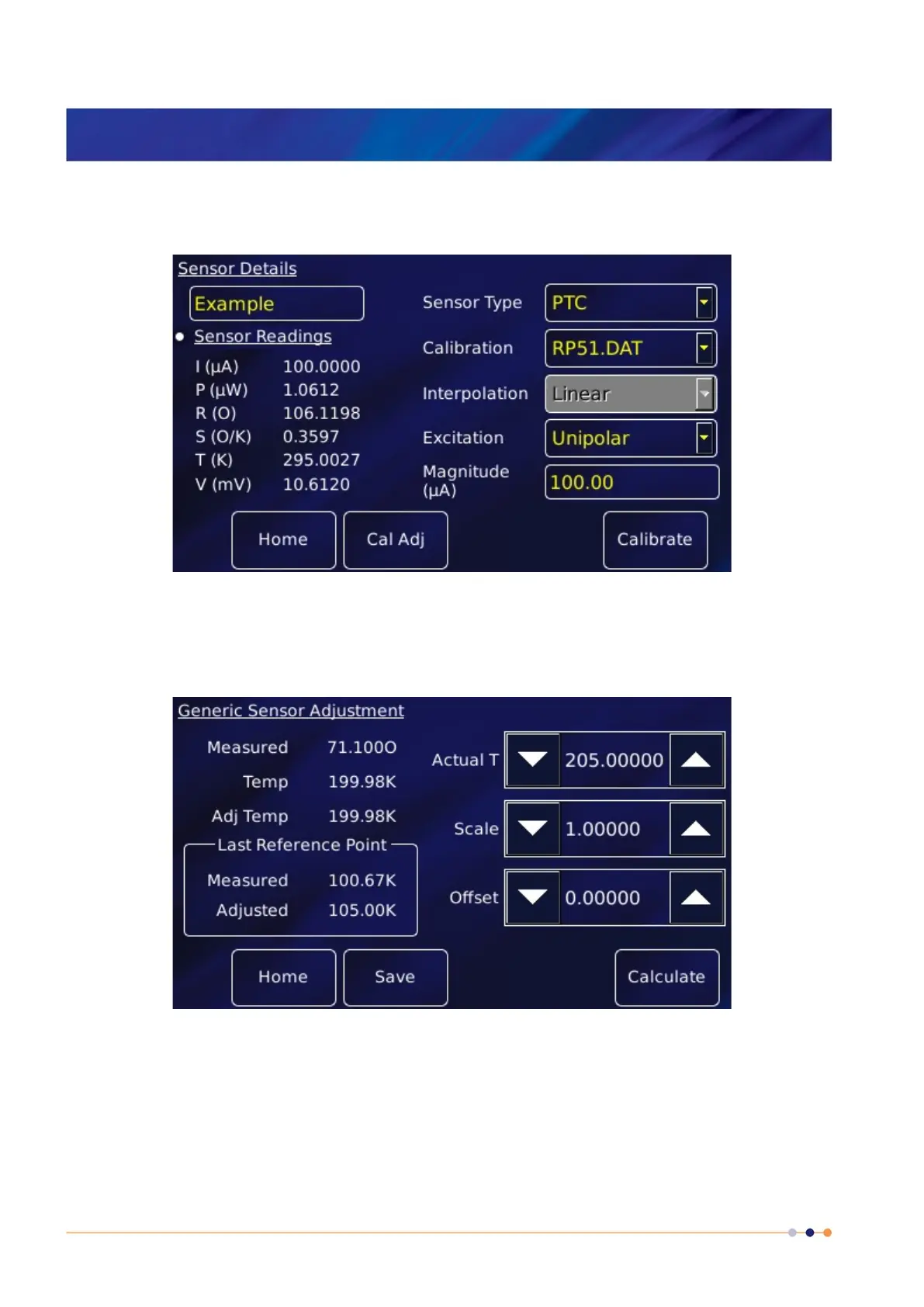
1 Tap a configured widget on the home page. The Sensor Details page is displayed.
2 Tap Calibration and from the drop-down list select the generic file corresponding to the
sensor. This example selects RP51.dat for a PT100.
3 Tap Cal Adj to open the Generic Sensor Adjustment page.
4 Place the sensor in a location with known temperature T1.
5 Edit Actual T to equal the true temperature T1. Tap Calculate.
6 Place the sensor in a location with known temperature T2.
7 Edit Actual T to equal the true temperature T2. Tap Calculate.



 To Next Page