3
ENGLISH
Welcome to digital satellite TV!
Thank you for choosing the ViasatHD set-top box for viewing your Viasat channel
packages. Please follow the instructions in this User Guide carefully to enjoy all the
advantages of digital satellite TV. We advise you to follow the user instructions and
recommendations supplied with your box, especially for first-time use.
Your box fully complies with international DVB (Digital Video Broadcasting) standards.
❖ Important
This set-top box is designed to reduce its impact on the environment and complies with
European Directive 2005/32/EC. This is part of Pace’s ongoing commitment to lead the
way in environmental responsibility.
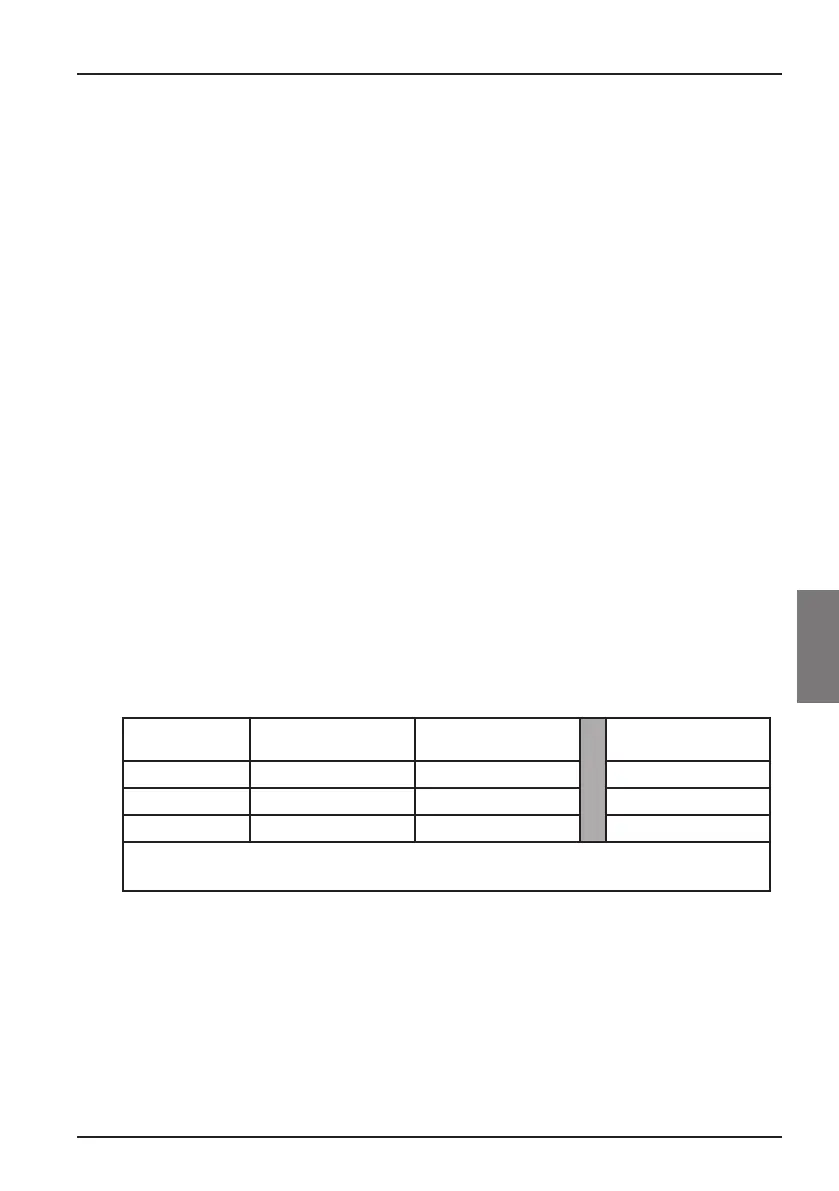
It has an extra mode of operation known as “Off” that needs very little power, certainly
much less than is used in traditional (active) standby. See the table below and please note
that:
◆ By using the Off mode you will save energy (and therefore money) and reduce
carbon dioxide emissions that damage the environment.
◆ You use the POWER ON/OFF button on the rear panel of your set-top box to
switch it into and out of Off mode.
◆ When the POWER ON/OFF switch is depressed (ON), you can use the standby
button (S) on your remote control (or on the front panel of your set-top box)
to switch your set-top box between On and Active Standby modes.
◆ There will be an additional delay (a minute or two) when you switch on your set-
top box from the Off mode.
◆ In Off mode your set-top cannot receive updates from the network, nor will it
“wake up” to make recordings (both are possible in Active Standby mode).
◆ If you will not be using your set-top box for several days, you can cut its energy
consumption to zero by unplugging its 12V power-supply unit from the mains.
Mode Front-panel shows: Typical power
consumption (W)
Typical annual energy use
(kWh)
Off Nothing lit up 0.5 39.8
*
Active Standby Standby light is lit red 11.4 101.5
**
On Standby light is lit green 12.4 108.6
*
Based on set-top box being On for 4.5 hours daily, in Active Standby for 4 hours and Off for 15.5 hours.
**
Based on set-top box being On for 4.5 hours daily and being in Active Standby for 19.5 hours.
❖ Updates to your box
From time to time, your box may be updated. These updates provide enhanced features;
new screens and menus may become available. Although any new screens and menus may
look a little different from those described in this User Guide, you should be able to use
the same techniques (e.g. highlight and select) with them.
Updates will usually happen in the middle of the night. Your box needs to be in standby to
receive updates.



 To Next Page