10 Using your ViasatHD box
Installation
❖ What else do I need?
Smart card
To see your subscription channels, you need a smart card.
If you are an existing Viasat customer...
◆ Please remove your smart card from your old box and insert it into your new
box.
If you are a new Viasat customer...
◆ If the smart card is not included in the package, it will arrive in a separate
delivery within a week.
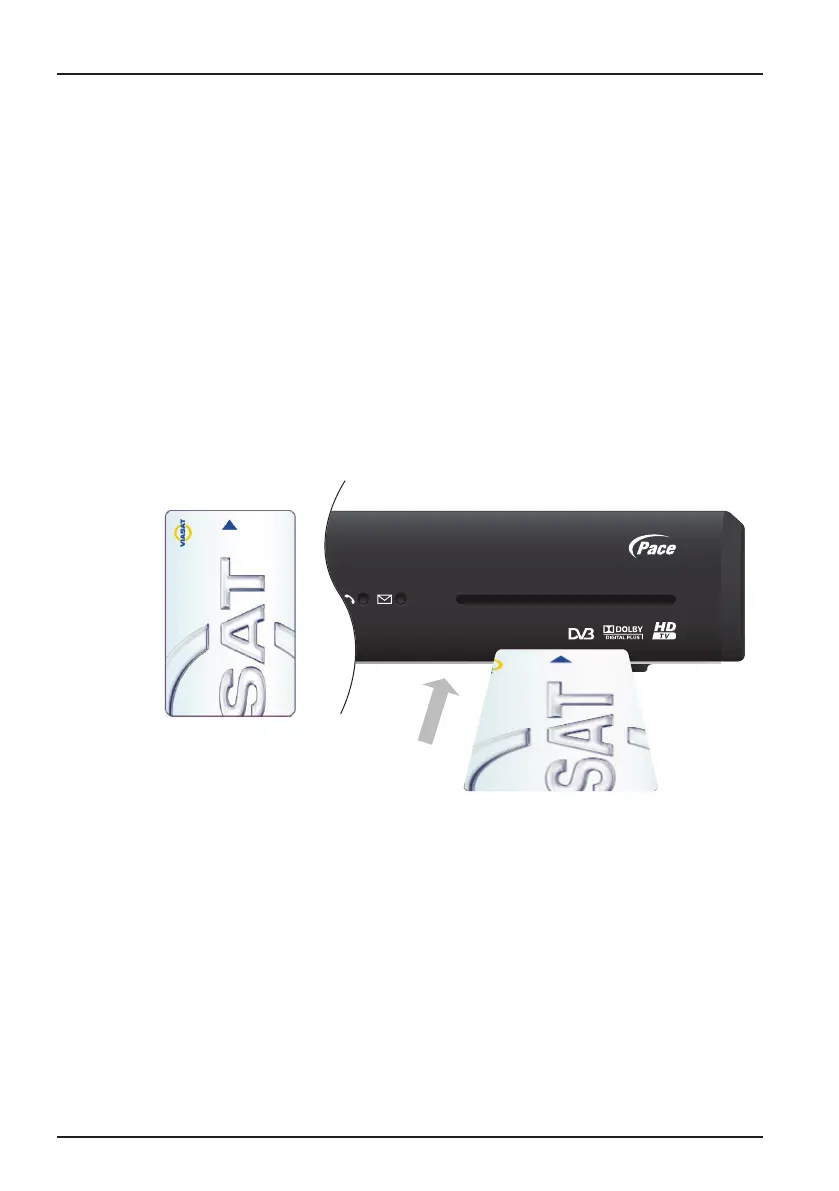
Inserting your smart card
1. Take your smart card from its packaging and hold it so that the arrow is
uppermost, and pointing towards your box.
2. Insert the smart card into the slot, as far as it will go, without forcing it.
Taking care of your smart card
◆ Do not remove and re-insert your smart card unnecessarily.
◆ Do not bend your smart card; keep it away from children and pets.
◆ Do not put your smart card in liquids or use cleaning fluids on it.



 To Next Page