7
ENGLISH
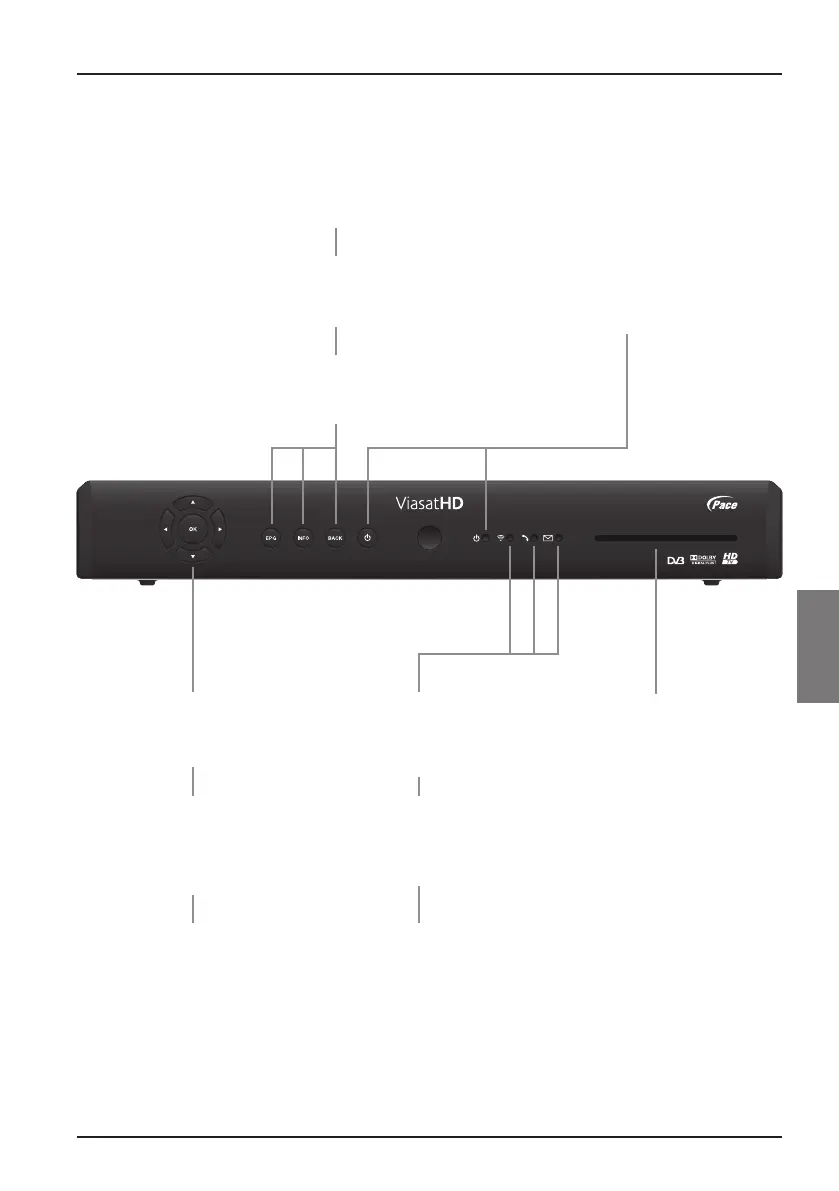
Your ViasatHD box
EPG button
Displays the Viasat EPG
(Electronic Programme Guide)
BACK button
Removes a menu and jumps
back to the previous screen
smart card slot
Insert your smart card here
OK button
Confirms a choice or makes
a selection
S
button
Switches your box into or out
of standby
S indicator light
Lights up red when your box is
in standby
Lights up green when your box
is active
❖ Front panel
U D (arrow buttons)
Highlights the previous or next
item in a list or on-screen menu
L R (arrow buttons)
Moves to the left and right through
on-screen menus, lists or items
Changes settings on the screens
IR receive indicator
Lights up red when your box
is receiving a signal from your
remote control
INFO button
Displays more information
about a programme
Online indicator
Lights up green when your
set-top box is connected to the
network via your telephone line
Message indicator
Lights up yellow when there is a
message waiting. Flashes yellow
when it is an important message



 To Next Page