12 Using your ViasatHD box
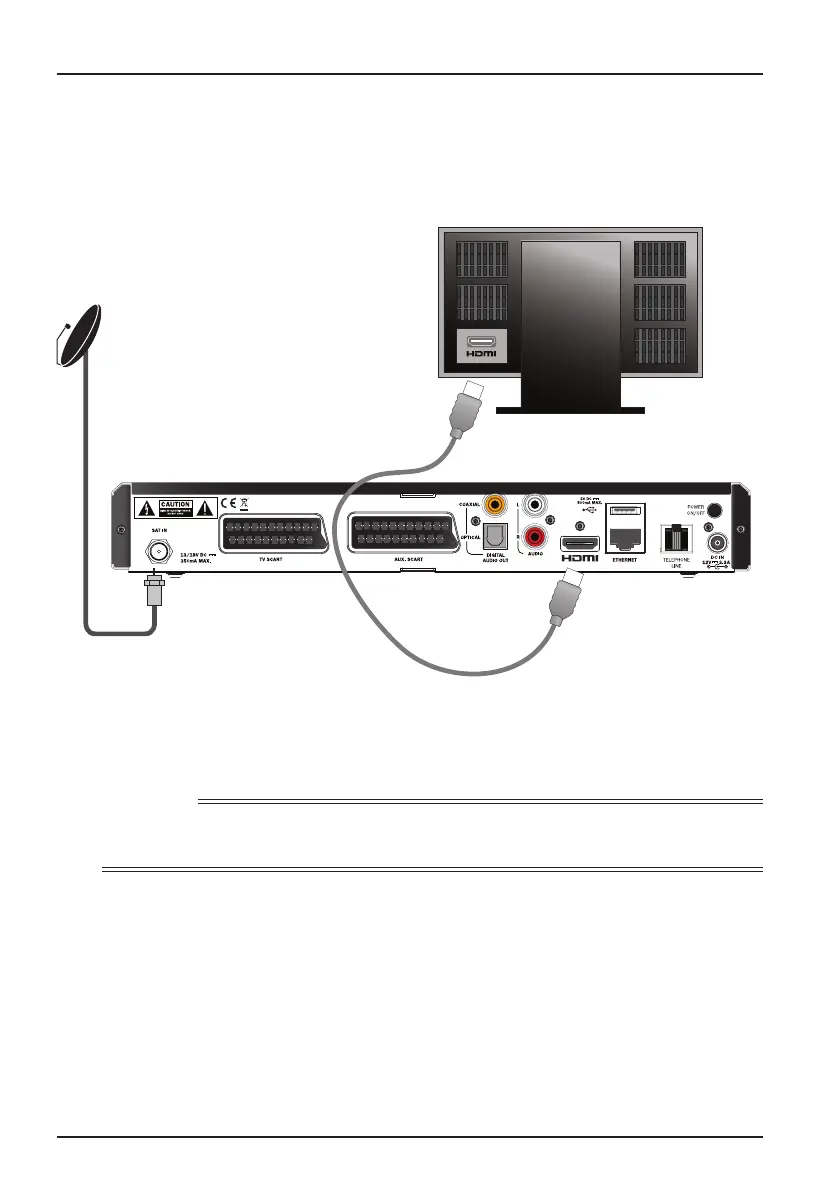
HDMI lead
Coaxial cable
from your
satellite dish
HD TV
Supplied SatCR or
Universal LNB
Installation
1. Use the supplied HDMI lead to connect your box to your HD TV.
2. SatCR or Universal LNB - Connect the coaxial cable from your satellite dish
to the satellite input connector (marked SAT IN) on your box.
Note
An HDMI lead carries both video and audio signals to your HD TV. However, if you want to make
alternative audio connections to improve the sound, see page 14.
❖ High-definition connection (HDMI)
If you have a high-definition (HD) TV with an HDMI connector, you can connect up as
shown in the diagram below.



 To Next Page