18 Using your ViasatHD box
Getting Started
❖ Changing the volume on your TV set
◆ To change the volume on your TV set, press VOL+ or VOL-
◆ To turn your TV’s sound on or off, press mute
To set up your remote control for your TV, see page 37.
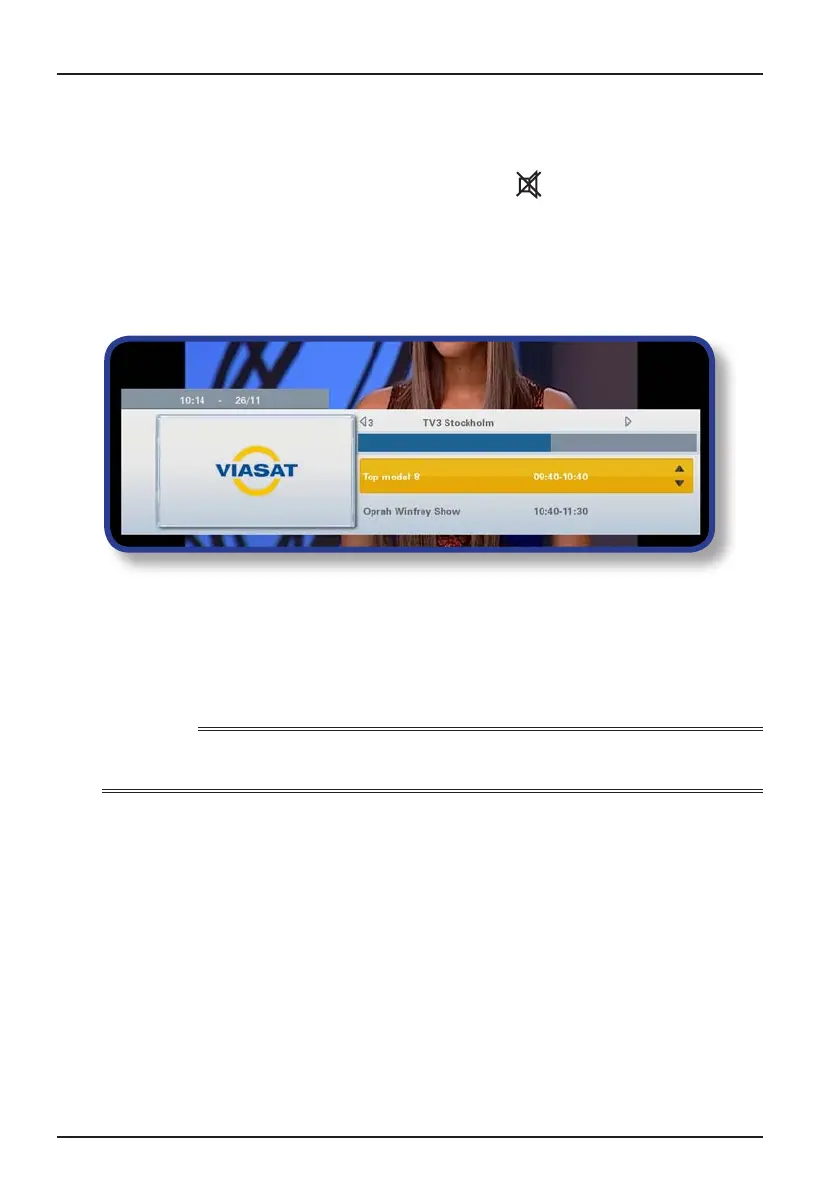
❖ Using the channel banner
To display the channel banner, press OK.
Information about the programme on now appears.
◆ To display what programmes are on now on other channels, press L or R
◆ To display information about what’s on at different times, press U or D
◆ To display extra programme information, press i
(to remove the extra programme information, press i again)
◆ To remove the banner, press BACK
Note
This banner also appears briefly when you change channel. To set the length of time that the channel
banner remains on-screen, see page 31.
Watching a programme
If you see a programme you want to watch, press OK.
If the programme is on now, your box tunes to it; if it is on at a later time, you can choose
to set a reminder (see page 19).



 To Next Page