26 Using your ViasatHD box
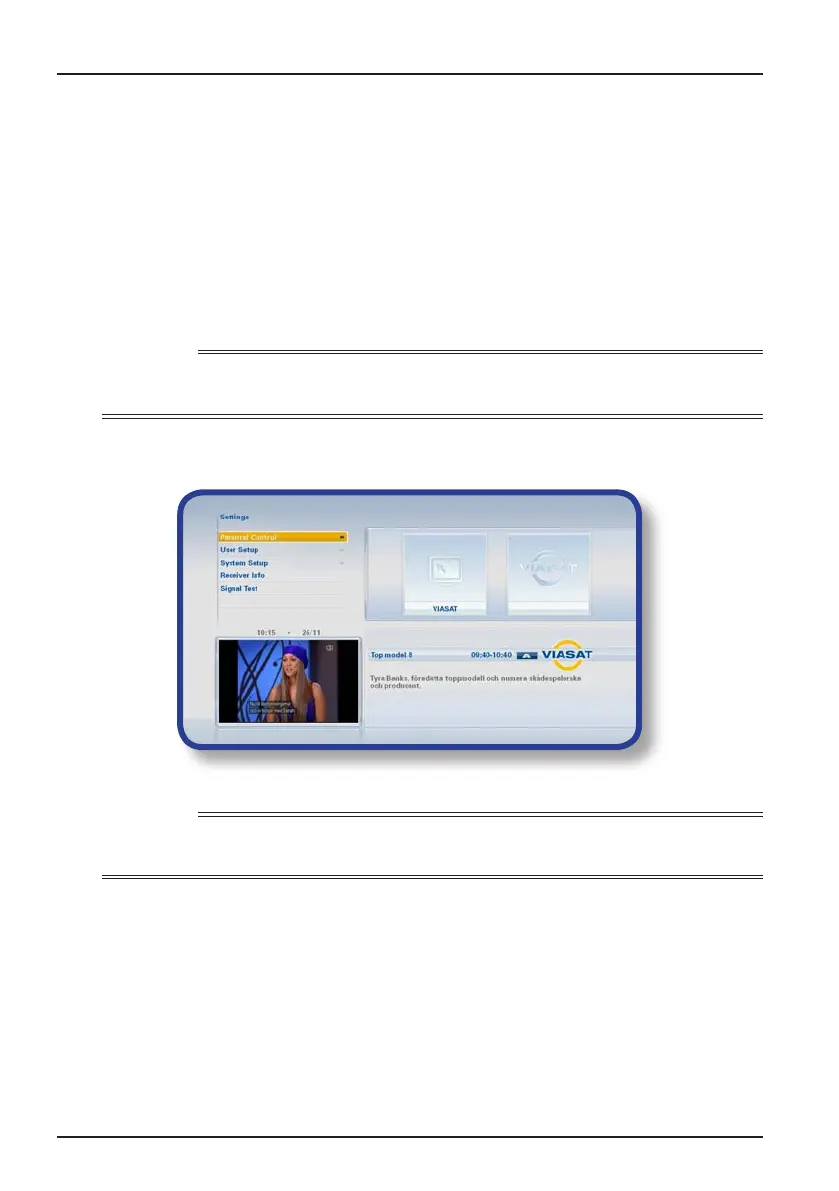
❖ Settings menus
You use these menus to, for example:
◆ control who can watch or purchase certain programmes;
◆ change the language and subtitle settings;
◆ change the TV settings;
◆ change your box’s installation settings;
◆ view diagnostic information about your box;
◆ test the incoming signal from the satellite.
Note
You may need to view diagnostic and incoming-signal information about your box, for example, if a
customer service advisor asks you to.
To display the main Settings menu:
1. Press SETUP on your remote control.
2. Press D or U to highlight the menu item you want, then press OK.
Note
Before you can use the Parental Control and System Setup menus, your smart card must be inserted
in your box, and you must also enter your PIN code (see page 27).
Using the menu screens:
◆ On the menu screens, you mainly use U or D to highlight the setting you want
to change, and then press L or R to display the available options. On some
screens, however, you press OK or use the number buttons to change a setting
or enter values.
◆ While you are using a menu, you can press blue to apply any changes you make.
◆ Or, press red to cancel any changes and return to the previous menu.
◆ To cancel any changes and re-display digital satellite TV, press EXIT.
Settings



 To Next Page