User’s Manual
12
After you are finished with any setup screen, you can highlight Save and press the
button to save the changes
and exit the screen. If you do not wish to save the changes, highlight Cancel and press the
button to exit the screen.
Press the
MENU button or move the mouse pointer on the right edge of the screen and then select (Login) in the Live
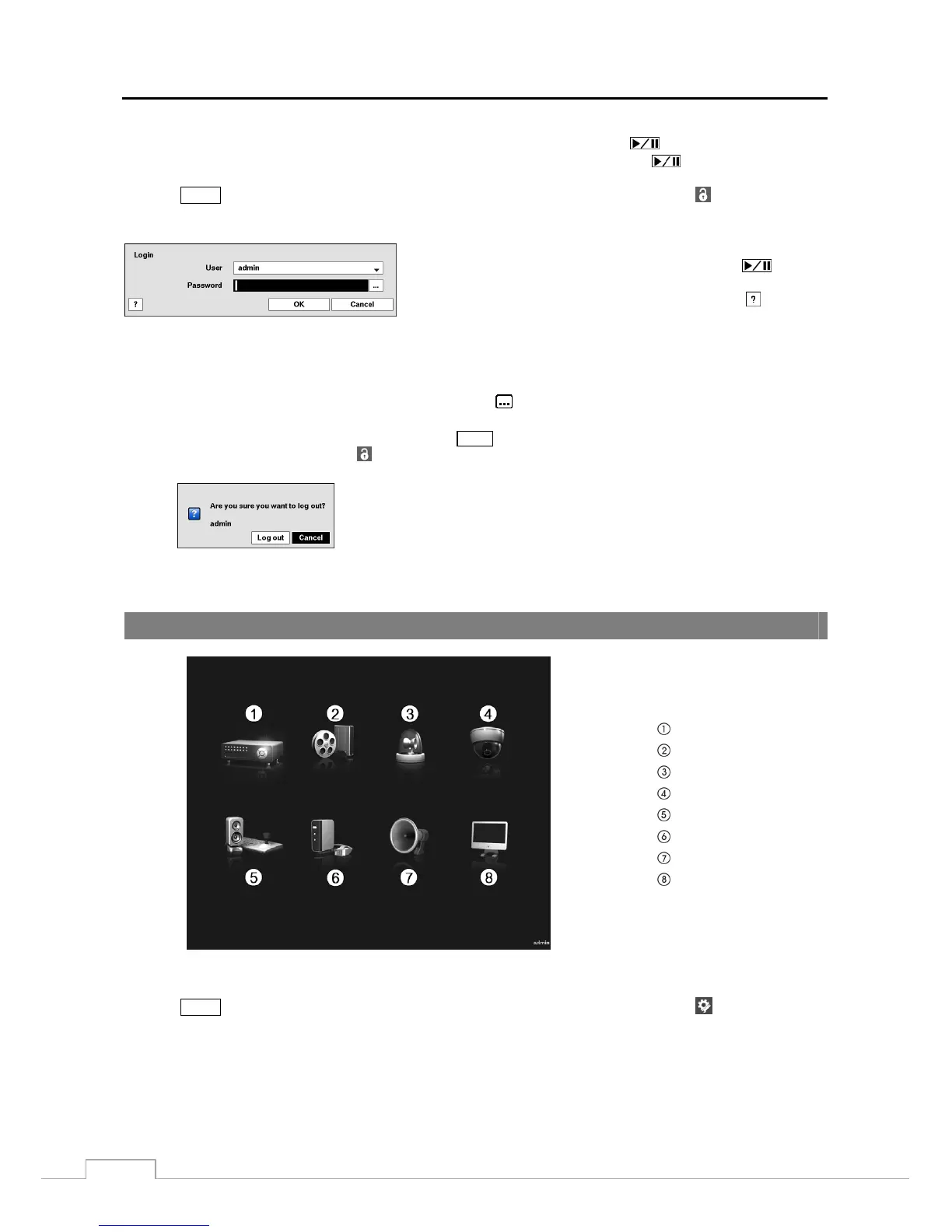
Monitoring menu to enter the setup screens. The Login screen appears.
Select a User and enter the password by pressing the appropriate
combination of Camera number buttons and then the
button.
There is no default password when logging in the admin user for the
first time. If you do not know the password, click the
button for
guidance.
Figure 5: Login screen.
NOTE: To assure the secure management of the system, setting up a password is strongly recommended.
If you cannot use the front panel buttons, click the
button using the mouse to enter a password, and
the virtual keyboard displays. See instructions below for using the virtual keyboard.
To log the user out of the system, press the
MENU button or move the mouse pointer on the right edge
of the screen and then select (Logout) in the Live Monitoring menu. The Logout screen displays asking
you to confirm whether or not you want to log out the current user.
Figure 6: Logout screen.
Setup Screen
System
Record
Event
Camera
Device
Network
Notification
Display
Figure 7: Setup screen.
Press the
MENU button or move the mouse pointer on the right edge of the screen and then select (Setup) in the Live
Monitoring menu to enter the setup screen.
While setting up the DVR, there will be many opportunities to enter names and titles. When making these entries, a
Virtual Keyboard will appear.







 To Next Page