Digital Video Recorder
45
Highlight the box beside Password and press the
button. A virtual keyboard appears allowing you to enter the
password for VNC connection.
NOTE: Up to three users at a time can access a DVR remotely via VNC service.
When controlling the DVR remotely using a keyboard, shortcut keys perform the following functions as
described below:
Key Function
“←” or “h”
Pressing the “←” or “h” key moves to the left in the menu. It is the same as pressing the Left
arrow button on the front panel.
“→” or “l”
Pressing the “→” or “i” key moves to the right in the menu. It is the same as pressing the Right
arrow buttons on the front panel.
“↑ ” or “k”
Pressing the “↑ ” or “k” key moves up in the menu. It is the same as pressing the Up arrow
button on the front panel.
“↓ ” or “j”
Pressing the “↓ ” or “j" key moves down in the menu. It is the same as pressing the Down
arrow button on the front panel.
“m” or “” (Windows)
Pressing the “m” or “” key displays the Live Monitoring menu or Search menu on the screen.
It is the same as pressing the
MENU button on the front panel.
“Enter” or “Return”
Pressing the “Enter” or “Return” key selects the highlighted item or completes an entry that
you have made during system setup. It is the same as pressing the (Play/Pause)
button on the front panel.
“d” or “PageUp” or
“PageDown”
Pressing the “d” or “PageUp” or “PageDown” key toggles between different display formats.
“c” or “Home”
Pressing the “c” or “Home” key allows you to copy video clips. It is the same as pressing and
holding the
SEARCH button on the front panel for three seconds or longer while the Search mode.
“F5” Pressing the “F5" key refreshes the current VNC screen.
Notification Setup
Callback
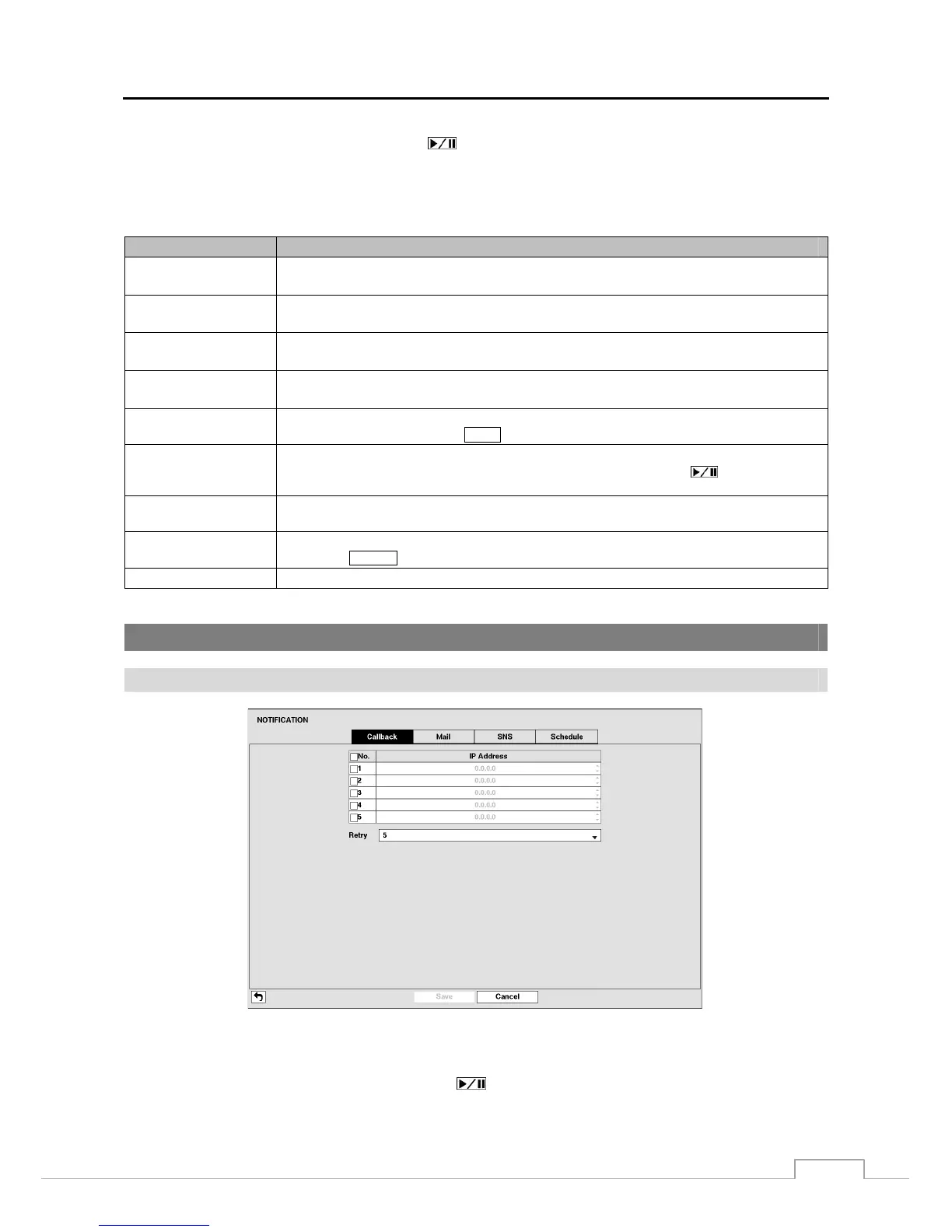
Figure 33: Notification – Callback setup screen.
The DVR can be set up to contact a computer running RAS (Remote Administration System) when an event occurs.
Highlight the box under the No. heading and press the
button to toggle between On and Off. You will only be
able to change the IP addresses if No. is enabled.







 To Next Page