User’s Manual
36
PTZ
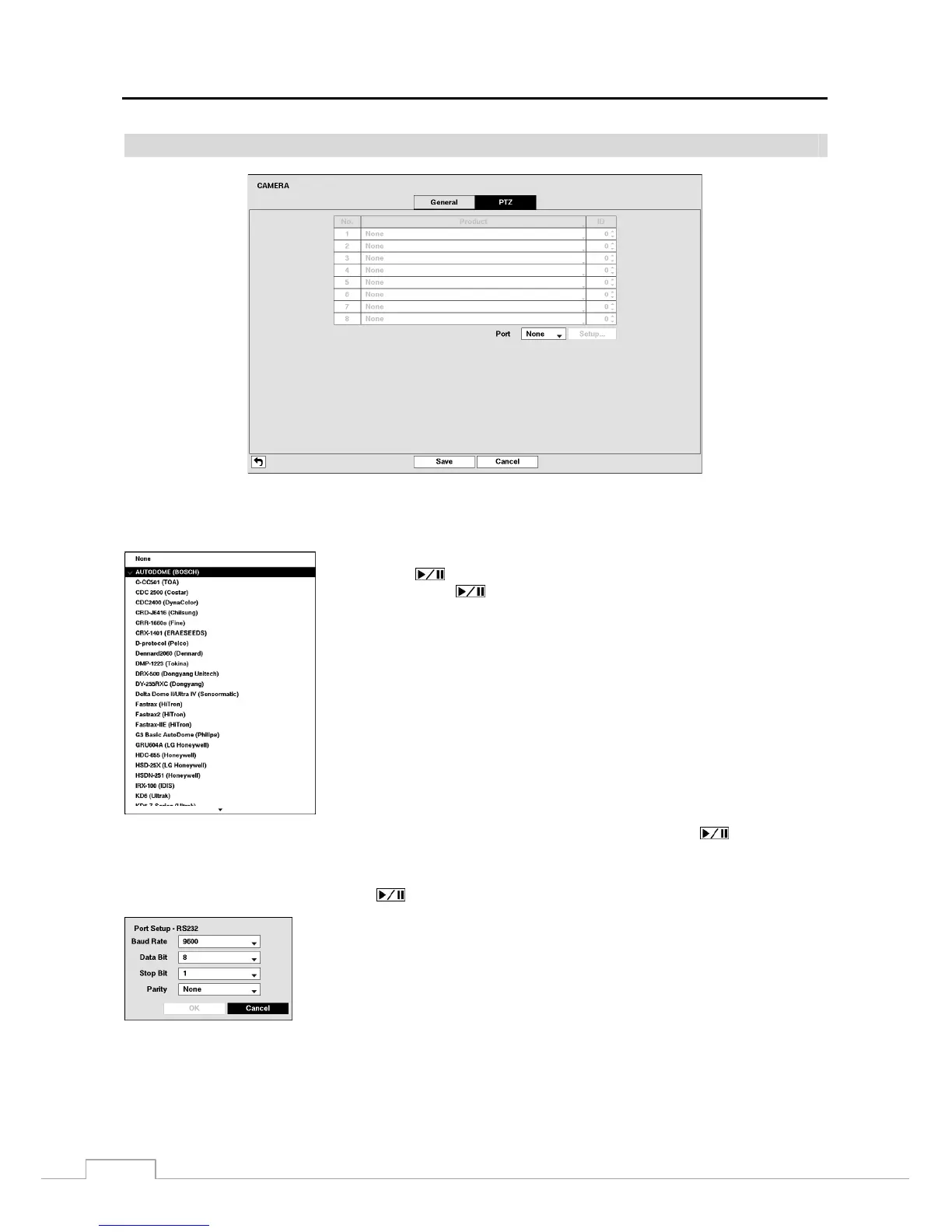
Figure 23: Camera – PTZ setup screen.
NOTE: You will only be able to set up PTZ devices if the PTZ port is set to RS232 or RS485.
Highlight the box in the Product column for the PTZ camera you wish to configure
and press the
button. A list of PTZ devices appears. Select your camera from
the list and press the
button. You will need to connect the camera to the RS232
or RS485 connector on the back of the DVR following the camera manufacturer’s
instructions.
You can assign IDs to each camera by highlighting the box under the ID heading and pressing the button. Change
the number by highlighting it and using the Up and Down arrow buttons to increase and decrease the number. The
PTZ ID number can be set from 0 to 256.
Highlight the Setup… box and press the button. The Port Setup window appears.
Configure the port’s setting based on the PTZ camera manufacturer’s instructions.







 To Next Page