Digital Video Recorder
19
LAN Setup
Select between Auto Configuration and Manual Configuration for network configuration, and then select the Test
button to test the network configuration you selected.
NOTE: Selecting Auto Configuration allows the DVR to automatically obtain LAN parameters (IP address, Gateway,
Subnet Mask and DNS Server address). Selecting Manual Configuration allows you to set up LAN
parameters manually.
The network configuration you set should be tested by selecting Test, otherwise the Next button will
cannot be selected, and you cannot move to the next step.
Use DSL/PPPoE Setup: Selecting the box allows you to set up the DSL network. Entering the ID and password
for DSL connection is required.
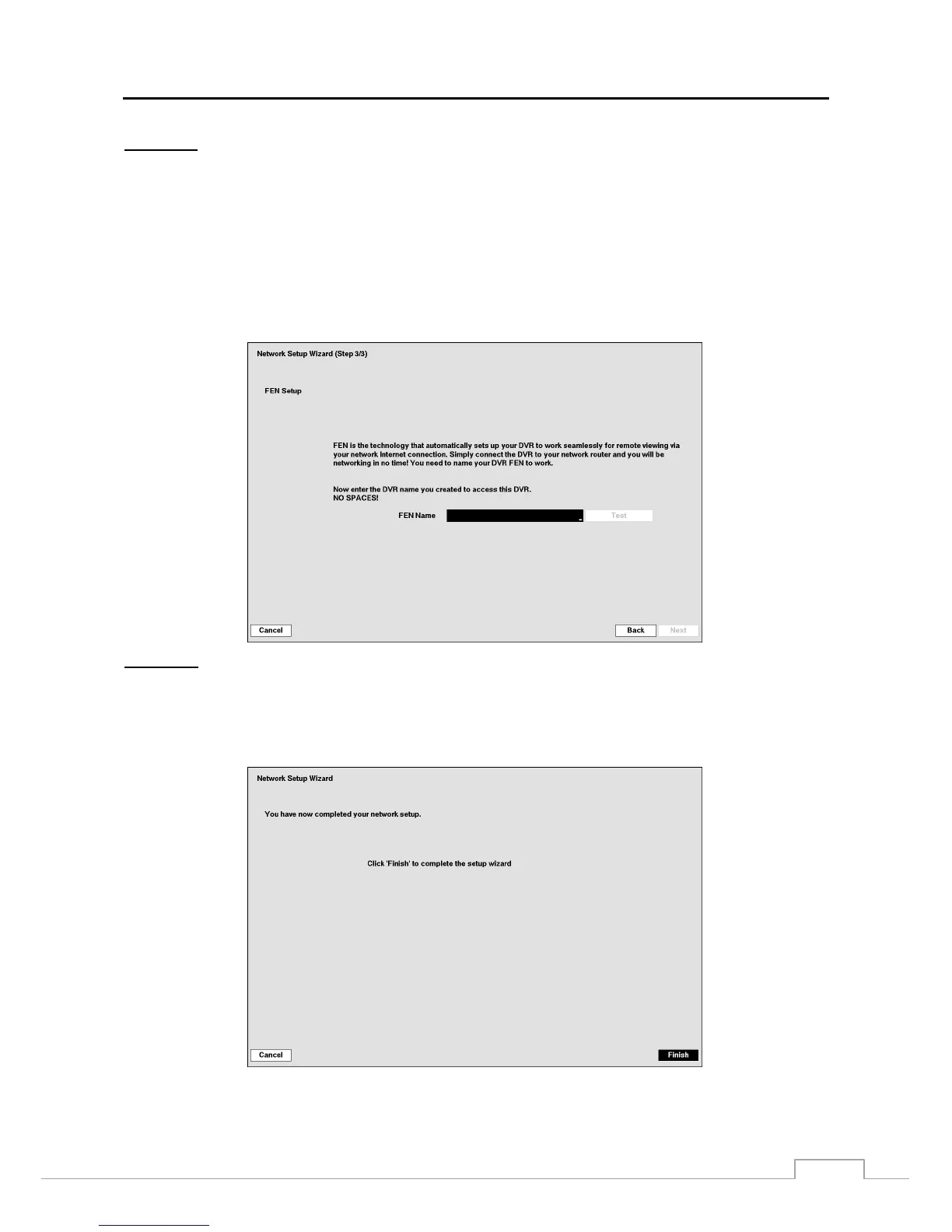
FEN Setup
FEN Name: Enter the DVR name to be registered on the DVRNS (DVR Name Service) server.
NOTE: The FEN Name you entered should be checked by selecting Test, otherwise the FEN changes will not
be saved.
When entering no name or a name already registered on the DVNRS server, an error message displays.
Select the Finish button to finish the Setup Wizard.







 To Next Page