42 (E)
ENGLISH
4. System settings
4-2. Operation menu settings
4-2-1. OSD (on-screen display) settings
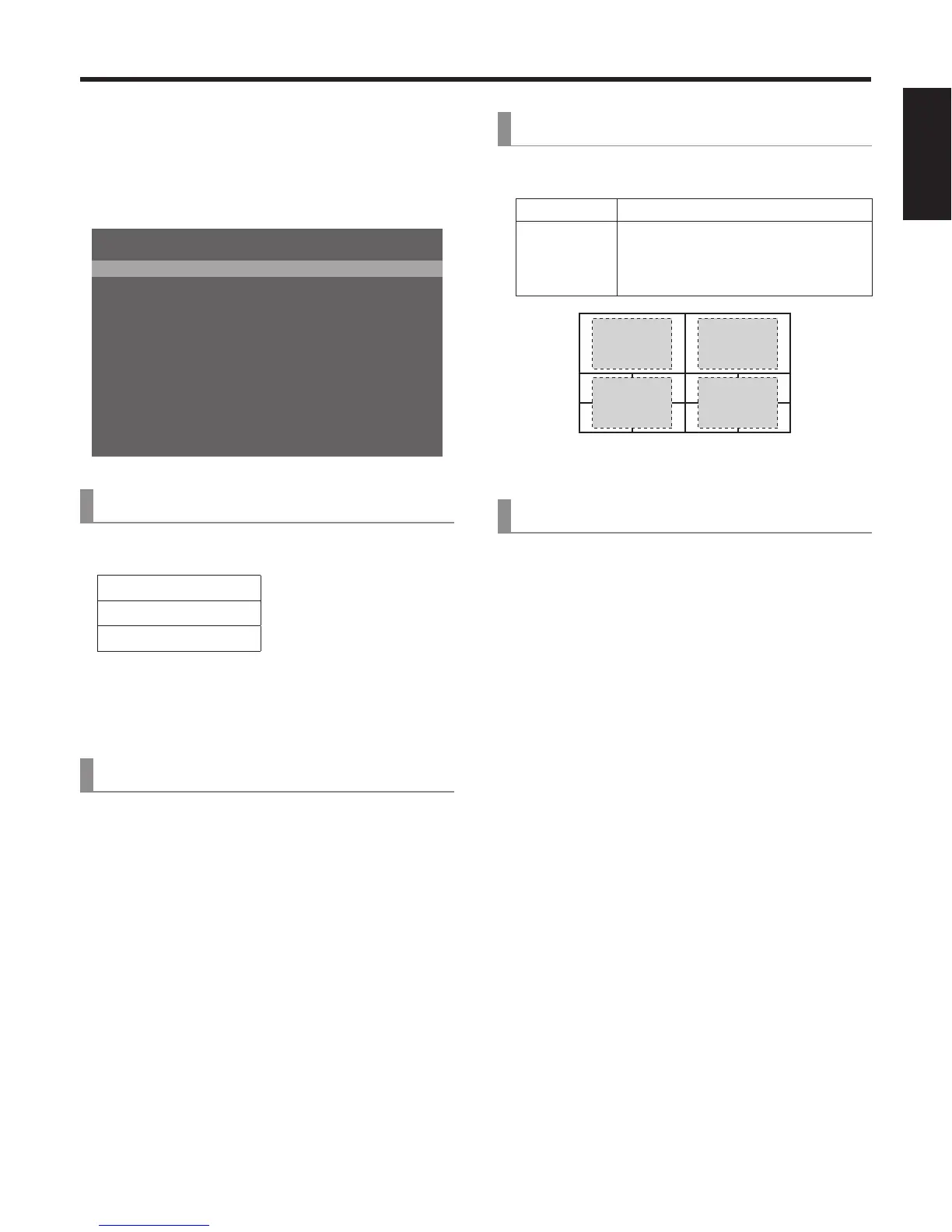
The menu screens can be superimposed onto the images
output from the SDI OUT 2 connector and DVI OUT
connector, and displayed.
15&176 5&+176&8+176
15&5K\G (7..
15&$CEM 1P
-G[2TKQTKV[ 2KP2QXGT-';
$WU/QFG 2)/#256$
6KOG7PKV 5GE
5NKFG.GXGT $-)&
)2++PRWV 'PCDNG
)2+1WVRWV 'PCDNG
%CO%QPV.KPM 1HH
5;56'//GPW
7PNQEMGF
=?1RGTCVKQP/GPW
[13] Operation Menu
1. OSD OUT
Select the connector to be used for outputting the OSD
displays from the options listed below.
SDI-OUT2
DVI-OUT
SDI-OUT2+DVI-OUT
The SDI OUT2+DVI-OUT option is selected when the
OSD ON button is pressed while the SHIFT button is held
down.
When this is done, “Auto” is selected as the following
menu setting.
[11] Output Menu
5. DVI-OUT:Size
[13] Operation Menu
2. OSD Size
The OSD size and position can be selected from the options
listed below.
FULL Full size of screen
Upper-Left
Upper-Right
Lower-Right
Lower-Left
As shown in the figure below, the menu
appears in one-fourth of the full size of
the screen, and it is positioned in one of
the four quadrants.
Upper-
Left
Upper-
Right
Lower-
Left
Lower-
Right
If the fr
ame of the OSD overlaps the multi view display
frames, the frame displays will be hidden.
[13] Operation Menu
3. OSD Back
On: A black background is displayed for the OSD.
Off: A black background is not displayed for the OSD.











 To Next Page