52 (E)
ENGLISH
7. Function for linking up with the remote camera controller
A highly efficient operating environment can be established
by linking the unit with the remote camera controller
(AW-RP50) sold separately.
This section describes how the unit is to be connected to the
AW-RP50 and the what kind of functions can be linked.
For details to how to establish the settings at the AW-RP50,
refer to the Operating Instructions accompanying the
AW-RP50.
7-1. Connecting the unit to the
AW-RP50
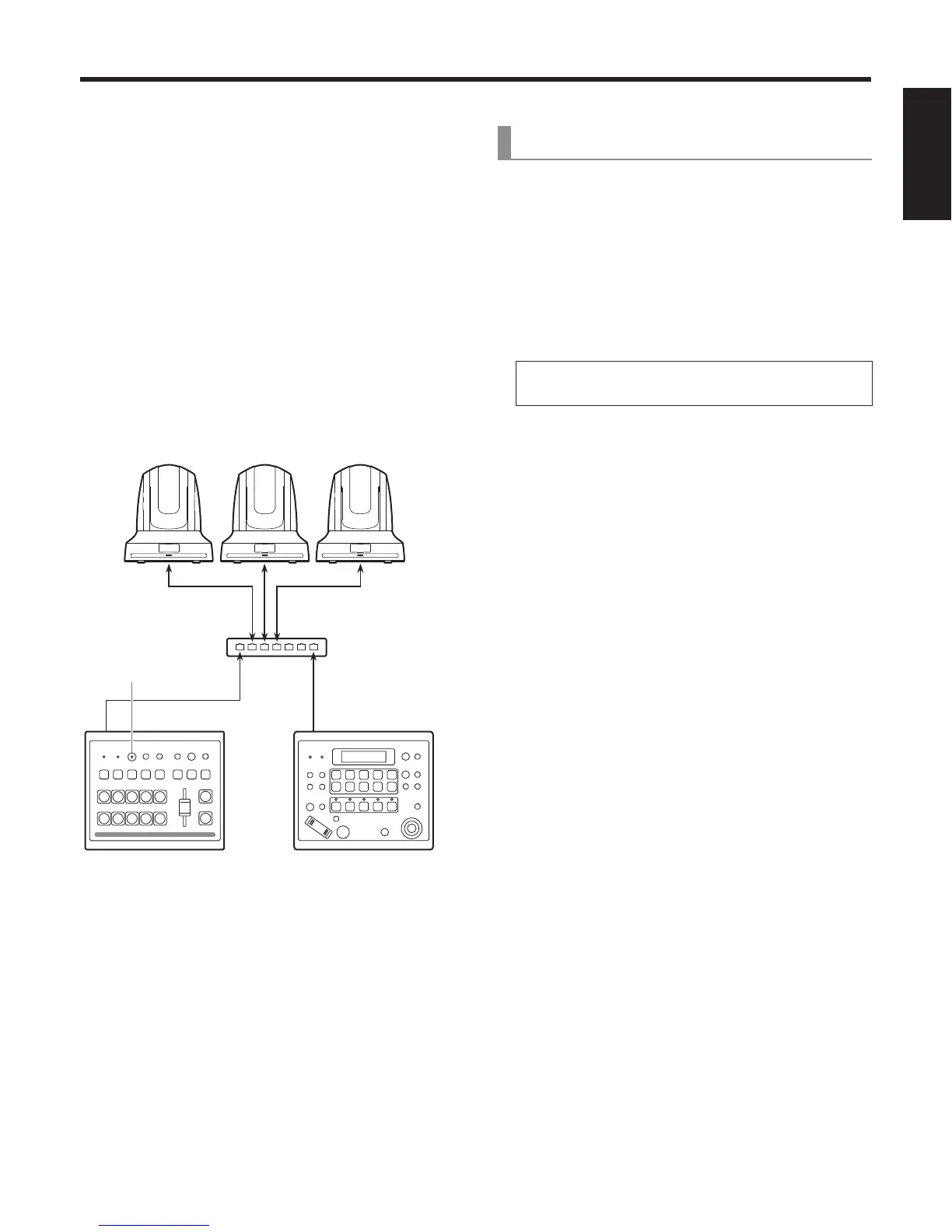
When the unit and AW-RP50 are connected using a LAN
cable and the link function is set, the indicator of the unit’s
LINK lamp lights, and the state in which the link function can
be used is established.
Only one switcher (this unit) can be used by the link function
from the AW-RP50.
AW-RP50AW-HS50
AW-HE50
LAN cable
Switching hub
LAN cable
LINK indicator:
Lights.
[Settings established at the unit]
[13] Operation Menu
10. CamContLink
On: The function for linking with the AW-RP50 is
enabled.
Off: The function for linking with the AW-RP50 is
disabled.
[Settings established at the AW-RP50]
Set the IP address of the switcher (this unit) to be
linked.
Enable the function for linking with the switcher
(SWLINK).
For further details on the setting methods, refer to the
Operating Instructions accompanying the AW-RP50.















 To Next Page