45
Chapter 2 Basic Fax Transmission
To send documents using Memory transmission, follow the steps below. (This is an example when the
Direct transmission is set as default in the Function Parameters.)
1
Place original(s).
z Refer to Placing Originals (see page 14).
2
Press the Fax key.
3
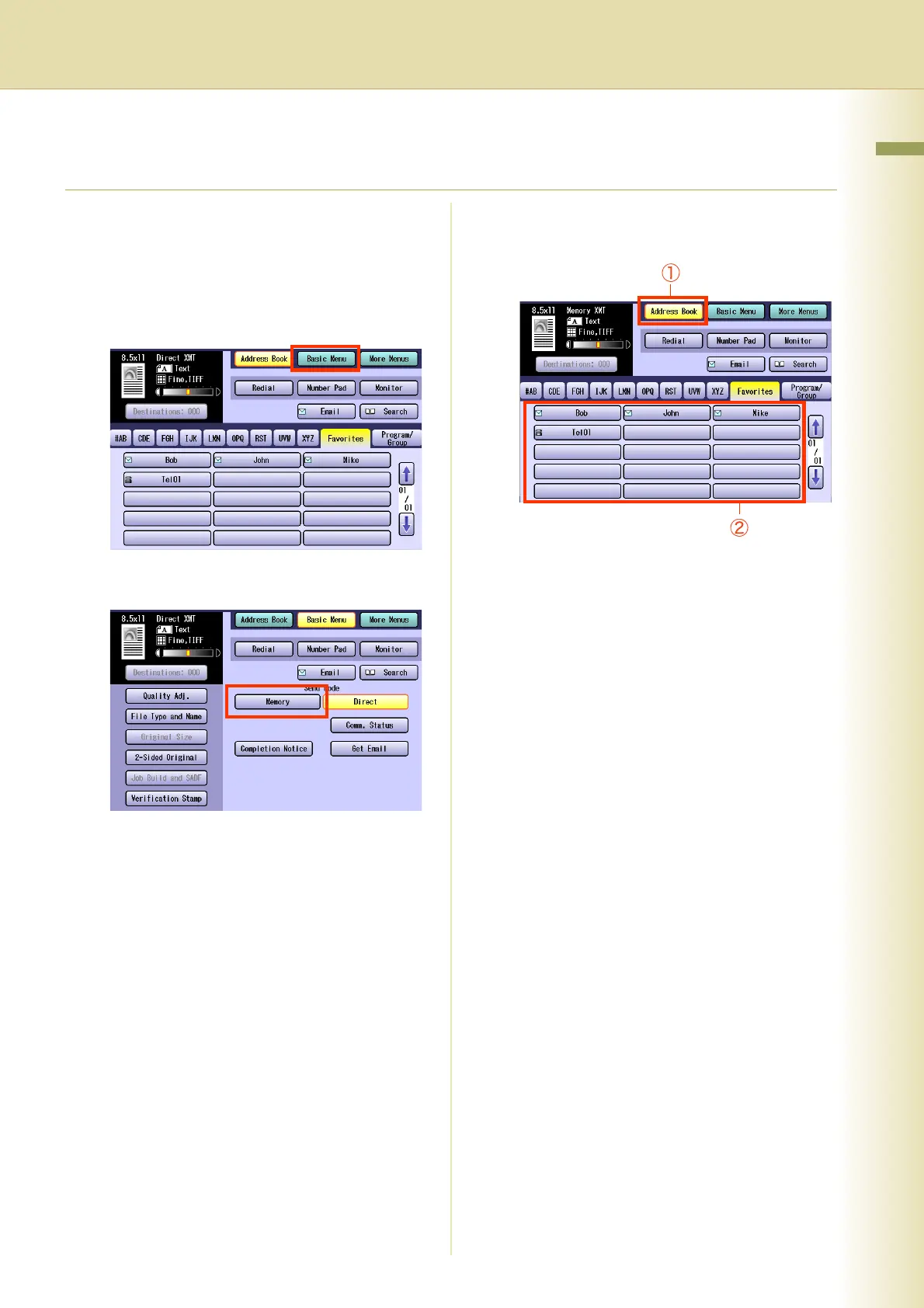
Select “Basic Menu”.
4
Select “Memory”.
5
Set “Quality Adj.” as required.
z Refer to Setting Original Quality (see page
34).
6
Select “Address Book”, and then
select a destination.
z Refer to Entering a Destination (see page
20).
7
Press the Start key.
The original(s) are stored into memory with a
file number. Then starts dialing the telephone
number.
z For instructions on how to cancel a
transmission, refer to Canceling a
Communication (see page 56).














 To Next Page