Base Unit Settings
For assistance, please visit http://www.panasonic.com/phonehelp 151
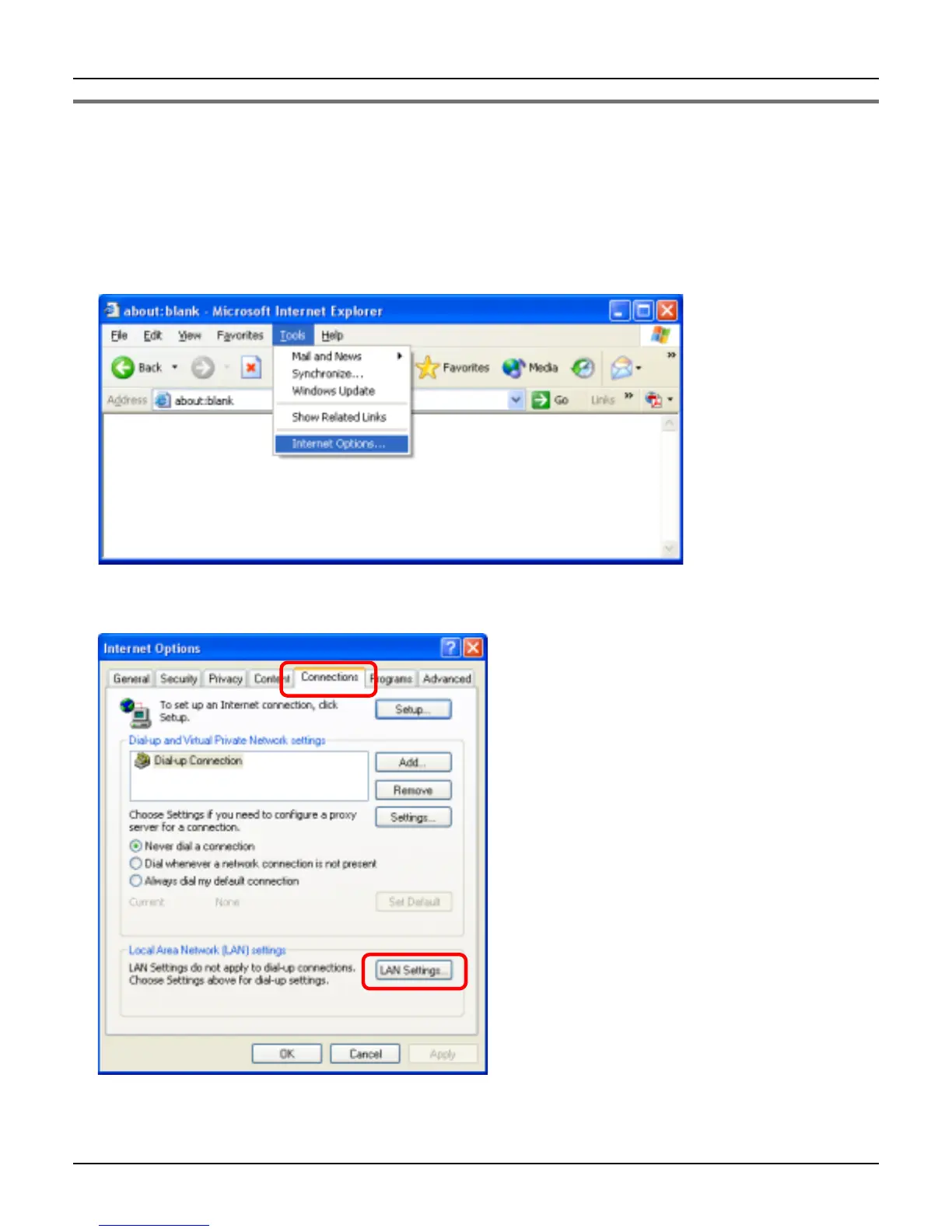
Changing the proxy server settings on Web browser
If your Internet service provider uses the proxy server, you cannot log in the base unit.
Change the proxy server settings on your Web browser.
1 Open your Web browser. (The example is Internet Explorer 6.0.)
2 Click [Tools], then select [Internet Options...].
3 Click [Connections] tab, then click [LAN Settings…].













 To Next Page