Base Unit Settings
152 For assistance, please visit http://www.panasonic.com/phonehelp
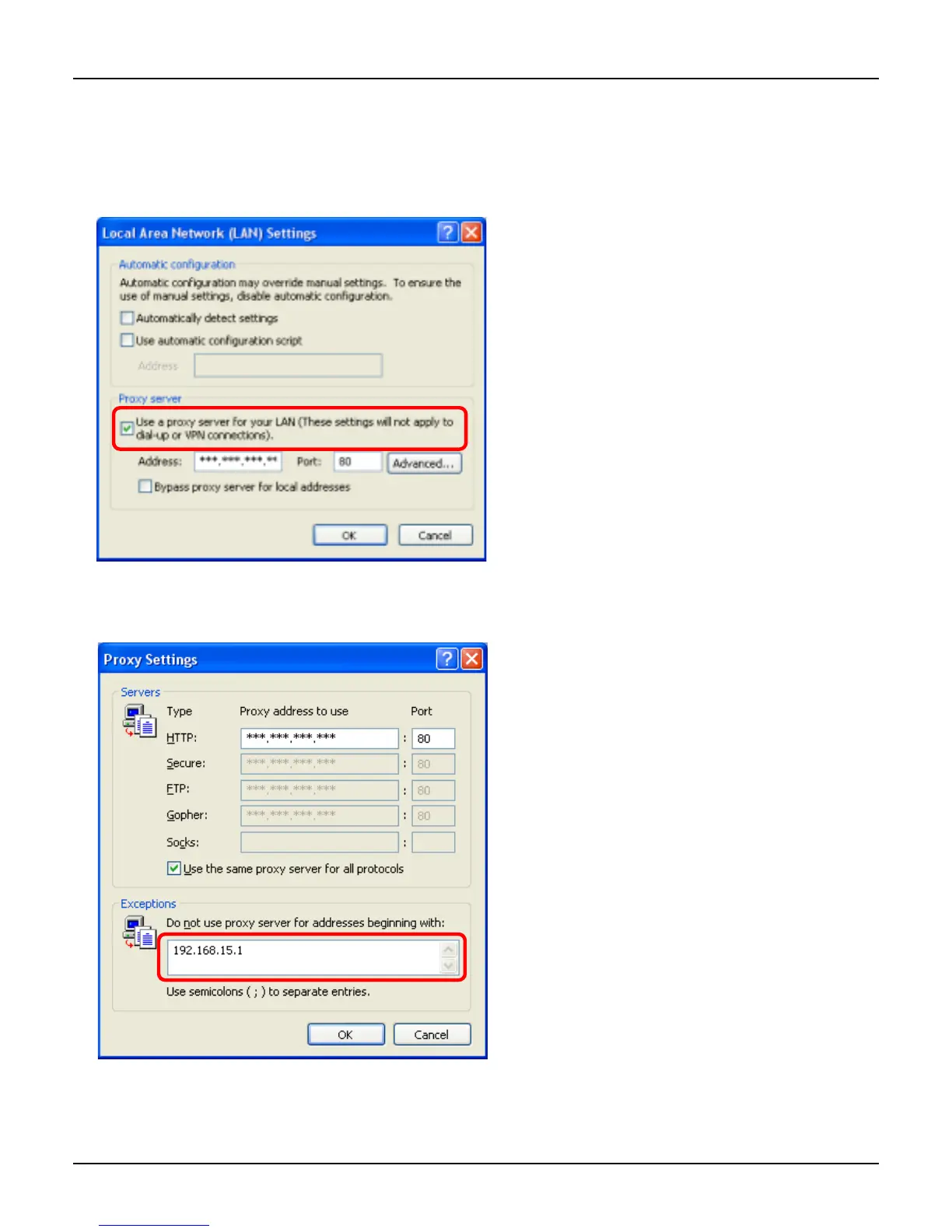
4 See if the “Use a proxy server for your LAN” check box is checked or not.
N If checked, click [Advanced…] and go to step 5.
N If not checked, click [Cancel] then close the Internet Options window. Proxy server
settings are not required.
5 Enter the base unit’s IP address into the “Do not use proxy server for addresses
beginning with:” data field.
6 Click [OK].
7 Click [OK], then close the Internet Options window.













 To Next Page