Getting Started
For assistance, please visit http://www.panasonic.com/phonehelp 39
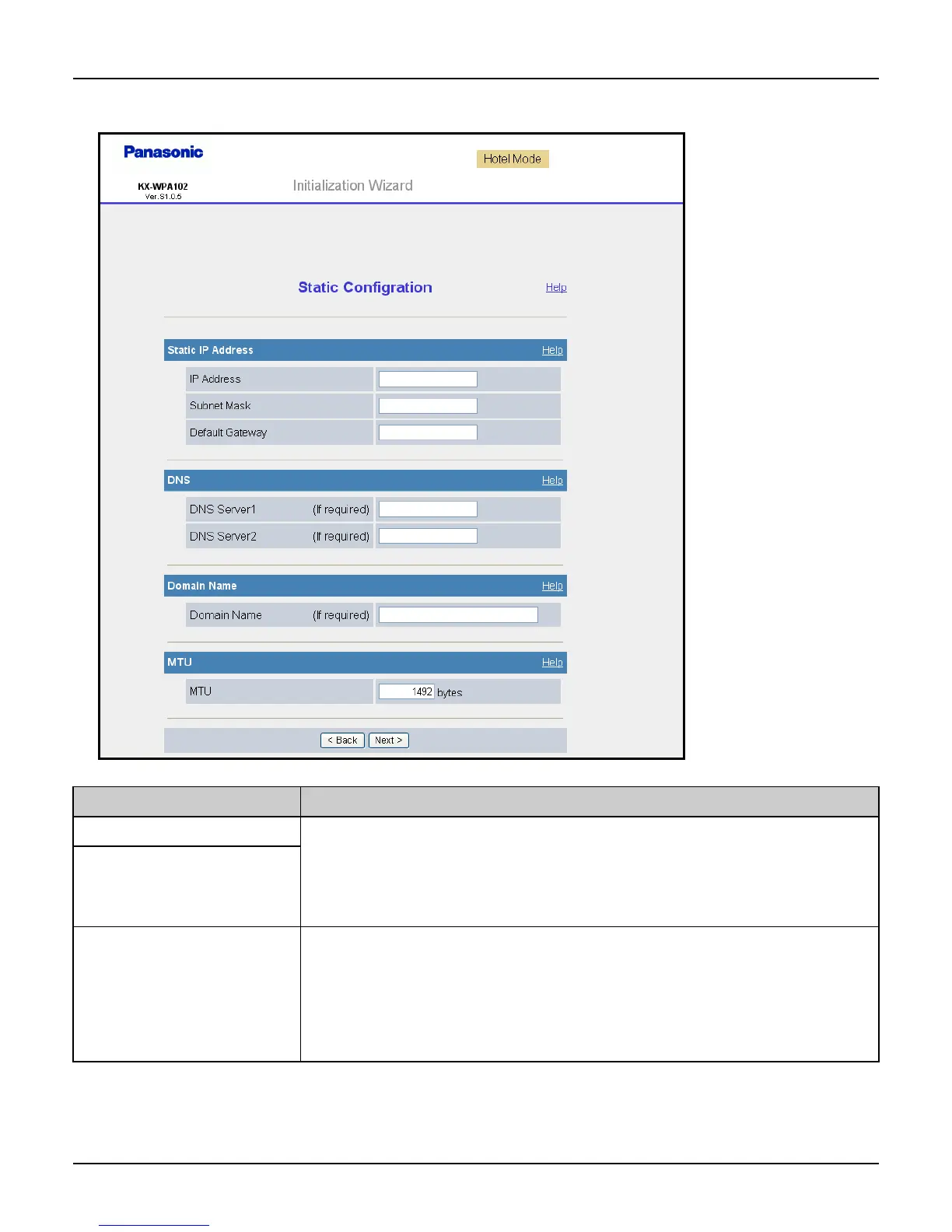
Static Configuration: Allows the base unit to assign a specific IP address.
Setting Description
[IP Address] L If your Internet service provider specifies the IP address and
subnet mask, enter them in each data field.
L Set 4 digits (0 – 255) and 3 periods such as “192.168.0.253”.
But “0.0.0.0” and “255.255.255.255” are not available.
[Subnet Mask]
[Default Gateway] L If you have the Default Gateway address assigned by your
Internet service provider or network administrator, enter it in
this data field.
L Set 4 digits (0 – 255) and 3 periods such as “192.168.0.253”.
But “0.0.0.0” and “255.255.255.255” are not available.













 To Next Page