SC-HM910/SC-HM810
13
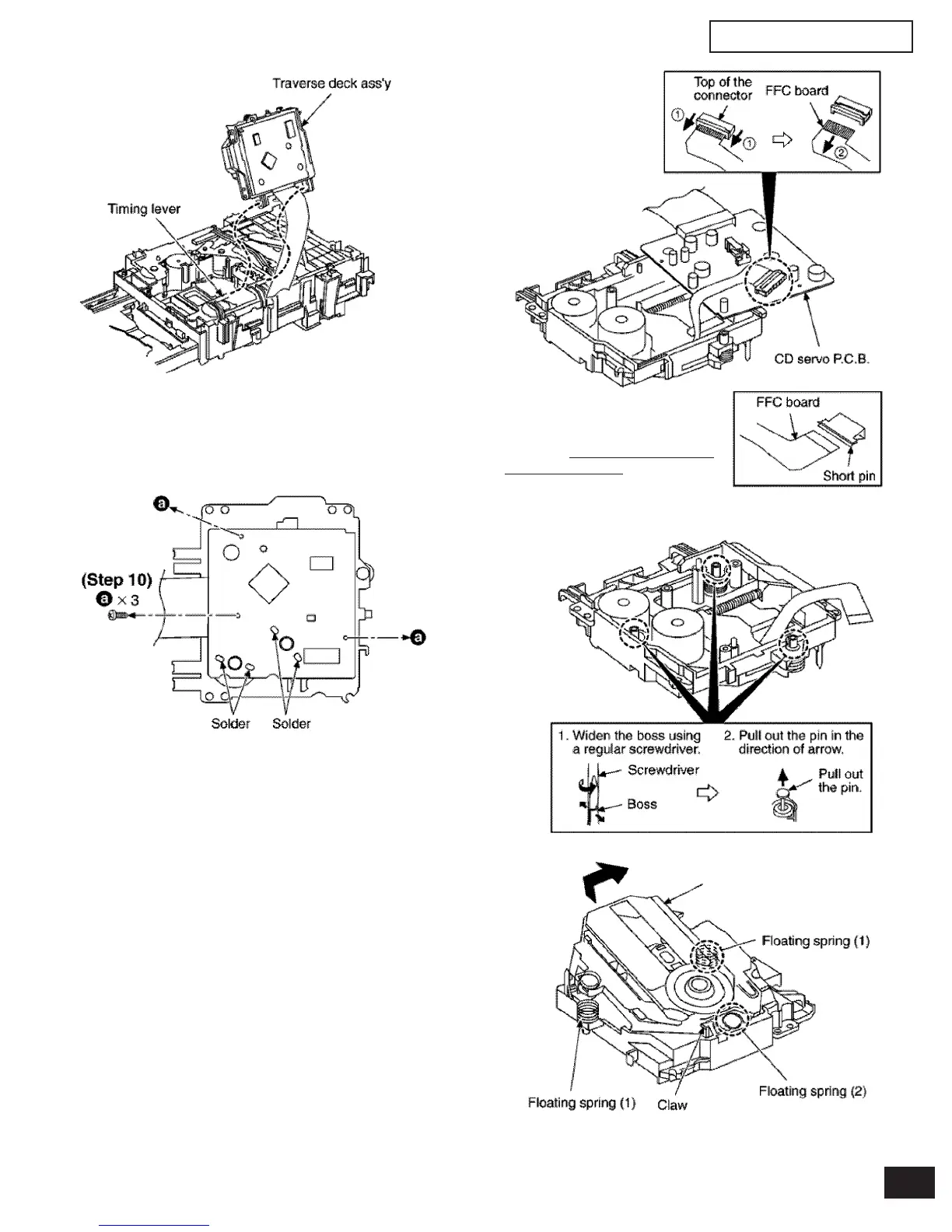
Step 9 Remove the traverse deck ass’y from the timing lever.
Caution:
When removing or inserting the traverse deck avoid touching the
OPU lens and pressing onto the turntable.
Caution:
Insert a short pin into the traverse
unit FFC board.
(Refer to “
Handling Precautions
for Traverse Deck”.)
Step 12 Remove the FFC board from the connector, and then
remove the CD Servo P.C.B.
Step 13 Remove the pin.
Step 14 Release the claw, and then remove the traverse deck
ass’y
Step 10 Remove 3 screws.
Step 11 Unsolder the motor terminals (4 points).
(Step 12)


 To Next Page