52
CALLING & MESSAGING
No. Description
1
Choose a location for saving the contact.
2
Register a photo.
3
Enter a name, phone number, or email address. Set a
ringt
one. Select a group. Add more information.
Setting a Speed Dial Number
1. Tap > Contacts.
2. Tap
> Speed dial setting.
3. Select and tap a number, and tap Assign.
4. Select and tap a contact.
Viewing Saved Contacts
1. Tap > Contacts.
2. Select and tap a contact.
x Enter a letter of the name to show names that include
that letter.
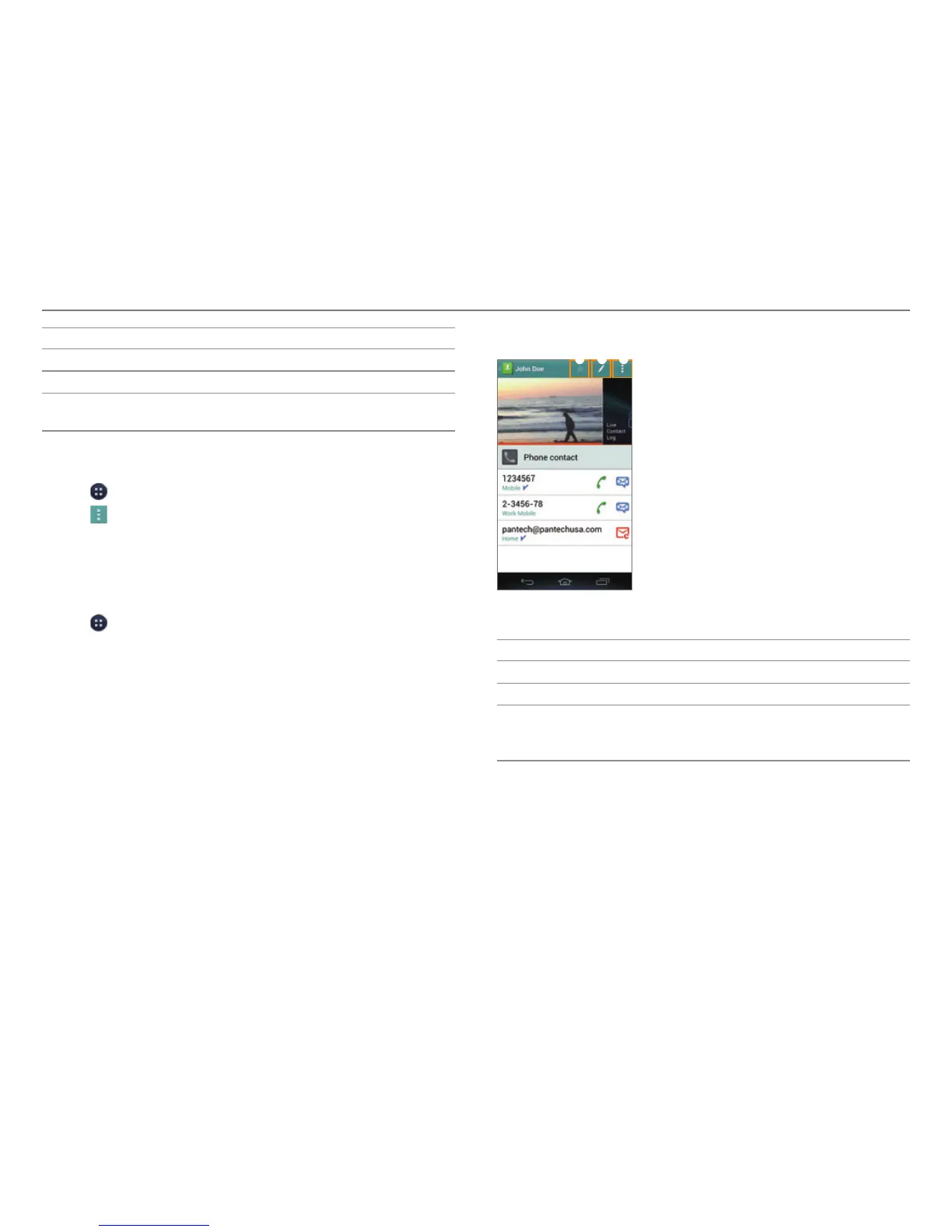
3. View the contact information.
1 2 3
Example: When you save a contact on your phone.
No. Description
1
Designate the contact as a favorite.
2
Edit the contact.
3
Share or delete a contact, join with another contact,
set a ringt
one, forward all calls to voicemail, or add a
contact widget to the home screen.
Deleting Contacts
Tap and hold a contact to delete, and then tap Delete contact
> OK.



 To Next Page