80
MENU FUNCTIONS
Downloads
Downloads allows you to view and manages the files you
download from the Internet.
1. Tap
> Downloads.
2. Select and tap a file.
Note Tap the check box next to a file to share or delete the file.
File Manager
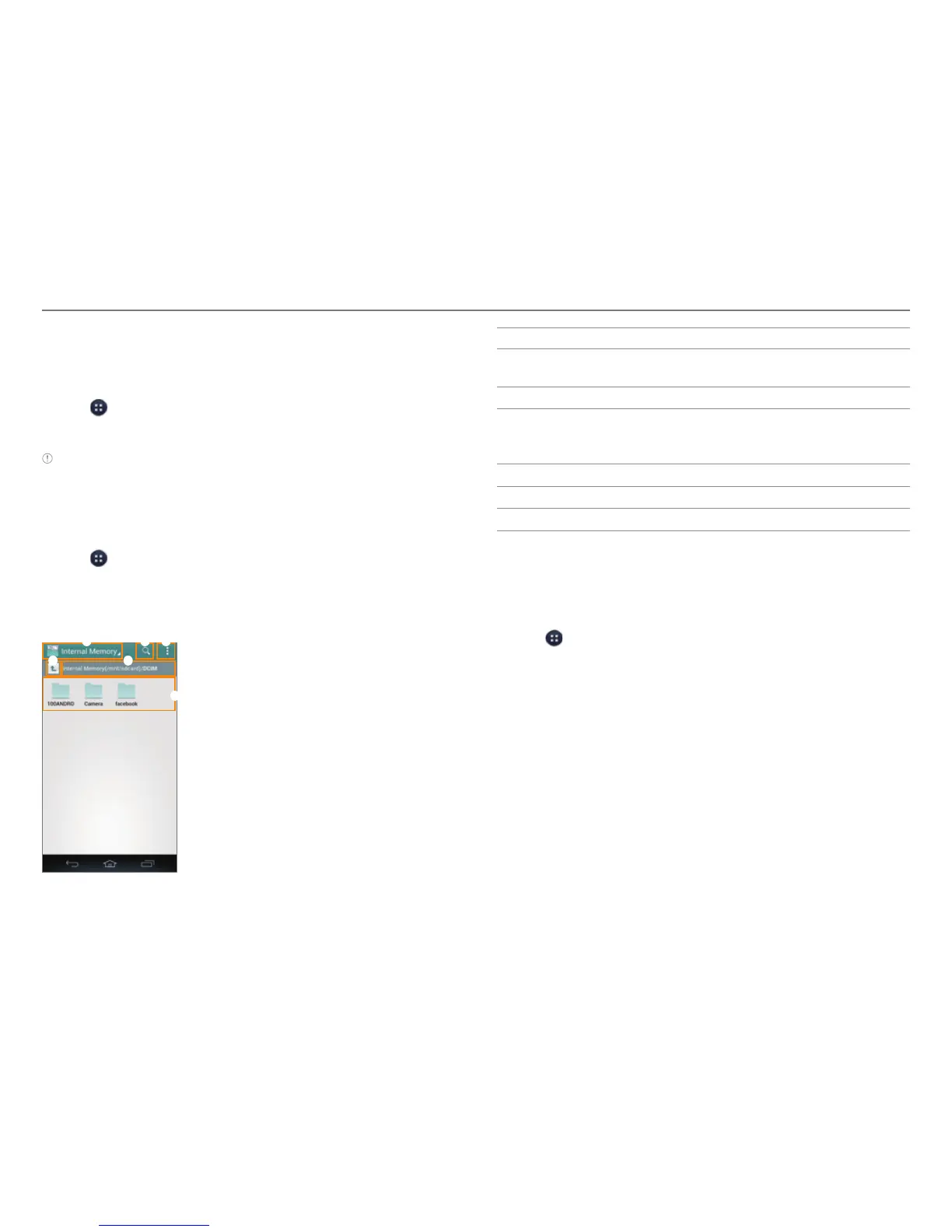
Manage files that are stored in the phone or on a memory card.
1. Tap > File Manager.
2. Select and tap a folder > a file.
x Tap and hold a folder to set it as a favorite, cut, copy,
delete, rename, zip, or view its information.
1 2 3
5
6
4
No. Description
1
Switch between internal memory and a memory
car
d.
2
Search for files and folders.
3
View favorites. Create a new folder. Change the view
type. Sor
t files and folders. View the storage capacity.
Refresh lists. Access the settings.
4
Move up one level in the file directory.
5
Current location
6
Folders and files
Local
Find restaurants, cafes, bars, attractions, and other
businesses.
1. Tap
> Local.
2. Select and tap one of the business categories.
3. Select and tap a business.



 To Next Page