63
COMMUNICATION
Using Facebook
1. Tap > Facebook.
2. Enter your email address and password, and then tap Log
In.
x Tap Sign Up for Facebook if you do not have a Facebook
account.
3. Select and tap a contacts synchronizing option, and then
tap Sync or Done.
4. Tap
to select and tap a tab.
Using Twitter
1. Tap > Twitter.
2. Tap Sign In, and then enter your username or email address
and password.
x Tap Sign Up if you do not have a Twitter account.
3. Select and tap a tab.
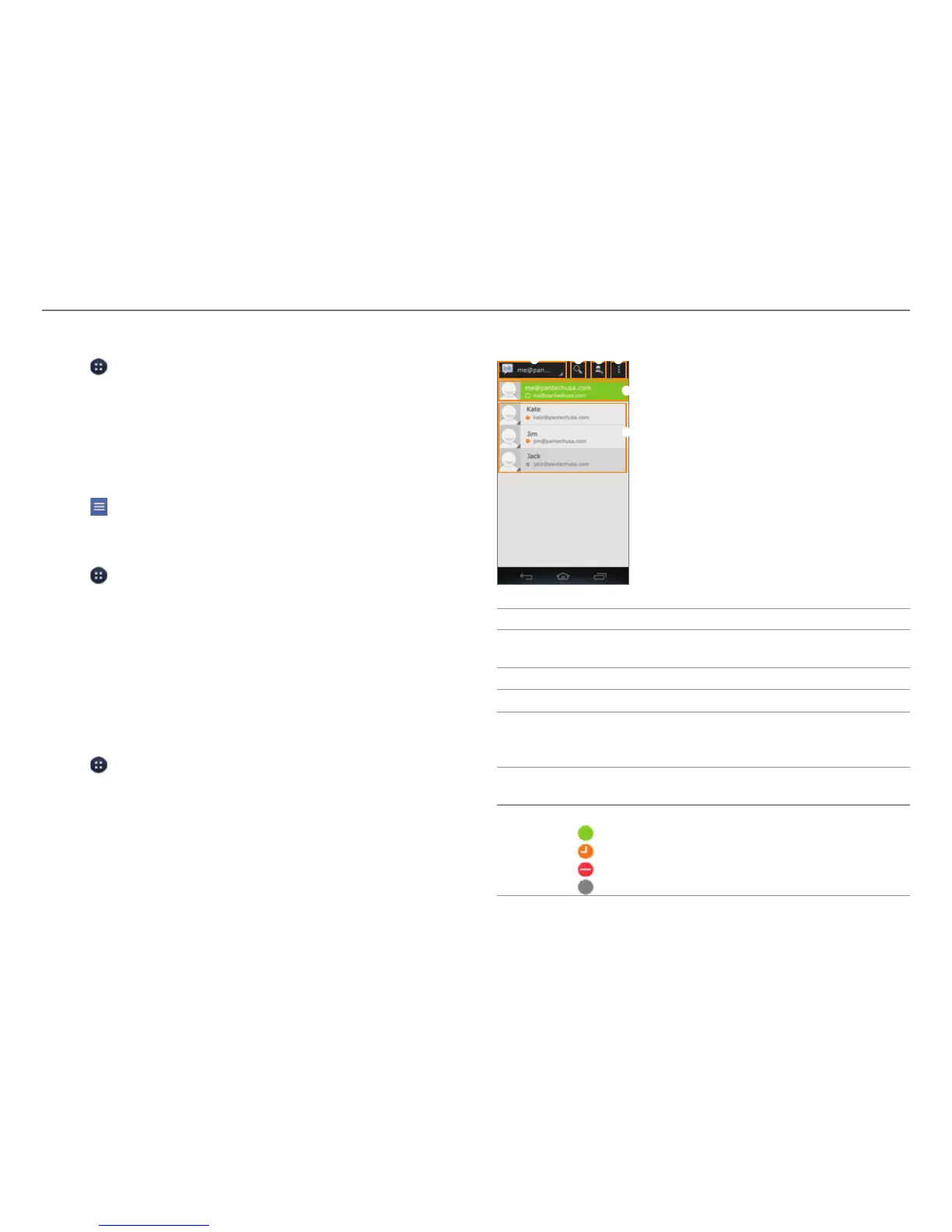
Using Talk
Talk is an instant messenger offered by Google that allows you
to chat with your friends.
1. Tap
> Talk.
2. Tap your Google account.
x Tap ADD ACCOUNT to log in with another Google
account.
3. Select and tap a friend.
4. Chat with your friends.
1 2 3 4
6
5
No. Description
1
Current account
x T
ap to select another account.
2
Search for friends or chat history.
3
Send a chat invitation.
4
Sort friends by options. End all chats. Sign out.
Access the settings. View the help
. Send feedback
about Talk.
5
Your account
x T
ap to change your status or message.
6
Friends list
x
: Online
x
: Away
x
: Busy
x
: Invisible



 To Next Page