59
COMMUNICATION
Using Email
Viewing Email Messages
1. Tap > Email.
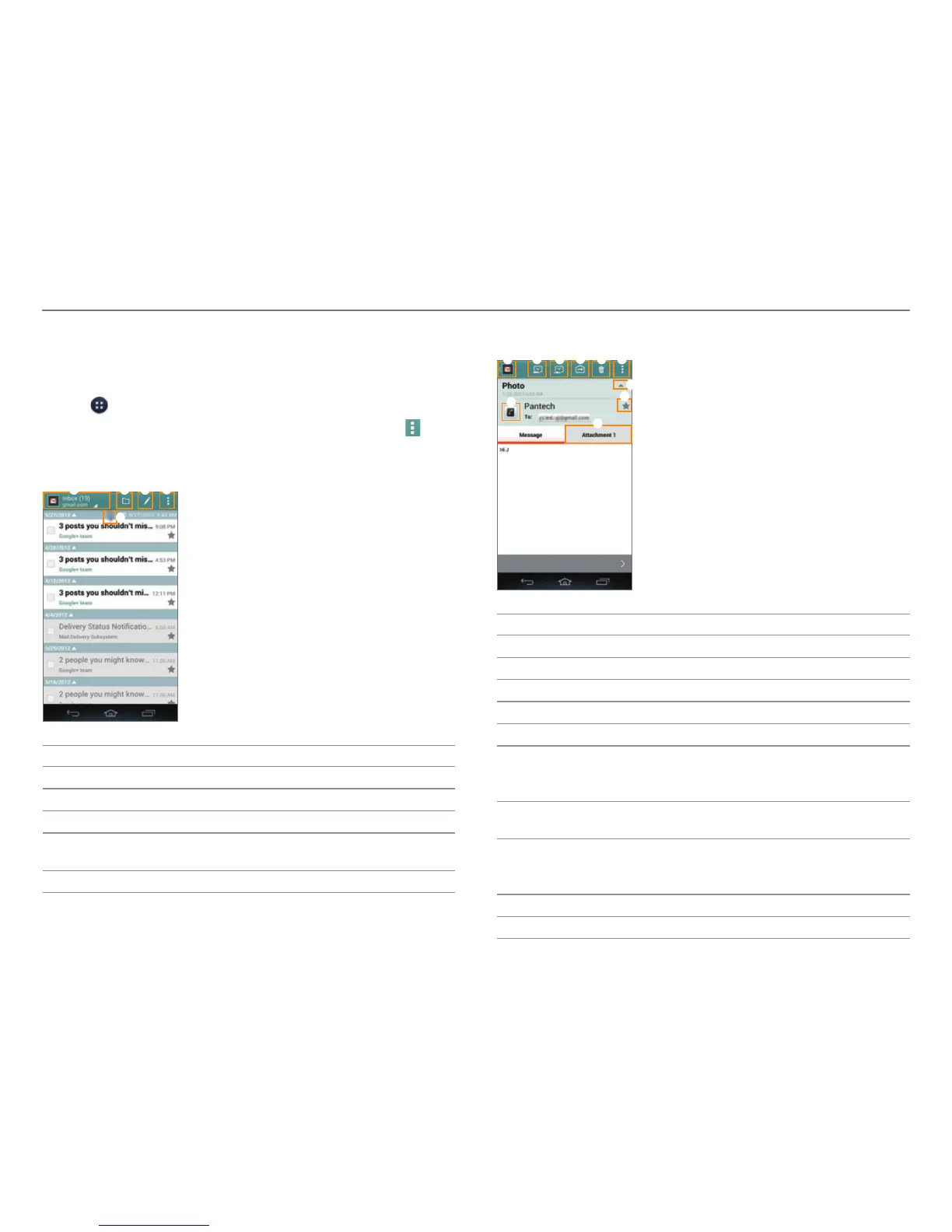
x Tap the check boxes next to emails, and then tap
to
move them or mark them as read or unread.
2. Tap a message to view it.
1 2 3
5
4
No. Description
1
Switch to another account.
2
Switch to another mailbox.
3
Create a message.
4
Refresh mail lists. Search an email. Manage accounts.
Sor
t emails. Manage folders. Access the settings.
5
Refresh mail lists.
3
. View the message.
5 6
8
1
2
3 4
7
9
0
No. Description
1
Return to the mailbox.
2
Send a reply.
3
Reply to all.
4
Forward the mail.
5
Delete the mail.
6
Move the message to another mailbox. Save an event
in the message t
o the calendar. Mark the message as
unread.
7
Show or hide the sent date and time, sender's email
addr
ess, or star.
8
Add the email address to contacts or view the
con
tact information when the address is already
saved.
9
Mark the message as a favorite.
0
View or save the attachment.



 To Next Page