61
COMMUNICATION
Using Gmail
Viewing Gmail Messages
1. Tap > Gmail.
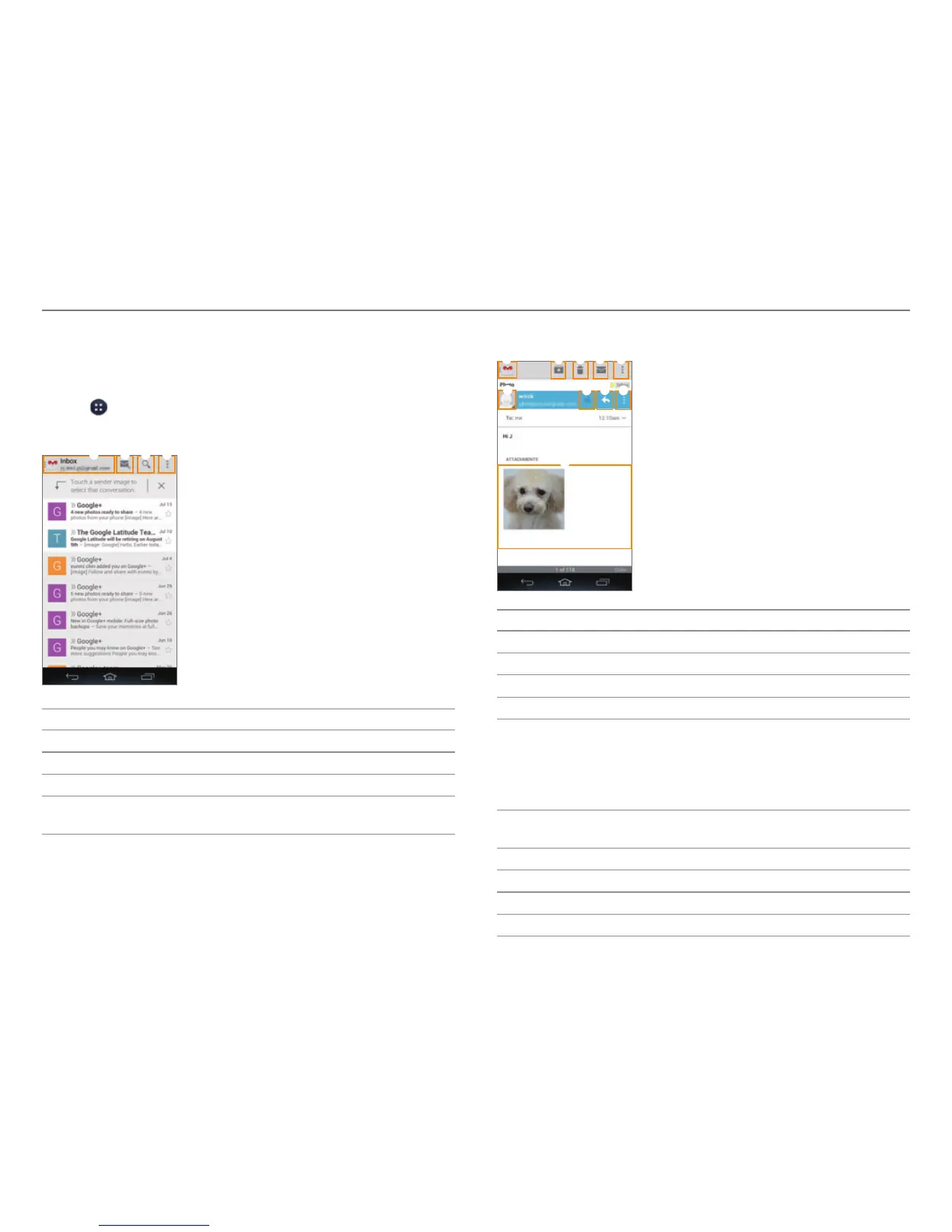
2. From the Gmail inbox, tap a message to view it.
1 2 3 4
No. Description
1
Switch to another account or mailbox.
2
Create a message.
3
Search for a mail.
4
Configure label settings. Access the settings. Send
f
eedback about Gmail. View the help.
3. View the email message.
6 8
9
0
7
1 2 4 53
No. Description
1
Return to the mailbox.
2
Archive a message.
3
Delete a message.
4
Move to the inbox.
5
Move the message to another mailbox. Change
labels. Mark the message as impor
tant or not. Hide
the message. Move the message to the Spam
mailbox. Report the message as phishing. Access the
settings. Send feedback about Gmail. View the help.
6
Add the email address to contacts or view options
when the addr
ess is already saved.
7
Designate as a favorite.
8
Send a reply.
9
Reply to all or forward.
0
View the attachment.



 To Next Page