34
BASIC OPERATIONS
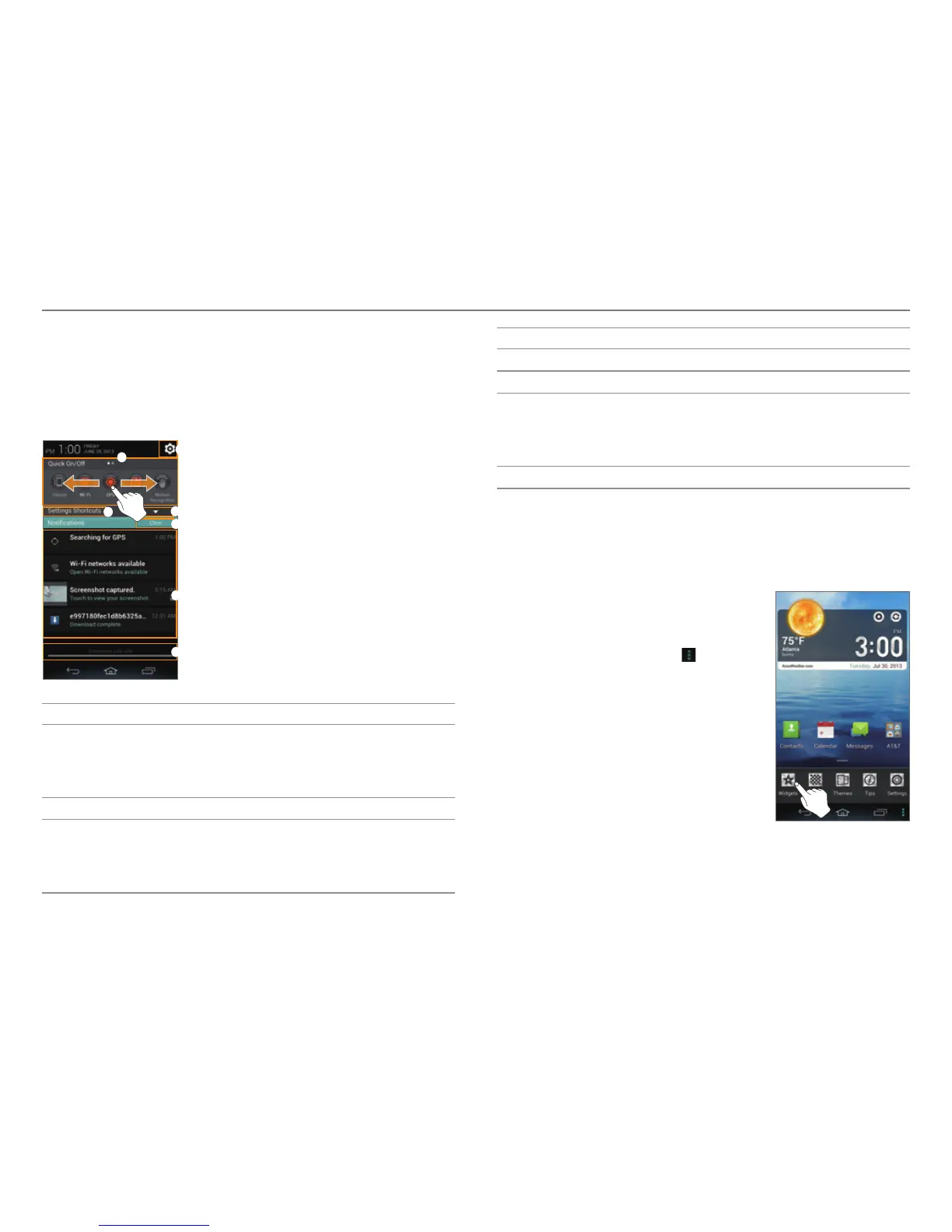
Expandible Notification Screen
The Quick On/Off settings, Settings shortcuts, and
Notification screens will help you manage important functions
such as events, network, GPS, sound settings, and launching
applications. Drag the area at the top of the screen downward.
2
6
7
4
5
3
1
No. Description
1
Quick On/Off
T
urn on or off Vibrate mode, Wi-Fi, GPS, NFC,
Bluetooth, motion recognition, data connection,
mobile hotspot, or auto rotate.
2
Access the settings.
3
Settings shortcuts
Access the settings f
or sound, Wi-Fi, display,
Bluetooth, motion recognition, lock, mobile hotspot,
application management, or synchronization.
No. Description
4
Close or open the Settings shortcuts.
5
Clear all notifications.
6
Ongoing events or notifications
View running applica
tions, notifications for
application updates, missed calls, new emails, or new
messages.
7
Drag it upward to close the screen.
Customizing the Home Screen
Adding a Widget or Shortcut
1. On the Home screen, tap and hold
an empty area.
x You can also flick the Home
screen upward or tap
.
2. Tap Widgets.



 To Next Page