Going inside: Upgrading
Opening and Closing the Unit Case
Unlike many electronics devices, your Book PC was designed to be opened up by you.
Whether you need to install additional options, change jumper settings, or just want to
have a look inside, you can open the case without breaking your warranty.
To Open the System Unit Case
1. Power down the system.
2. Disconnect the power cable.
3. Observe the static electricity precautions stated above.
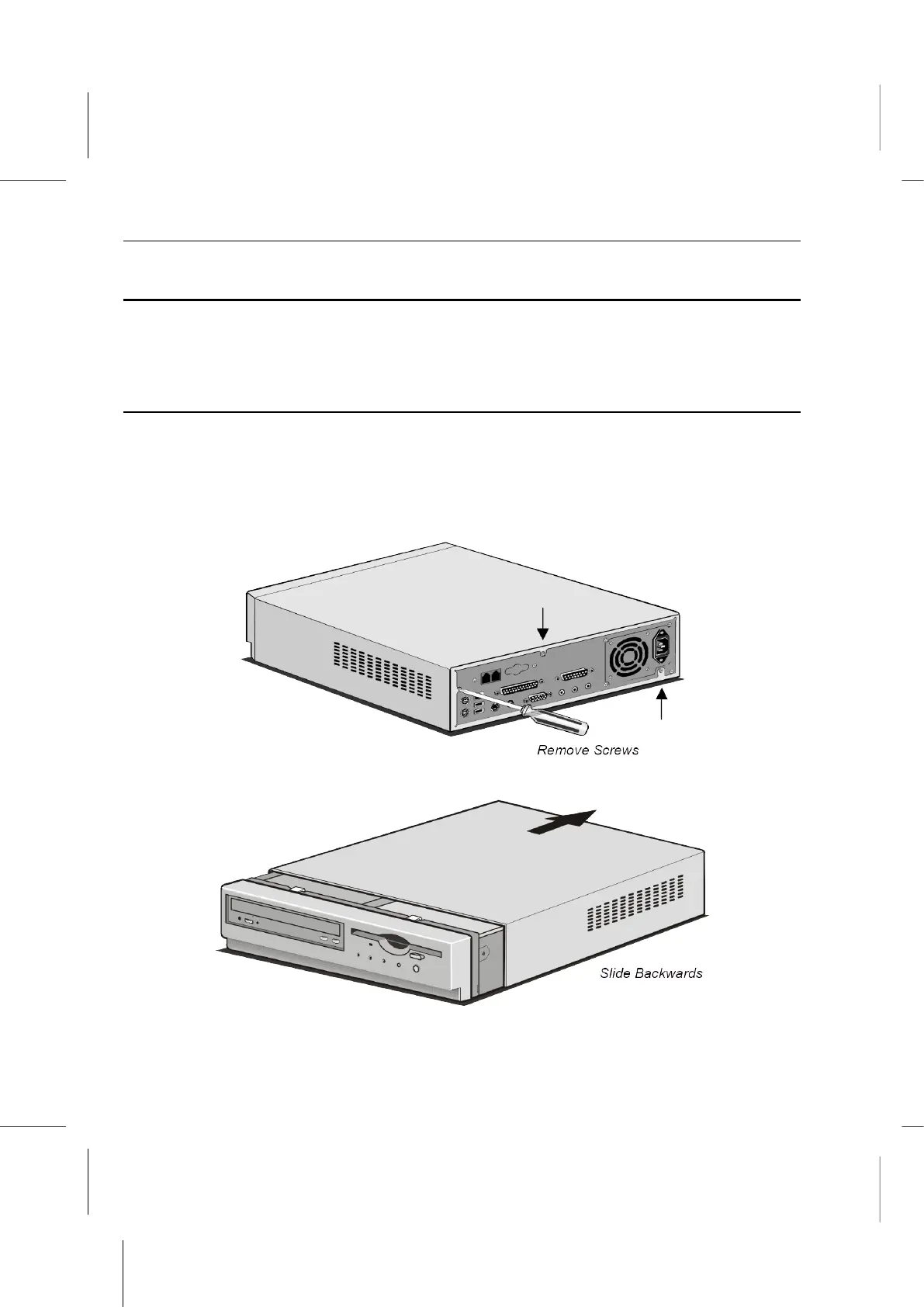
4. Use a Philips-head screwdriver to remove the screws on the back.
5. Slide the case cover backward.
6. Guide the cover away from the chassis.



 To Next Page